The 3x4 photo size is 3 cm wide by 4 cm tall, which is 30 x 40 mm or about 1.18 x 1.57 inches, with a 3:4 aspect ratio. To print it sharply at 300 dpi you need 354 x 472 pixels. For an upload, what matters is keeping the 3:4 shape, for example 600 x 800 pixels as produced by Dokurapi's ID photo tool. The 3x4 cm format is widely used for application forms in Indonesia and several other countries, but the size and background colour that count are always the ones stated by the institution you are applying to.
This guide gives the 3x4 size in every unit, compares it with the 2x3 and 4x6 formats, shows how to crop a photo to 3:4 without installing an app, explains how many photos fit on a print sheet, and covers safe file sizes for uploads. For background colour rules, see our guides to red background ID photos and blue background ID photos.
3x4 photo size in cm, mm, inches and pixels
"3x4" always means width first, then height, in centimetres. A 3x4 photo is portrait: 3 cm wide and 4 cm tall. In millimetres that is 30 x 40 mm. In inches it is about 1.18 x 1.57, because one inch is exactly 25.4 mm.
| Unit | Width | Height |
|---|---|---|
| Centimetres | 3 cm | 4 cm |
| Millimetres | 30 mm | 40 mm |
| Inches | 1.18 in | 1.57 in |
| Pixels at 300 dpi | 354 px | 472 px |
| Pixels at 200 dpi | 236 px | 315 px |
| Dokurapi tool output (3:4) | 600 px | 800 px |
Pixels have no physical size of their own. A print size only appears when you divide pixels by a print density, measured in dots per inch (dpi). The formula is: pixels equal millimetres divided by 25.4, times dpi. A 30 mm width at 300 dpi gives 30 / 25.4 x 300 = 354.3, rounded to 354 pixels. The 40 mm height gives 472.4, rounded to 472 pixels.
So a 600 x 800 pixel photo is not "too big" for a 3x4 print. Printed at 3 x 4 cm it works out to roughly 508 dpi, well above what normal photo printing needs. For uploads, extra pixels are fine as long as the file stays under the portal's size limit.
Ready to try it? The tool is free and runs in your browser.
Open the ID photo tool2x3 vs 3x4 vs 4x6: shape matters, not just size
These three formats are the ones most often requested, and they are easy to mix up. The difference is not only how big they are but also their shape.
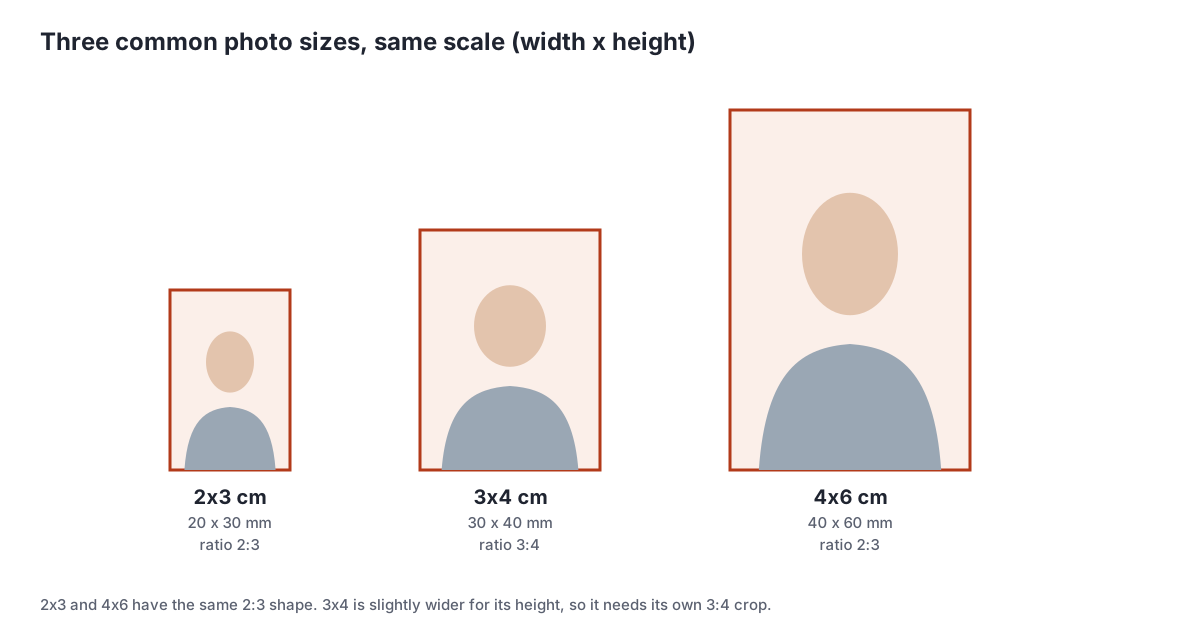
- 2x3 cm (20 x 30 mm, ratio 2:3). The smallest of the three, used on cards and small photo boxes on forms.
- 3x4 cm (30 x 40 mm, ratio 3:4). The common middle size on application and administrative forms.
- 4x6 cm (40 x 60 mm, ratio 2:3). A larger format for documents that want a clearer face. For example, the LPDP scholarship policy summarised in our LPDP upload requirements asks for a formal 4x6 photo.
The practical consequence: a 4x6 photo can be scaled down to 2x3 without recropping because the shape is the same, but a 4x6 photo cannot become 3x4 without trimming a little from the top or bottom. If a form asks for 3x4, crop straight to 3:4 so the face is never squashed or stretched.
Pixel sizes for upload and print
Many portals never mention centimetres. They ask for an aspect ratio, a minimum pixel size or a maximum file size. This table translates the common print sizes into pixels.
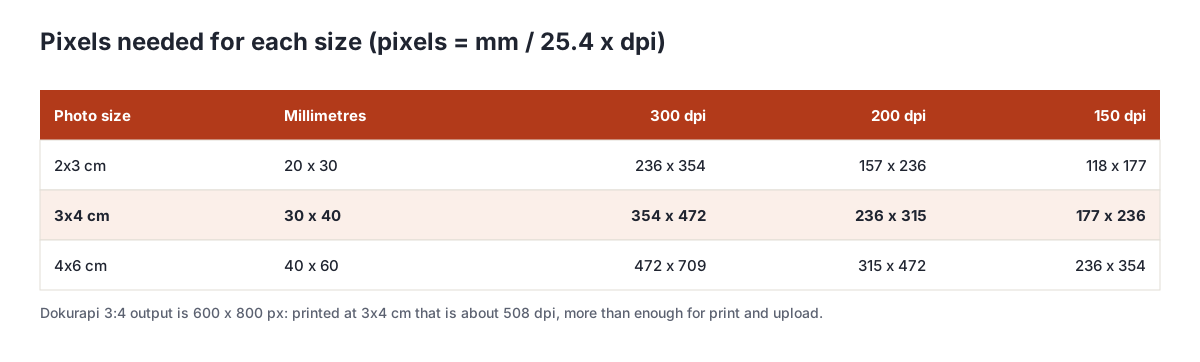
- For print, use 300 dpi as the reference. A 3x4 photo needs at least about 354 x 472 pixels.
- For upload, follow the dimensions the portal asks for. If it asks for, say, 480 x 640 pixels, that is also 3:4, so a 600 x 800 result only needs scaling down if larger dimensions are rejected.
- If the portal only says "3x4 photo", any 3:4 image of a few hundred pixels wide is enough. File size is the more common problem, not dimensions.
One more point: the dpi value written in a file's metadata is almost never checked by portals. They read the pixel count and the file size. Do not worry if the same photo shows 72 dpi in one app and 300 dpi in another.
Taking your own photo for a 3x4 print
A 3x4 photo does not have to come from a studio. A phone photo works as long as the basics are right, because the crop and background can be handled afterwards.
- Stand in front of a plain, light wall, about a metre away from it so no shadow falls behind your head.
- Face the light, for example a window in daytime. Avoid overhead lamps that cast shadows under the eyes.
- Ask someone else to take the photo at eye level from about 1.5 metres, zooming in slightly. Close-up selfies make the nose look larger.
- Leave room above the head and below the shoulders so the photo can be cropped to 3:4 without cutting the chin or hair.
A neutral expression with the mouth closed and eyes open is the safest choice for most institutions. If the rules ask for visible ears or a collared shirt, get that right when shooting, because no tool can fix it later.
How to make a 3x4 photo in your browser
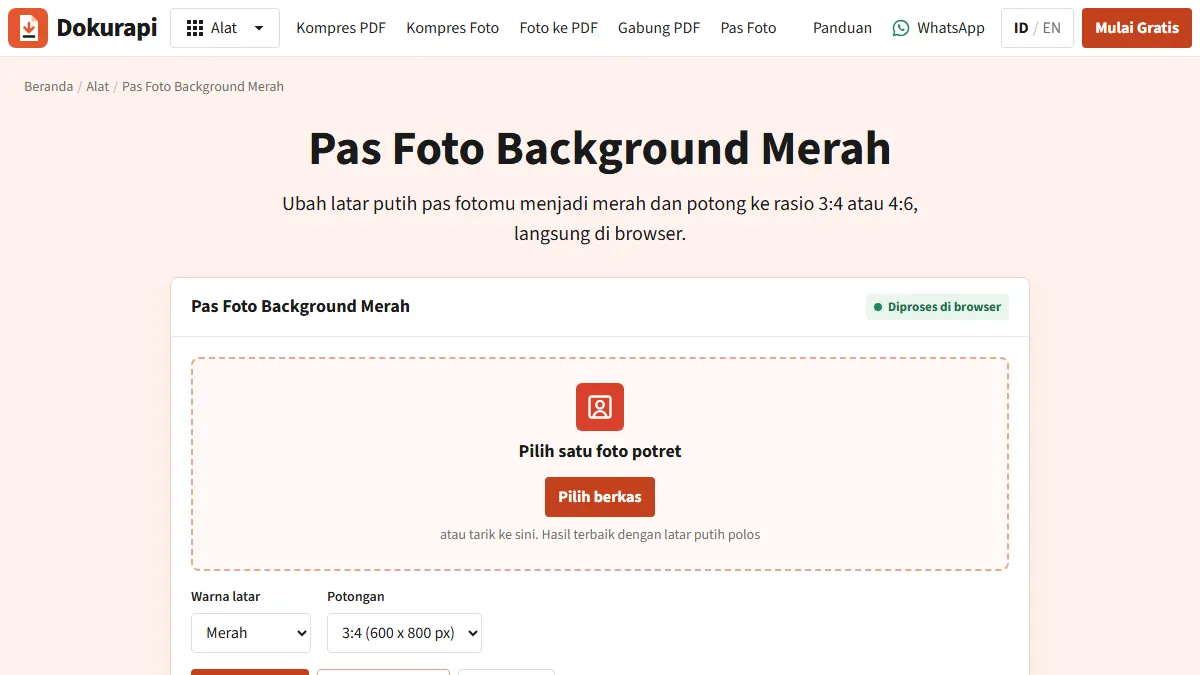
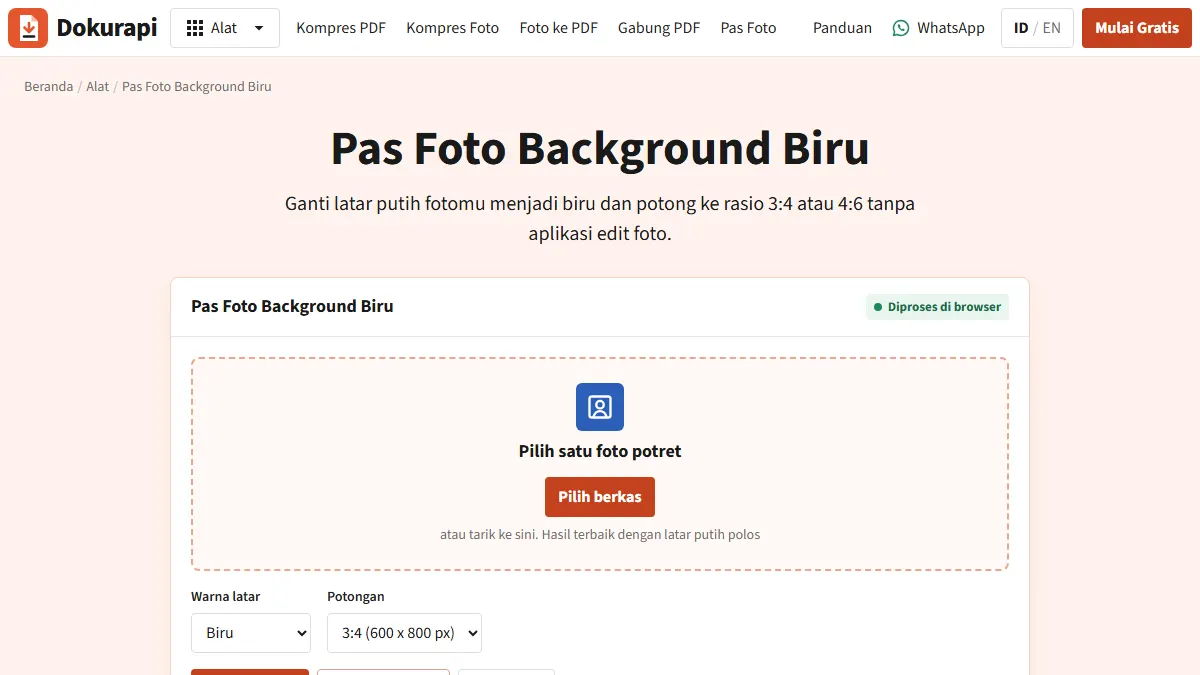
Dokurapi's ID photo tool crops a photo to 3:4 and replaces the background with red or blue, all inside your browser tab with nothing uploaded.
- Start with a front-facing photo on a plain background in even light. Keep the face centred, because the tool crops from the middle of the image.
- Open the tool for your background: red background or blue background. The colour can also be changed in the Background menu.
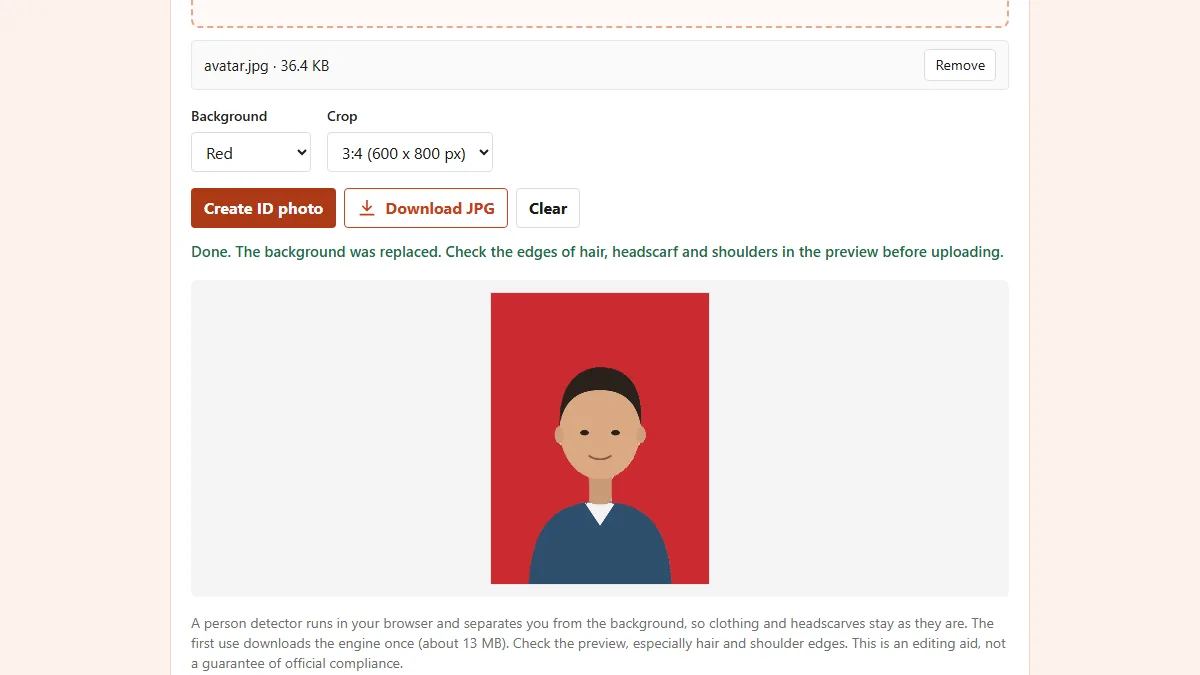
- Choose the 3:4 (600 x 800 px) crop. For a 4x6 photo, choose 4:6 (600 x 900 px).
- Press Create ID photo. The first run downloads the background detector once, about 13 MB.
- Check the preview, especially the edges of hair, headscarf and shoulders, then download the JPG. The file name looks like
dokurapi-pasfoto-red-3x4.jpg.
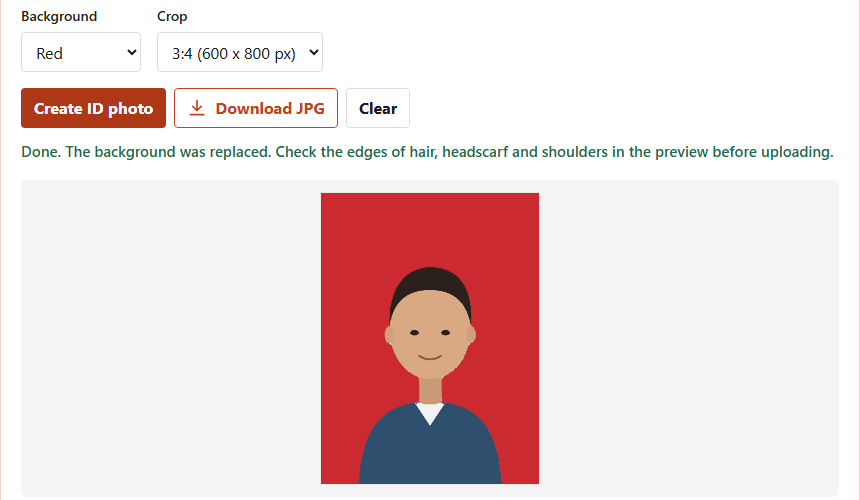
The output is a 600 x 800 pixel JPG. The tool is an editing aid, not a guarantee of acceptance, so check the institution's rules on clothing, expression and visible ears as well.
Printing 3x4 photos on 4R and A4 paper
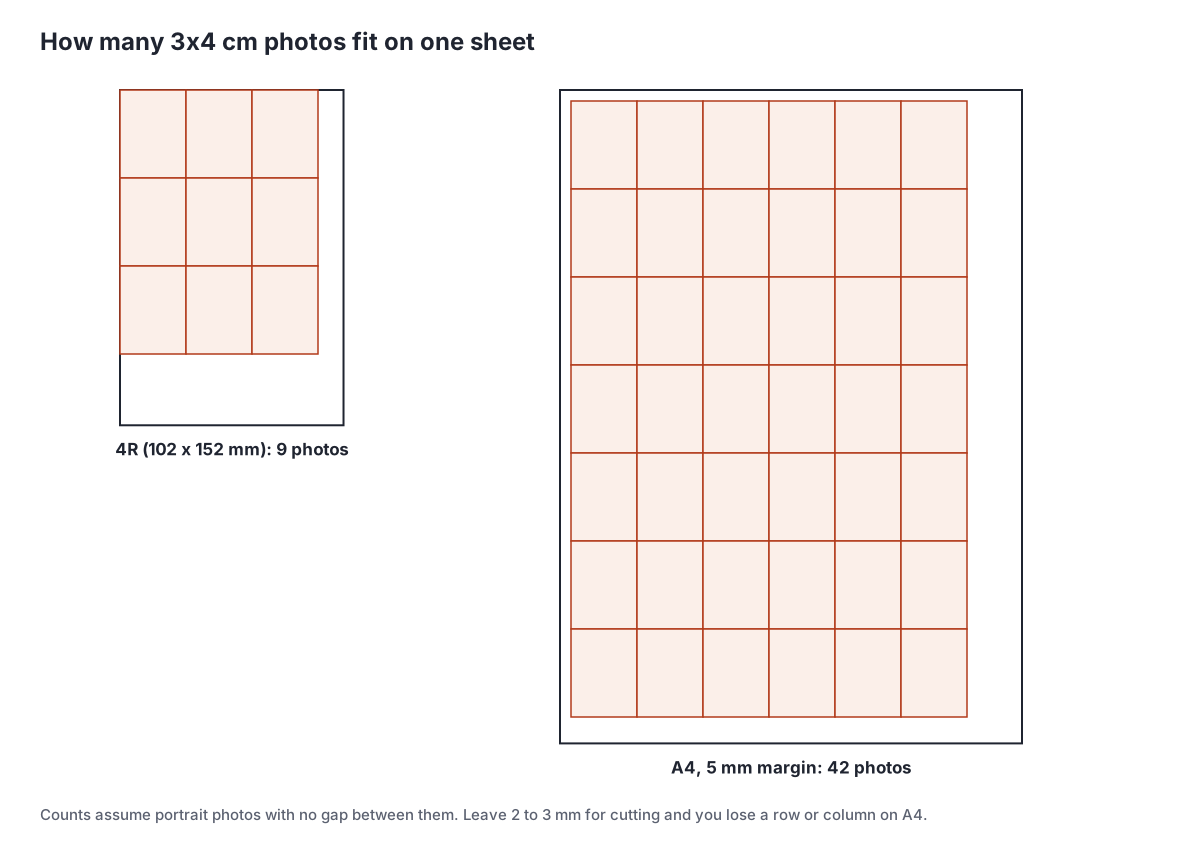
If an office wants printed photos, putting several on one sheet is far cheaper than printing one per sheet. The count is simply the paper size divided by the photo size.
| Paper | Size | 3x4 photos | 4x6 photos |
|---|---|---|---|
| 4R | 102 x 152 mm | 9 (3 x 3) | 4 (2 x 2) |
| A4, 5 mm margin | 210 x 297 mm | 42 (6 x 7) | 20 (5 x 4) |
| A4, 5 mm margin, 2 mm gaps | 210 x 297 mm | 36 (6 x 6) | 16 (4 x 4) |
When printing, set the printer to 100% scale or "actual size", not "fit to page". Fit to page can enlarge or shrink the photos so they are no longer 3 x 4 cm. Print one test sheet, measure it with a ruler, then print the rest.
File size for uploading a 3x4 photo
A 600 x 800 JPG usually weighs from a few dozen to a few hundred KB, depending on detail. In our test with a simple vector illustration it came out at about 17 KB. A real photo with hair, fabric and shadows will be larger.
- If the portal caps photos at 100 KB, shrink the file with compress image to 100KB.
- For a 200 KB cap use compress image to 200KB, and for 500 KB there is compress image to 500KB.
- If the photo has to go inside a PDF, place it with Photo to PDF.
Compress after cropping and replacing the background, not before. Compressing first and editing afterwards compresses the image twice and loses facial detail. Our guides to compressing a photo to 100KB and to 200KB explain the common limits.
Common mistakes with 3x4 photos
Most rejected photos are not the wrong size. They fail on small details that are easy to miss.
- Stretched instead of cropped. A landscape photo forced into a 3:4 frame squashes the face. Always crop to the right ratio.
- Face off-centre. The tool crops from the middle, so a face near the edge gets cut.
- Head too small or too large. Aim for head and shoulders filling most of the frame, without cutting off the top of the head.
- Wrong background colour. Follow the colour in the latest announcement, not last year's habit.
- Printing with automatic scaling. The result is no longer 3 x 4 cm. Use 100% scale.
If a photo is rejected, read the message carefully. "Invalid dimensions" points to the ratio or pixel size, while "file too large" points to KB. Each needs a different fix.
Before uploading a full set of documents, run through the file size checklist before uploading. Real portal photo rules are covered in our guides to SSCASN upload requirements and SNBP upload requirements.
Frequently asked questions
What is the 3x4 photo size in cm and mm?
What is the 3x4 photo size in inches?
How many pixels is a 3x4 photo?
What is the difference between 3x4 and 4x6 photos?
How do I make a 3x4 photo without an app?
How many 3x4 photos fit on 4R paper?
How many 3x4 photos fit on an A4 sheet?
Is my photo uploaded when I use the Dokurapi tool?
Sources
- Dots per inch, Wikipedia
- Inch (1 inch = 25.4 mm), Wikipedia
- Photo print sizes (4R 102 x 152 mm), Wikipedia
- Paper size (A4 210 x 297 mm), Wikipedia
Need help?Result not quite right, or unsure about a form rule? Ask Dokurapi support on WhatsApp. Please do not send personal documents in chat.
Chat on WhatsApp