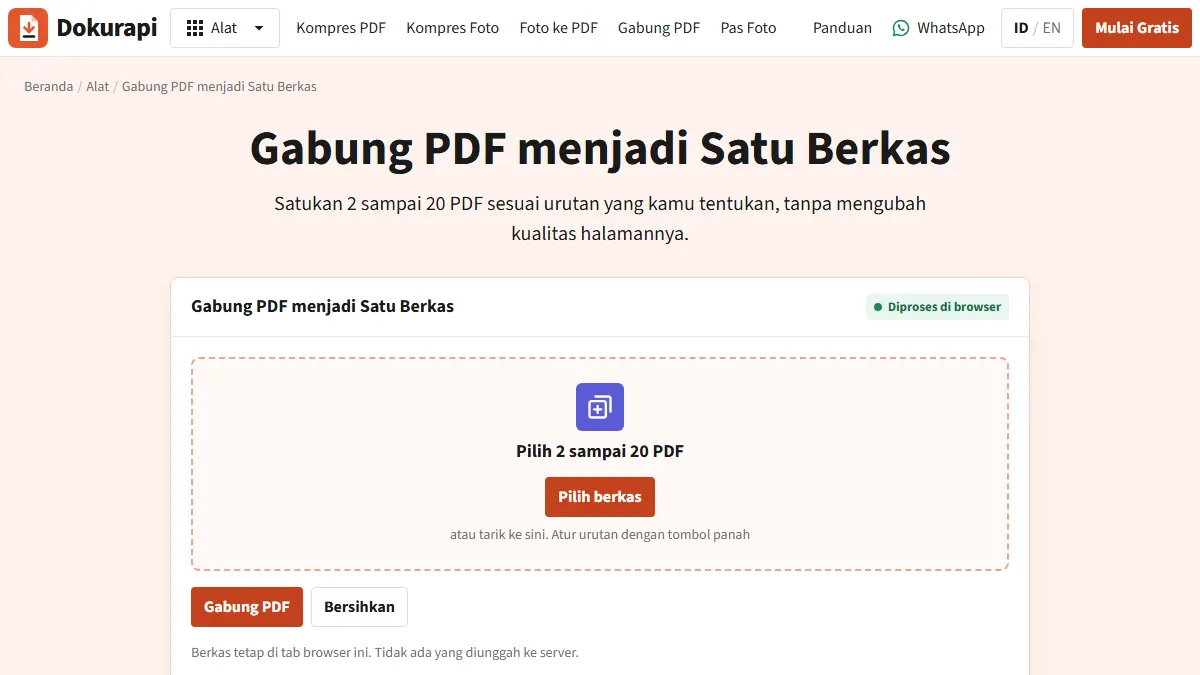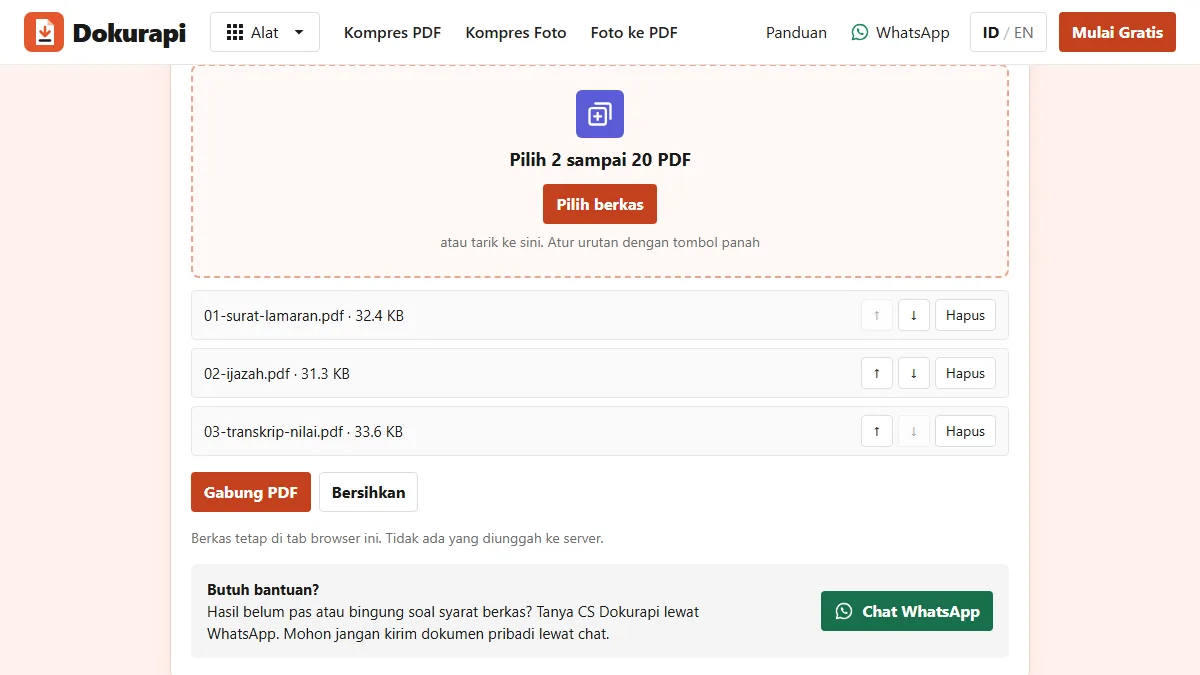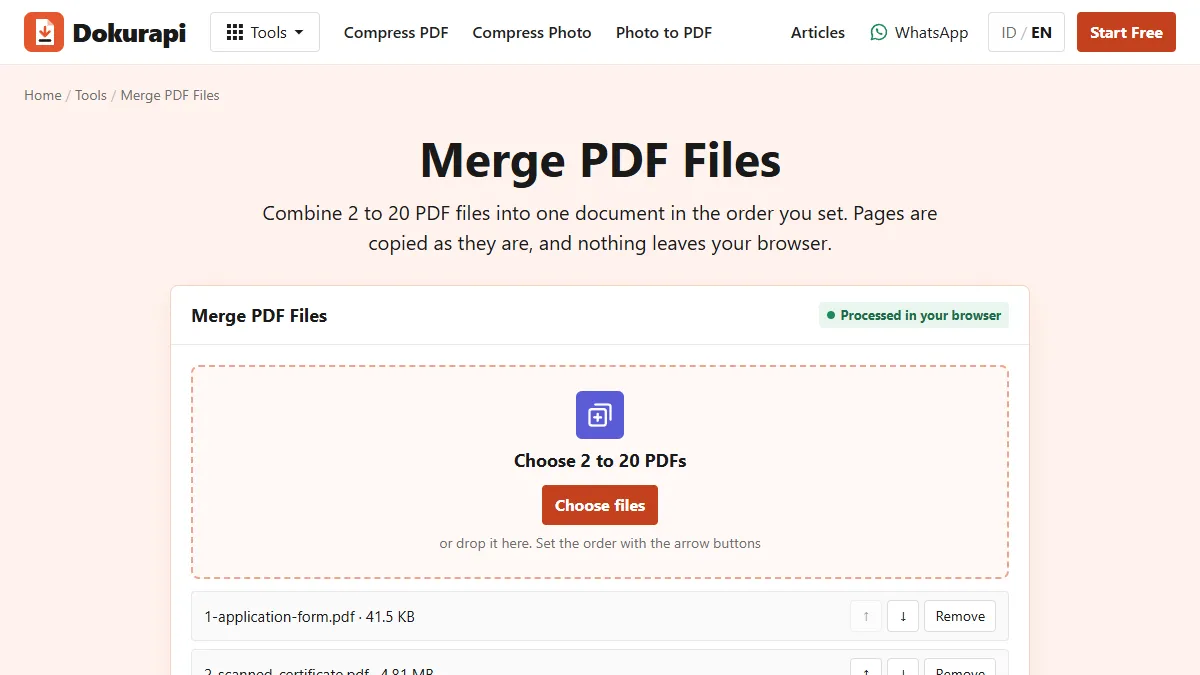
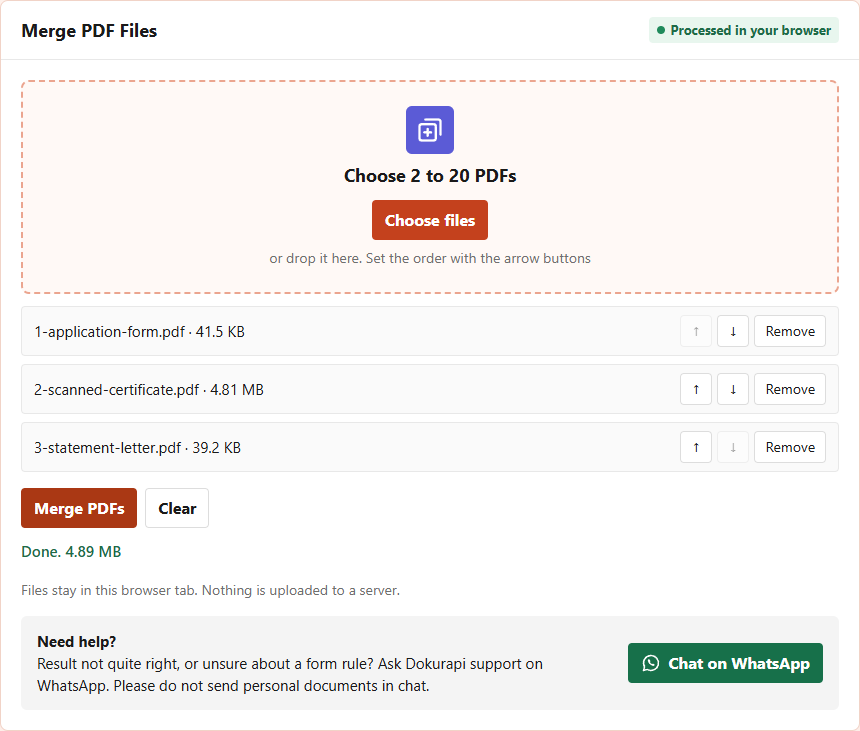
To combine PDF files into one document, open Dokurapi's Merge PDF tool, choose 2 to 20 PDFs, put them in order with the arrow buttons, and press Merge PDFs. The combined file downloads straight away as dokurapi-gabung.pdf, and nothing is uploaded. In our test on 14 October 2026, three files of 41,536, 4,814,171 and 39,162 bytes became one four-page PDF of 4,889,690 bytes.
That last number is the catch. Combining does not shrink anything: the merged file is about the sum of its parts. This guide covers how to plan the order, what the tool does to each page, how to check the result, and the better of two ways to get a combined file under an upload limit.
Why forms ask you to combine PDFs
Many application portals give you a single upload slot for a group of documents. A scholarship form may ask for "supporting documents" as one file, a job portal may want the CV, certificates and references together, and a school registration may combine the birth certificate, family card and report cards. Reviewers prefer one file because they can read it from top to bottom without opening several attachments.
When a slot accepts one file only, uploading a second one usually replaces the first. So if you have a two-page typed form, a scanned certificate and a one-page statement, you need to combine them before the upload. Doing it in the right order matters, because the reviewer reads the pages as you arrange them and may not scroll back to look for a missing document.
Before you start, read the form's instructions for three things: the order it expects, the maximum file size, and whether it wants a page count limit. Write them down. Portal-specific guides such as LPDP upload requirements, SNBP upload requirements and SSCASN upload file size collect those rules for some common Indonesian portals, with links to the official sources.
Ready to try it? The tool is free and runs in your browser.
Open the Merge PDF toolHow to combine PDF files with Dokurapi, step by step
- Open the Merge PDF tool. The page says "Processed in your browser".
- Press Choose files and select all the PDFs at once, or drop them on the box. You can add more later; the tool keeps up to 20.
- Check the list. Each row shows the file name and size, with ↑ and ↓ buttons and a Remove button.
- Use the arrows until the list matches the order the form asks for. The top row becomes the first page of the combined file.
- Press Merge PDFs. The file downloads as dokurapi-gabung.pdf and the status line shows its size.
- Open the downloaded file and check the page order before uploading.
The file picker usually lists files in the order you clicked them or in alphabetical order, depending on your device. Do not trust either. In our test we added the files in the wrong order on purpose, with the statement letter before the scanned certificate.
Setting the order with the arrow buttons
Each row has an up arrow and a down arrow. The up arrow is disabled on the first row and the down arrow on the last row, so you always know where the ends of the list are. One press moves a file by one position. To fix our test list we pressed the up arrow on 2-scanned-certificate.pdf once, which moved it above the statement letter.
A simple habit avoids most ordering mistakes: rename the files with a number at the start before you combine them, such as 1-form.pdf, 2-certificate.pdf and 3-statement.pdf. The numbers make the intended order visible in the list, and if the picker sorts alphabetically it will already be right. If a file in the middle has several pages in the wrong order, fix that file first; the guide to checking PDF page order shows how to spot it. If some of your documents are photos rather than PDFs, turn them into a PDF first with Photo to PDF, which has the same arrow buttons for ordering pages.
What happens to your pages when you combine them
The Merge PDF tool uses pdf-lib, an open source PDF library that runs in the browser. For each file in your list, it opens the PDF, copies every page into a new document in the same order, and saves the new document. Your files are read from your device through the browser's File API; there is no upload step.
Copying pages keeps them as they are. Text that you could select in the original can still be selected in the combined file, scanned pages stay at their original resolution, and page sizes are kept, so an A4 page stays A4 and a letter-size page stays letter size. The tool does not compress, resize or rasterize anything. That is why our combined file was almost exactly the sum of the three inputs.
There are two limits. A file that is damaged, or protected with a password, cannot be opened, and the tool shows "One or more PDFs is damaged or unsupported" instead of merging. Remove the password in the app that created the file, then try again. Also, interactive parts such as fillable form fields and digital signatures may not survive copying in a usable way. If a document's signature must stay valid, upload it as its own file if the form allows, or ask the institution how it wants signed documents sent.
Measured: three files combined
We made three synthetic PDFs with no personal data: a two-page typed form, a one-page scan made from a 4000 by 3000 test image, and a one-page typed statement. We combined them in the live tool on 14 October 2026, then opened the result in Dokurapi's Check PDF size tool to read the exact byte count and page count.
| File | Pages | Size in bytes | Share of total |
|---|---|---|---|
| 1-application-form.pdf (typed) | 2 | 41,536 | 0.8% |
| 2-scanned-certificate.pdf (scan) | 1 | 4,814,171 | 98.4% |
| 3-statement-letter.pdf (typed) | 1 | 39,162 | 0.8% |
| Sum of the three | 4 | 4,894,869 | 100% |
| Combined file from the tool | 4 | 4,889,690 |
The combined file was 5,179 bytes smaller than the sum, because the tool saves with compact object streams and shares some internal structures. That is a rounding error next to the scan. The scanned certificate alone made up 98.4% of the total, which is typical: one scanned or photographed page often outweighs dozens of typed pages.
Check the combined file against the limit
Never assume the combined file fits. Open it in the Check PDF size tool, choose the limit from the form, and read the result. We set the limit to 2 MB, a common figure for supporting documents. The checker counted 4 pages and reported the file 2.89 MB over the limit, with a link to compress it.
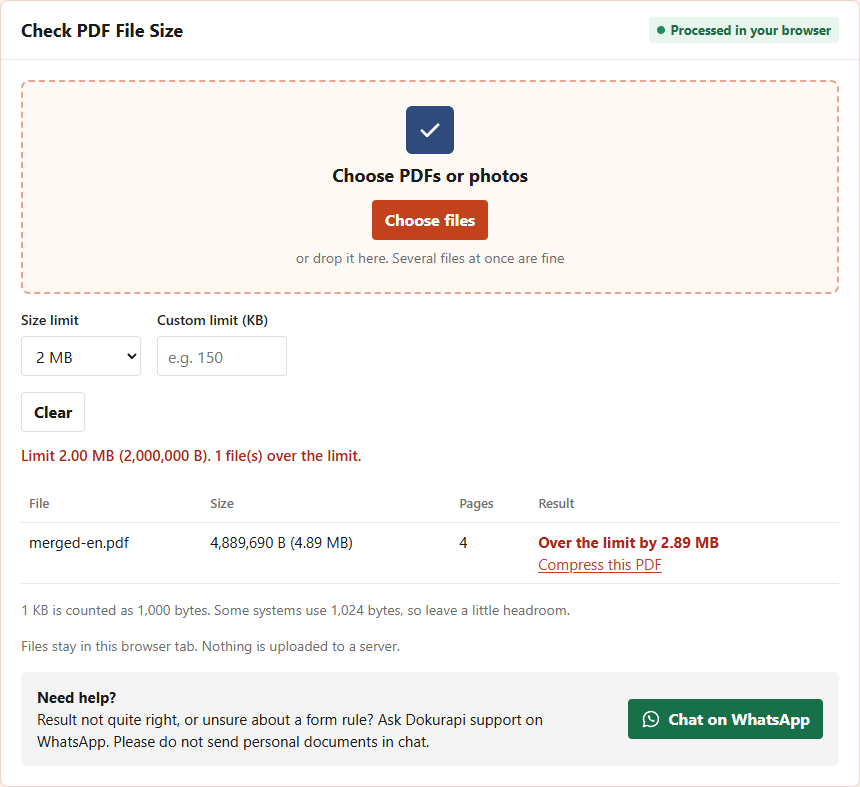
The page count is as useful as the size. Three documents of 2, 1 and 1 pages should give 4 pages; if you see 3, a file was left out, and if you see 8, one was added twice. The checker counts 1 KB as 1,000 bytes, as most forms do, and notes that some systems use 1,024, which is explained in the NIST note on binary prefixes. Leave a little headroom rather than aiming for the exact limit.
Two ways to get the combined file under the limit
If the combined PDF is too big, you can shrink the whole file after merging, or shrink only the heavy part before merging. We measured both.
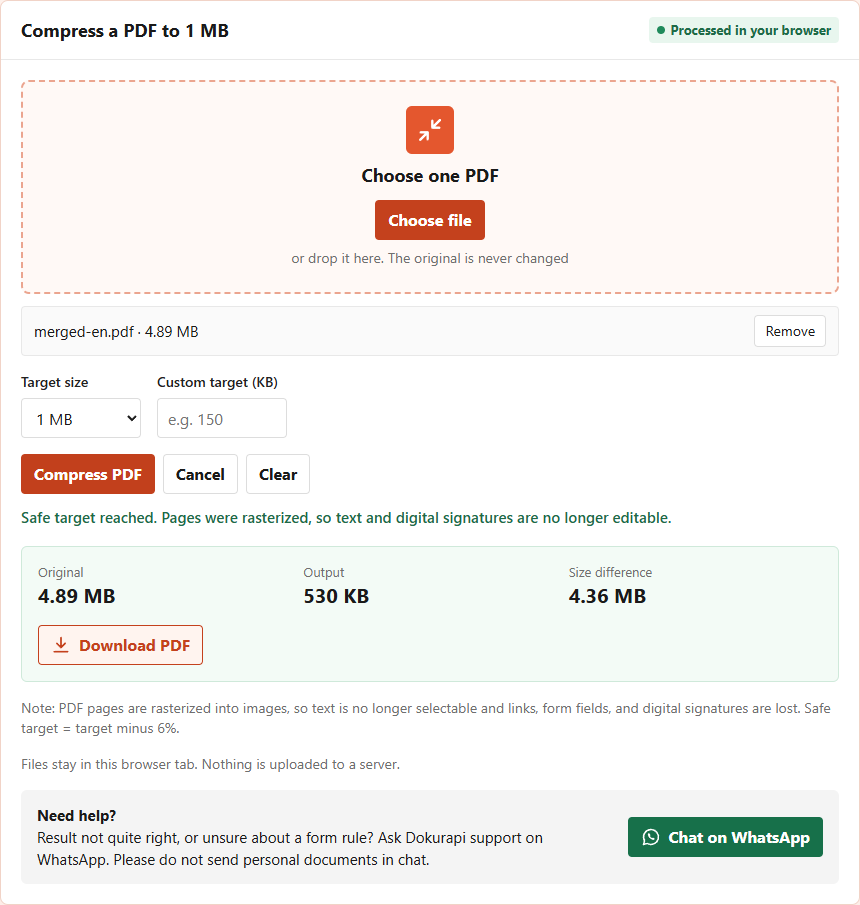
Route 1: compress after combining. We put the 4.89 MB combined file into Compress PDF to 1 MB. The result was 530,440 bytes. But that tool rasterizes every page into a JPG picture, so the typed form and statement lost their selectable text too.
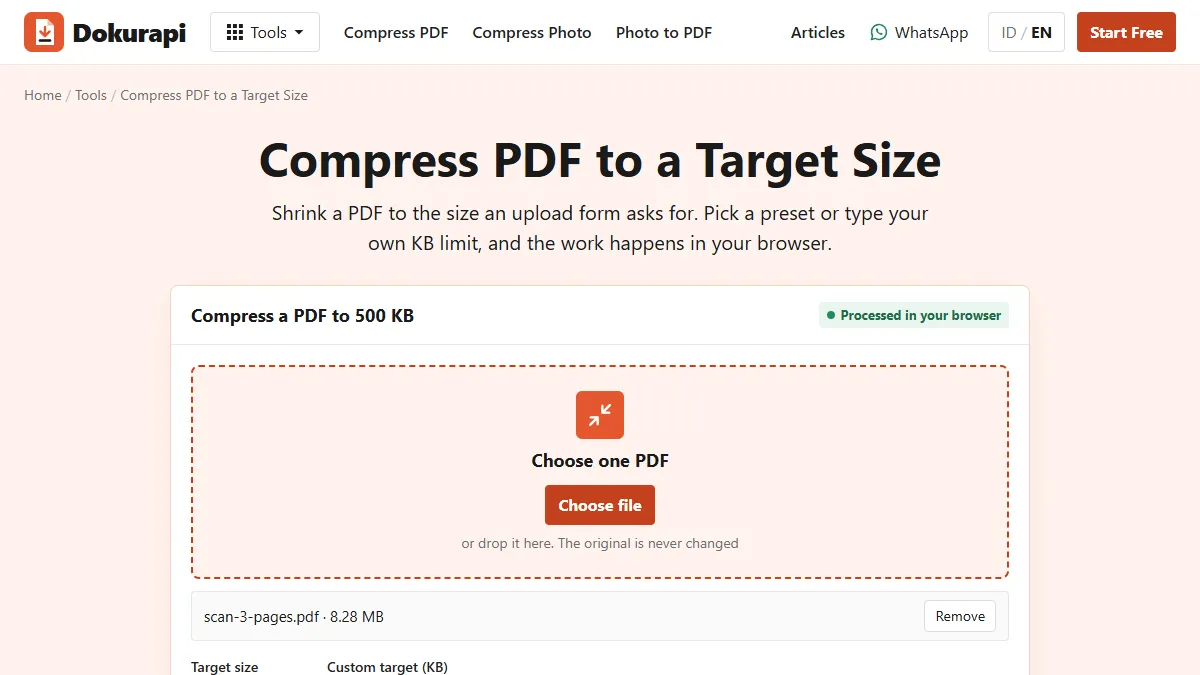
Route 2: compress the scan first, then combine. We compressed only 2-scanned-certificate.pdf with Compress PDF to 500 KB, which gave 72,163 bytes. Combining it with the two typed files produced 148,010 bytes, a quarter of Route 1, and the typed pages kept their real text.
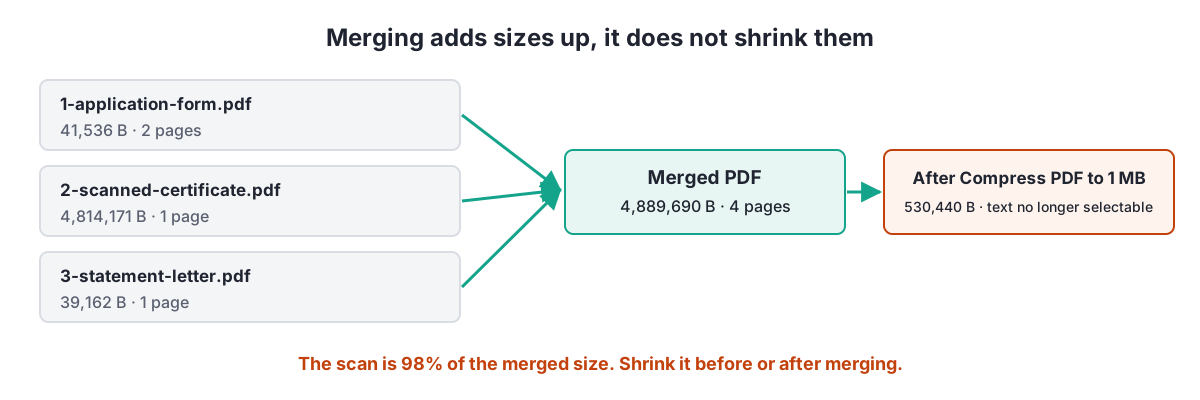
Route 2 is the better default: smaller result, sharper typed pages, and searchable text. Use Route 1 only when every input is a scan anyway. If a scan will not reach the size you need, the article on files that will not compress to the target lists the next steps, and reduce PDF size explains why typed PDFs should not be rasterized.
Common mistakes when combining PDFs
| Mistake | What happens | Fix |
|---|---|---|
| Trusting the picker order | Documents appear in the wrong sequence | Number the file names and check the list before merging |
| Forgetting a file | The reviewer cannot find a required document | Compare the page count with the sum of the inputs |
| Combining before checking size | The bundle is far over the limit | Compress heavy scans first, then combine |
| Compressing the whole bundle | Typed pages become pictures | Compress only the scanned files |
| Including a password-protected file | The tool reports a damaged or unsupported PDF | Remove the password in the source app first |
| Uploading without opening | Blank or sideways pages go unnoticed | Open the combined file and scroll through every page |
Once the combined file is ready, rename it before uploading. The name dokurapi-gabung.pdf says nothing about the contents, while some portals show the file name to the reviewer and others ask for a pattern such as your registration number followed by the document type. Stick to lowercase letters, numbers and hyphens, without spaces or symbols, because some older systems reject special characters. Keep the original files until the application is finished, too. If the reviewer asks you to replace one document, you only need to swap one file in the list and combine again, without scanning everything from the start. The Merge PDF tool also works on a phone: open the page in the browser, pick the files from your downloads or storage, set the order with the same arrow buttons, and press Merge PDFs. The result lands in the phone's downloads folder like any other file.
For a deeper look at preparing combined files for applications, see how to merge PDF files for application uploads. All Dokurapi tools work the same way, inside your browser, which is described in how browser-only file tools work.
Frequently asked questions
How do I combine PDF files into one?
How many PDFs can I combine at once?
Does combining PDFs make the file smaller?
How do I change the order of the files?
Will the text in my PDFs still be selectable?
How do I get the combined PDF under the size limit?
Why does the tool say a PDF is damaged or unsupported?
Are my PDFs uploaded when I combine them?
Sources
- pdf-lib: create and modify PDF documents in JavaScript
- MDN: File API
- NIST: Prefixes for binary multiples
Need help?Result not quite right, or unsure about a form rule? Ask Dokurapi support on WhatsApp. Please do not send personal documents in chat.
Chat on WhatsApp