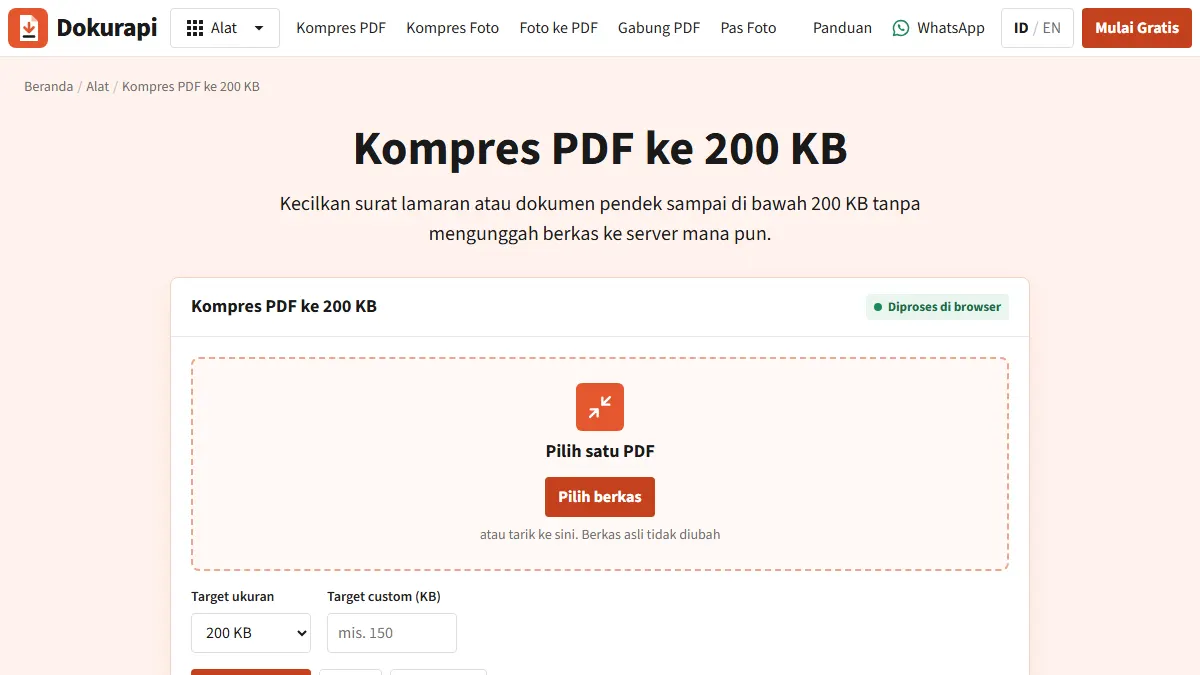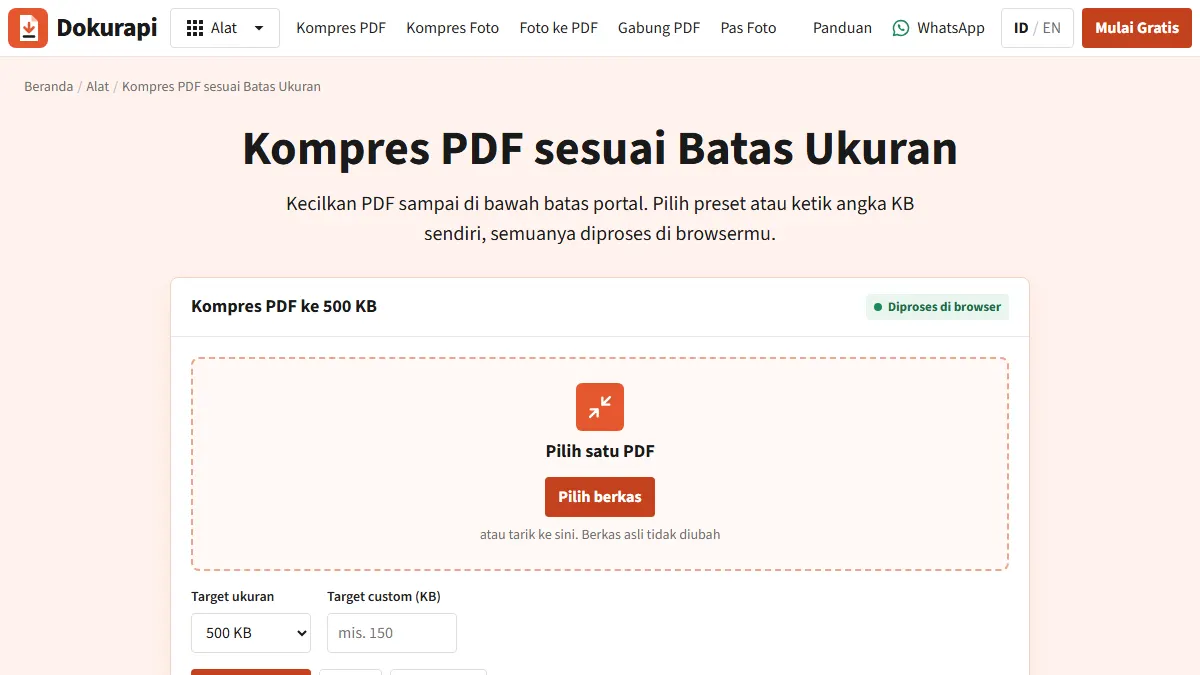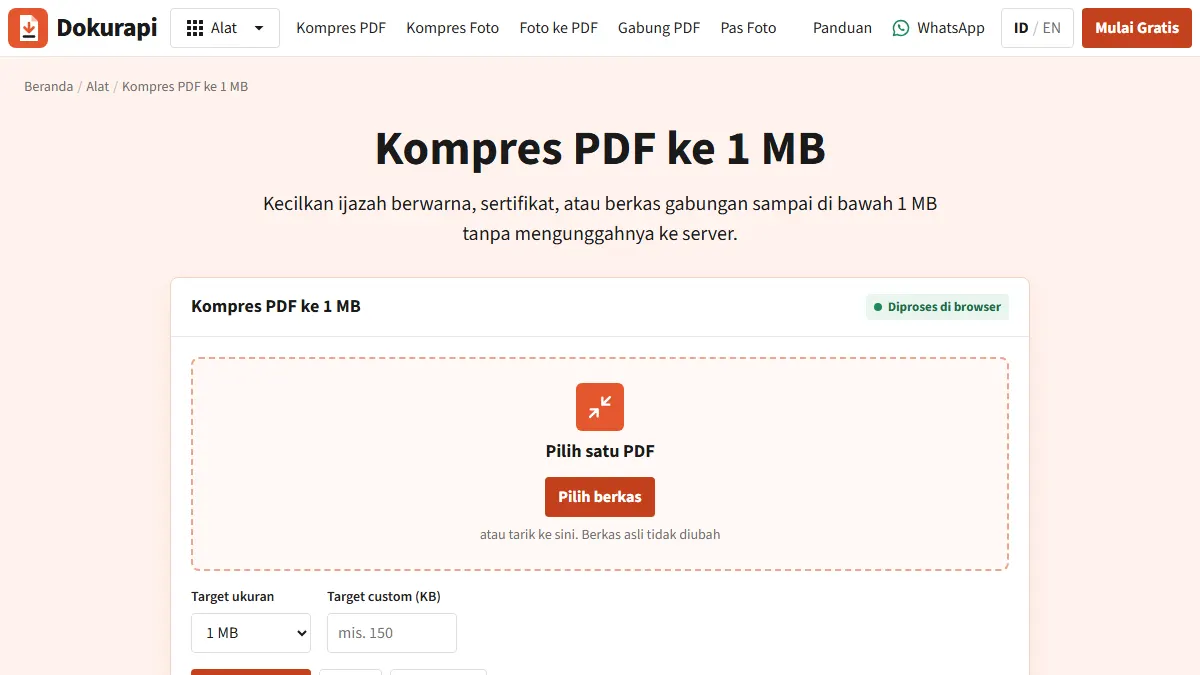
To compress PDF to 1MB, open the Dokurapi Compress PDF 1 MB tool, drop in your file, keep the 1 MB target and press Compress PDF. The tool aims for a safe size of about 940 KB rather than exactly 1,000 KB, shows you the original and output sizes, and tells you whether the target was met. Everything runs inside your browser, so the file never leaves your device. Before you upload, check two things: the text is still readable, and the form you are filling in really does say 1 MB.
This guide is for anyone stuck at an upload box: a scholarship form, a university portal, a job application or a government recruitment site. It covers the steps, the arithmetic behind the 940 KB figure, what to do when the result is blurry or still too big, and the limits we would rather you knew before the deadline.
How to compress a PDF to 1MB with Dokurapi
- Measure first. Open the Check PDF Size tool and note the exact byte count. If the file is already under the limit, stop here. Compressing it anyway can only cost you quality.
- Open the Compress PDF 1 MB tool and drag your PDF onto the drop zone, or click to browse. It handles one PDF at a time.
- Confirm the target. Presets cover 100 KB, 200 KB, 500 KB and 1 MB, and there is a custom KB box if your form asks for something else, such as 800 KB.
- Press Compress PDF. Each page is redrawn on your own device, so a long document on an older phone takes a while. There is a Cancel button if you change your mind.
- Read the result panel. It lists the original size, the output size and how much you saved, plus a status line that says whether the safe target was reached.
- Download and proofread. The output gets a
-dokurapi-raster.pdfsuffix and your original is never overwritten. Open it at 100% zoom and read the smallest print: roll numbers, grades, seals.
Ready to try it? The tool is free and runs in your browser.
Open the Compress PDF 1 MB toolWhy the target is about 940 KB, not 1,000 KB
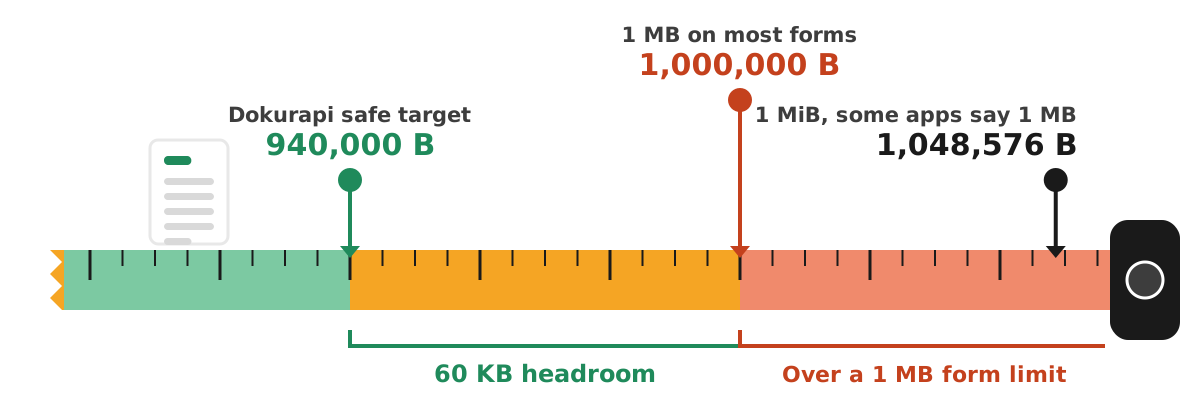
There are two ways to count file sizes. In SI units, kilo means 1,000, so 1 KB is 1,000 bytes and 1 MB is 1,000,000 bytes. Multiples of 1,024 have their own names, kibibyte (KiB) and mebibyte (MiB), as NIST explains. Plenty of software still writes "KB" while counting in 1,024s; Windows File Explorer is the usual example. A file that looks like 980 KB on your laptop may be over a million bytes.
Dokurapi always counts 1 KB as 1,000 bytes and then trims the target by 6% as a safety margin:
| Target you pick | Limit in bytes | Dokurapi safe target (x 0.94) |
|---|---|---|
| 200 KB | 200,000 | about 188,000 bytes |
| 500 KB | 500,000 | about 470,000 bytes |
| 1 MB | 1,000,000 | about 940,000 bytes |
The margin absorbs differences in how a portal counts, rounding in the size it displays, and anything else that nudges the byte count. Sixty kilobytes of headroom is cheap insurance compared with a rejection message an hour before the form closes.
What actually happens to your PDF
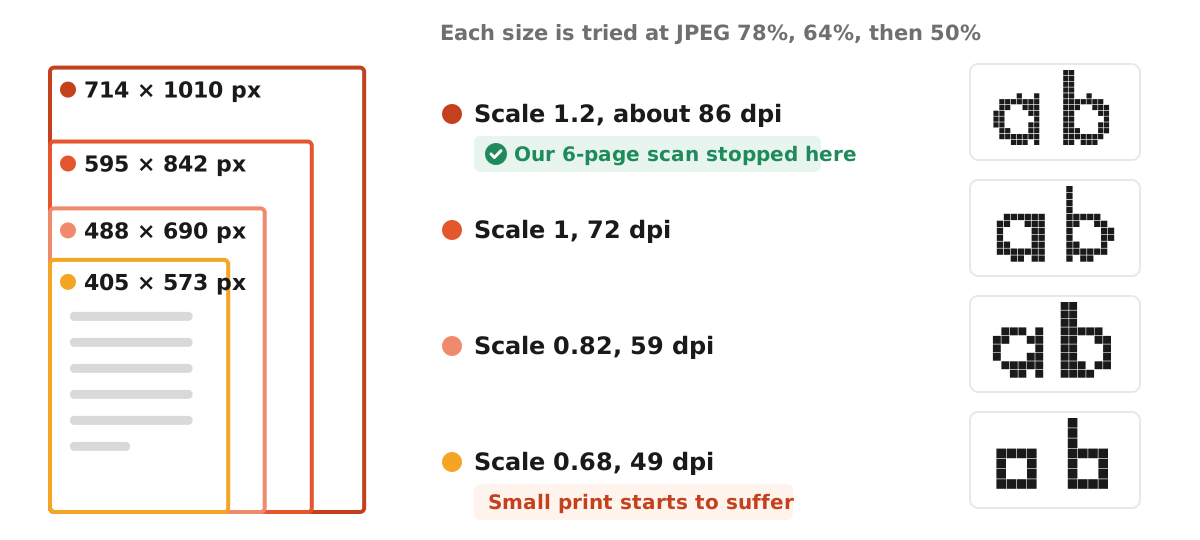
Dokurapi compresses by rasterising: it renders every page to a JPEG image and builds a fresh PDF from those images. It tries render scales of 1.2, 1, 0.82 and 0.68, each at JPEG quality 78%, 64% and 50%, and stops at the first combination that fits under the safe target. Because it starts at the sharpest setting, you get the best-looking version that fits. An A4 page at scale 1.2 becomes roughly 714 x 1010 pixels; at 0.68 it drops to about 405 x 573, which is where small print starts to suffer.
Three consequences follow:
- Text in the output can no longer be selected or searched.
- Embedded digital signatures stop validating. You can still see the signature image or QR code, but the cryptographic proof is gone.
- A small, text-only PDF can actually get bigger after rasterising, which is why step one is to measure.
We chose this method because it works entirely in the browser with no server. For scanned documents, which are images already, the trade-off is small and the size savings are usually large.
Is 1 MB the right target for your form?
People search for "compress PDF to 1MB" because it feels like a standard number. It is not. Limits vary by portal, by document and by year, and a 940 KB file is useless if the box only takes 200 KB. Two official examples we checked:
- India's National Scholarship Portal states in its FAQ for scholarships for students with disabilities that documents must be PDF or JPEG and that each document should not exceed 200 KB. For that form, use the Compress PDF 200 KB tool instead.
- Indonesia's SNBP 2026 registration guide from SNPMB allows achievement certificates up to 2 MB in pdf, png or jpg. There a 1 MB target leaves generous headroom, so you can raise the target and keep more detail.
The rule of thumb: match the target to the exact number in the current notice. If it says 1 MB, use 1 MB. If it says 800 KB, type 800 into the custom box. Do not pick 1 MB because it "sounds safe".
Measured: a six-page scan compressed to 1 MB
To show what the tool does with a typical upload, we built a synthetic six-page scan, the kind of file you get from scanning a transcript at high quality: 5,847,581 bytes, one greyscale picture per A4 page, no personal data. On 14 October 2026 we ran it through the live Compress PDF 1 MB tool with the 1 MB preset.
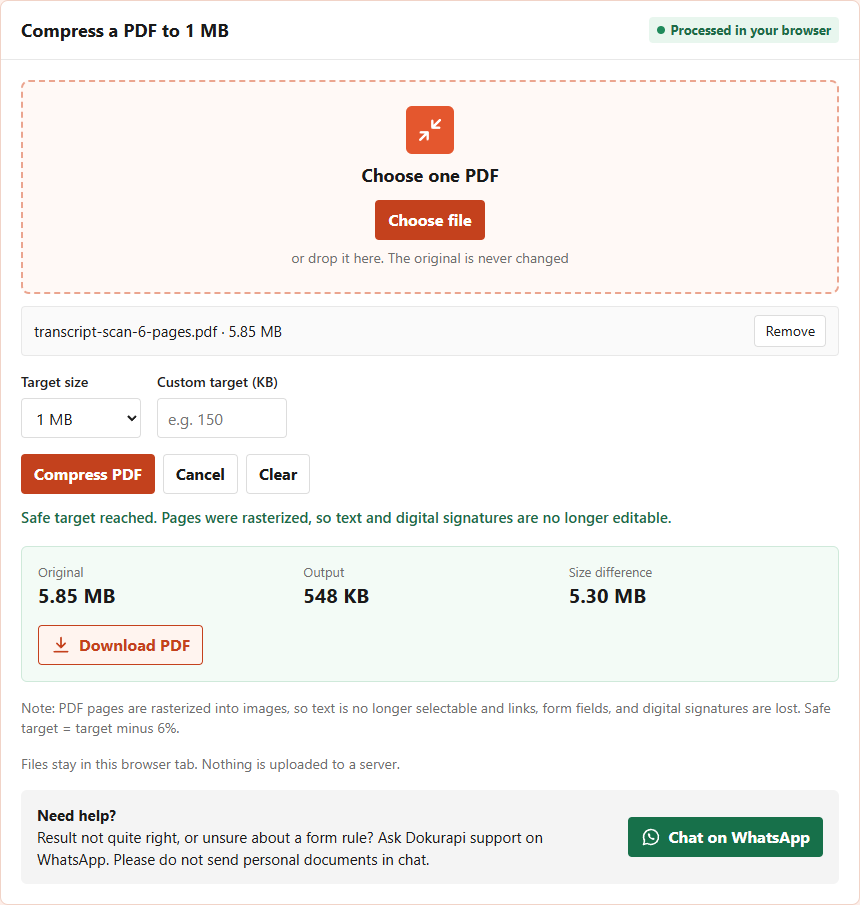
The downloaded file was 547,830 bytes, all six pages intact. Notice that it did not use the full budget. The first setting on the ladder, scale 1.2 at 78% quality, already landed well under 940,000 bytes, so the tool stopped there. A 1 MB target does not mean you get a 1 MB file; it means you get the sharpest version the tool can make that fits, and with only six pages the sharpest version was about half the limit.
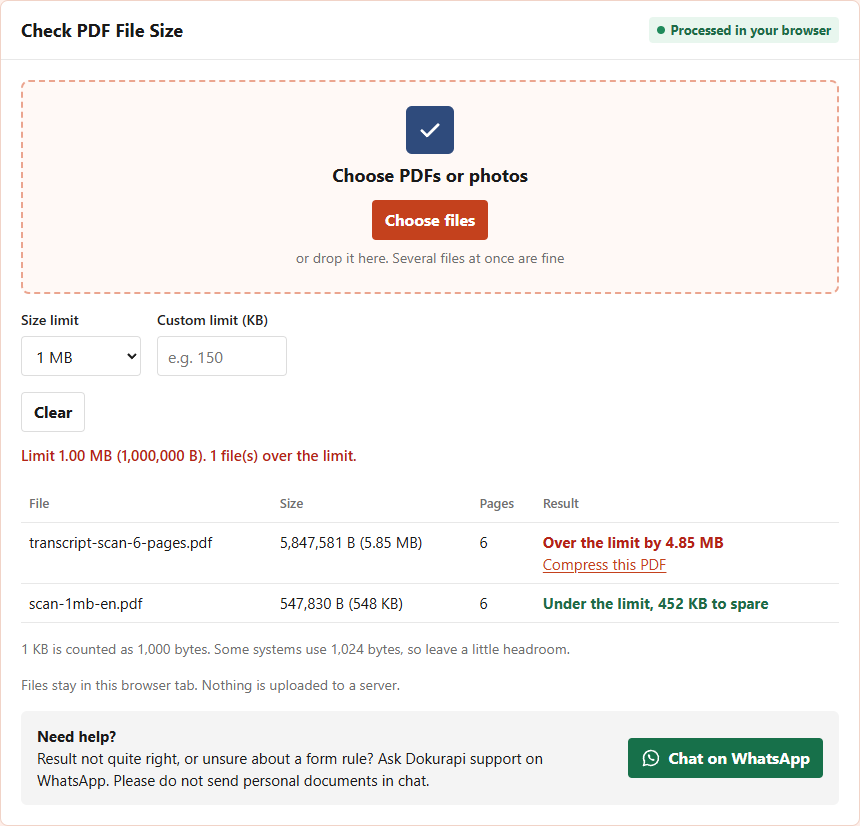
We then dropped both files into the Check PDF Size tool with the 1 MB limit. It confirmed six pages in each and 452 KB of headroom in the compressed copy. That headroom is useful: if the portal asks for one more page later, there is room to add it and compress again. Page count drives the result more than anything else. Divide 940 KB by your pages for a rough per-page budget: 6 pages leave about 157 KB each, 20 pages about 47 KB. If you need to put several documents into one 1 MB file, the order of operations matters, and combining PDF files shows why compressing the heavy scan before merging keeps typed pages sharp. For text PDFs exported from Word, read reduce PDF size first, because rasterising them can make them bigger.
Troubleshooting
The output is blurry
The tool had to drop to a low scale to fit. Cut pages you do not need (blank backs, cover sheets, unrequested annexures), raise the target if the form allows more than 1 MB, or rescan on a clean white background with even light. Dark, speckled scans make heavy JPEGs and force lower quality.
The status says the target was not reached
Dokurapi still hands you the smallest version it made, but it is over the target. Divide 940 KB by your page count to see the budget: 10 pages leaves about 94 KB a page, fine for a clean black-and-white scan; 30 pages leaves about 31 KB a page, often too little for full-colour pages. Split the document or upload only the pages requested.
Your PDF is made of phone photos
Full-resolution photos dropped into a PDF are heavy. Shrink the photos first with the Compress Image tool, then turn them into a PDF. You avoid compressing the same pixels twice.
It will not render
Password-protected or damaged files can fail. You will see an error and your original stays untouched. Remove the password in the issuing app or ask for a fresh copy.
The document is digitally signed
If the signature must stay verifiable, do not rasterise it. Ask the issuer for a lighter version, or ask the admissions or recruitment office whether a scanned copy is acceptable.
Pre-upload checklist
- The limit comes from this year's official notice, not a forum post.
- The output is under the limit in bytes (1 MB = 1,000,000 bytes).
- Every number, seal and signature is readable at 100% zoom.
- Pages are in the right order and upright.
- The format matches the request (PDF vs JPG).
- The filename is plain, for example
degree-certificate-full-name.pdf. - The original file is saved separately; a rasterised copy cannot be turned back.
Honest limits
Dokurapi makes a smaller copy. It cannot promise that any portal will accept it, because portals can also check format, minimum resolution, page count or authenticity. Rules change between intakes too. The current official announcement for your application is the final authority, and if something is unclear, contact the official helpdesk well before the deadline. For text-heavy digital PDFs, an optimiser that keeps fonts as text may give a sharper result; what Dokurapi offers instead is a byte-exact target and the certainty that your ID card or mark sheet never leaves your device.
Frequently asked questions
Does Dokurapi upload my PDF to compress it to 1MB?
Why is the result about 940 KB instead of exactly 1 MB?
Can I still copy text from the compressed PDF?
How do I compress a PDF to 1MB on my phone?
What if my PDF is still larger than 1MB?
Will a 1 MB target always give me a file close to 1 MB?
Why does my computer show a different size than the portal?
How many pages can fit in 1 MB?
Sources
- NIST, Prefixes for binary multiples
- National Scholarship Portal, FAQs for scholarships for students with disabilities (PDF)
- SNPMB, SNBP 2026 registration guide (Indonesian, PDF)
Need help?Result not quite right, or unsure about a form rule? Ask Dokurapi support on WhatsApp. Please do not send personal documents in chat.
Chat on WhatsApp