The SSCASN upload file size limit is set per document field, not as one number for the whole application, and the system rejects any file that goes over the limit.
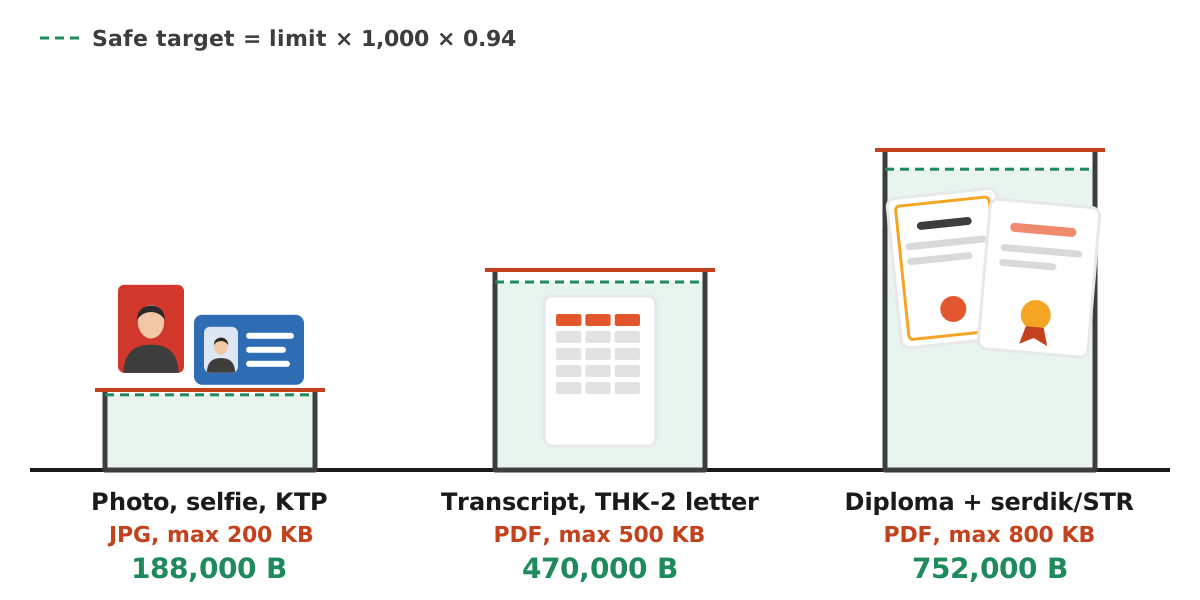
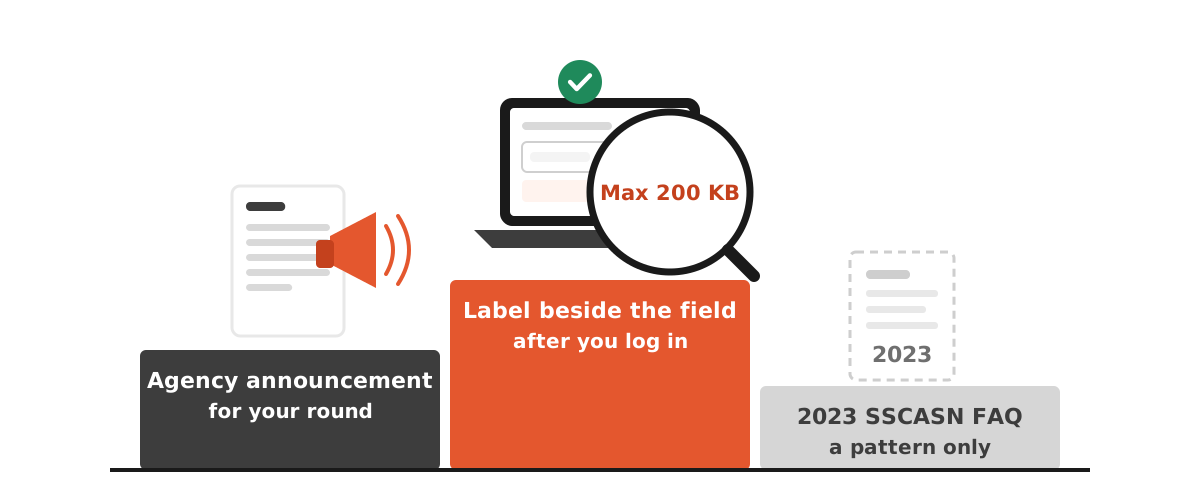
As an example, the 2023 CPNS FAQ published by BKN (Indonesia's civil service agency) lists 200 KB for the red-background photo, the selfie and the KTP (ID card) as JPG/JPEG, 800 KB for the diploma plus teaching or registration certificate as PDF, and 500 KB for the academic transcript as PDF. Those are 2023 examples. For a current recruitment round, the agency announcement and the label next to each upload field on SSCASN are the final authority.
This guide is written for applicants who read better in English: Indonesians abroad, international-school graduates, and anyone helping a family member apply. It explains how to read the limits, how to turn them into a safe byte target, and how to avoid the three classic failures: blurry text, files that stay too big, and an e-meterai that silently breaks after compression.
SSCASN file size examples from the 2023 CPNS FAQ
The SSCASN 2023 CPNS FAQ answers "which documents, what size and what file type" with the list below. The last column shows the target Dokurapi aims for after its 6% safety margin.
| Document (2023 CPNS FAQ example) | Format | Maximum | Dokurapi safe target |
|---|---|---|---|
| Pas foto with red background | JPG/JPEG | 200 KB | about 188 KB (188,000 bytes) |
| Swafoto (selfie) | JPG/JPEG | 200 KB | about 188 KB |
| KTP (national ID card) | JPG/JPEG | 200 KB | about 188 KB |
| Ijazah + serdik/STR (diploma plus certificate) | 800 KB | about 752 KB (type 800 in the custom KB box) | |
| Transkrip nilai (transcript) | 500 KB | about 470 KB | |
| Surat penugasan guru (THK-2 teachers) | 500 KB | about 470 KB |
BKN adds a note under the list: upload requirements differ according to each agency's own requirements. So treat the table as a pattern, not a promise. For PPPK (contract civil servant) recruitment the 2023 PPPK technical FAQ is even less specific. It lists only the file types and says the file size can be seen in the system, which means the number shown beside each upload button after you log in is the one that counts.
Ready to try it? The tool is free and runs in your browser.
Open the Compress Photo to 200 KB toolWhat the live SSCASN pages show in October 2026
Rules shift between rounds, so we re-checked the public SSCASN pages on 16 October 2026. Three details matter for file preparation:
- KTP upload on the account page. The account creation page on daftar-sscasn.bkn.go.id labels the KTP field "Format JPG/JPEG · Maks. 200 KB" and only accepts JPEG images. The 200 KB KTP figure from 2023 is still the one shown for that field.
- The selfie is taken with your camera. On the same page the swafoto step is a face check that uses your device camera, not a file upload. The page warns that this photo becomes your identity photo at the CAT exam and asks for a face looking straight at the camera, nothing covering the face (hat, dark glasses, mask), neat clothing, enough light and a plain background.
- The live FAQ lists no sizes. The current SSCASN FAQ covers the 2026 PPPK Guru Sekolah Rakyat round. It lists the documents (application letter, diploma, transcript, educator certificate, statement letter and a digital red-background photo) without any file sizes.
The practical rule follows from this. The label beside each upload field wins, then the agency announcement, and the 2023 list only shows the usual pattern. Treat this section as a snapshot and trust what your own screen shows on the day you apply.
Why a 200 KB target becomes 188 KB
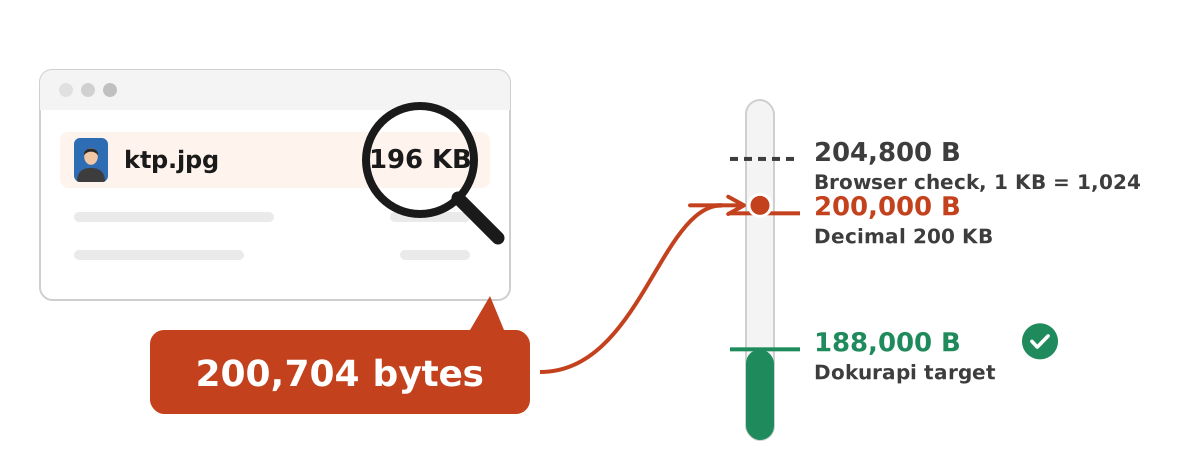
A file that your laptop calls "196 KB" can still be rejected by a 200 KB field. The reason is two competing definitions of a kilobyte:
- Decimal: 1 KB = 1,000 bytes, so 200 KB = 200,000 bytes. Dokurapi uses this definition.
- Binary: Windows Explorer divides by 1,024 but still prints "KB". A file shown as 196 KB can be 200,704 bytes, which is over 200,000.
Portals rarely say which definition they use, so Dokurapi takes the safe route. It computes the target in decimal bytes and subtracts 6%: 200,000 × 0.94 = 188,000 bytes. A file that size passes either way, with room left for rounding. The quick formula is limit × 1,000 × 0.94, which gives 470,000 bytes for a 500 KB field and 752,000 bytes for 800 KB.
SSCASN itself shows why the margin helps. The KTP field on the account page sets its in-browser check as "200KB" through ng-file-upload, an upload library that counts 1 KB as 1,024 bytes, so that check lets files up to 204,800 bytes through. What the server checks after the upload is not published, and other fields may be set up differently. A file that only just squeezes under 204,800 bytes is a gamble; 188,000 bytes is safe under every reading.
After downloading, check the exact byte count in Properties (Windows) or Get Info (macOS), or drop the file into the file size checker, which shows exact bytes and, for PDFs, the page count. More on this habit in checking file size before upload.
Preparing each document with Dokurapi
Every Dokurapi tool runs inside your browser. Your ID card, diploma and transcript are not uploaded to a server.
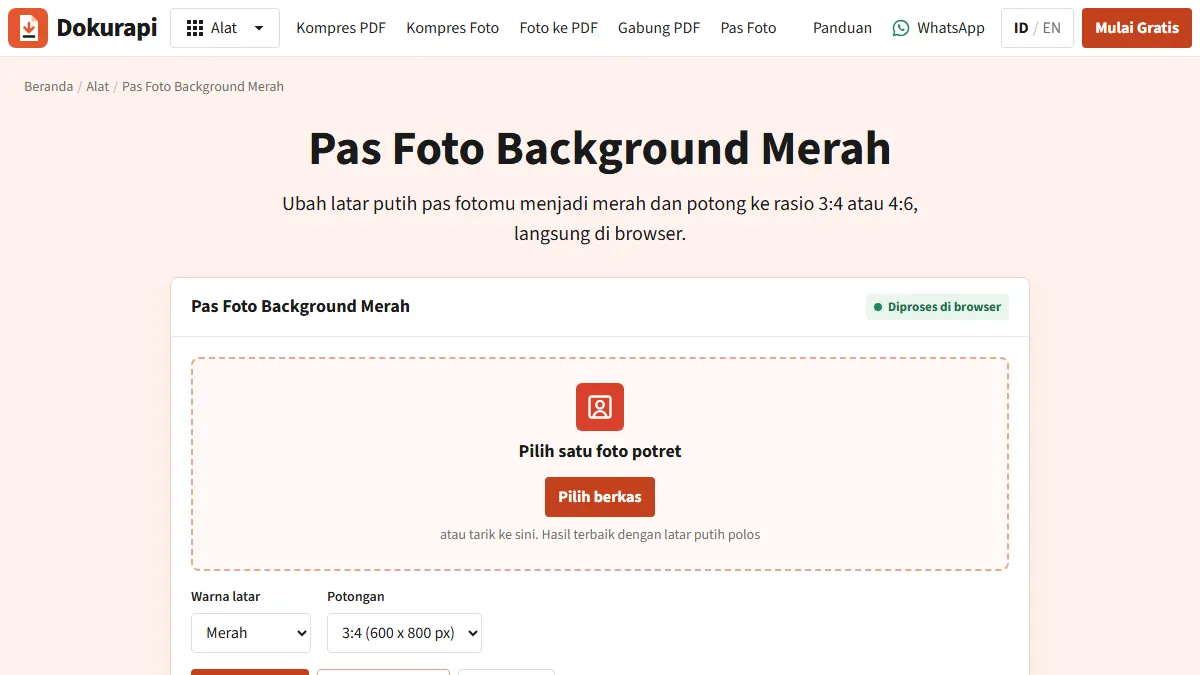
- Red-background photo. If your photo was taken against a plain wall, open the red background ID photo tool, choose 3:4 or 4:6 as the announcement requires, and download a JPEG of 600 × 800 or 600 × 900 pixels. A segmentation model running in your browser separates you from the background, so a white shirt or light hijab is kept and only the background turns red. The first run downloads that engine once (about 13 MB). Check the hair and shoulder edges in the preview; the red background guide covers retakes.
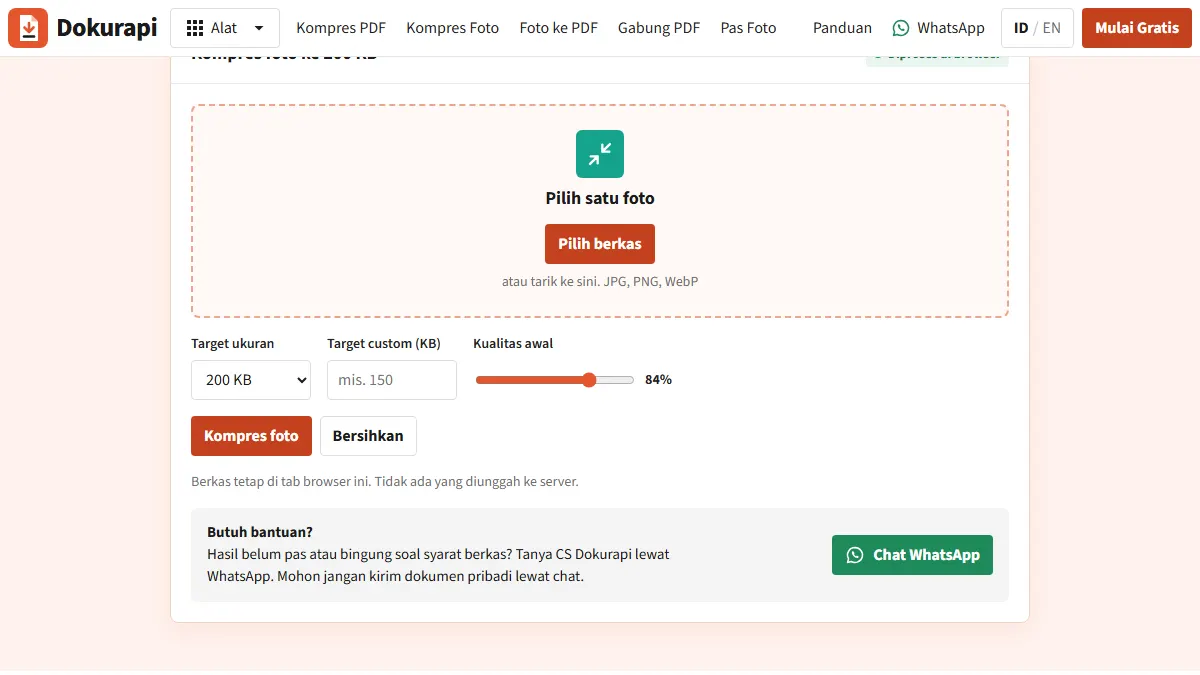
- Compress the photo. Open Compress Photo to 200 KB. It lowers JPEG quality step by step and only shrinks the dimensions if that is not enough, never below 640 pixels on the longest side. Zoom to 100% and check the face for blocky artefacts.
- KTP. Photograph the card on a dark surface in even light, crop the edges, then compress with the same tool. The NIK (ID number) must stay readable. If an agency also asks for a separate selfie file, treat it the same way.
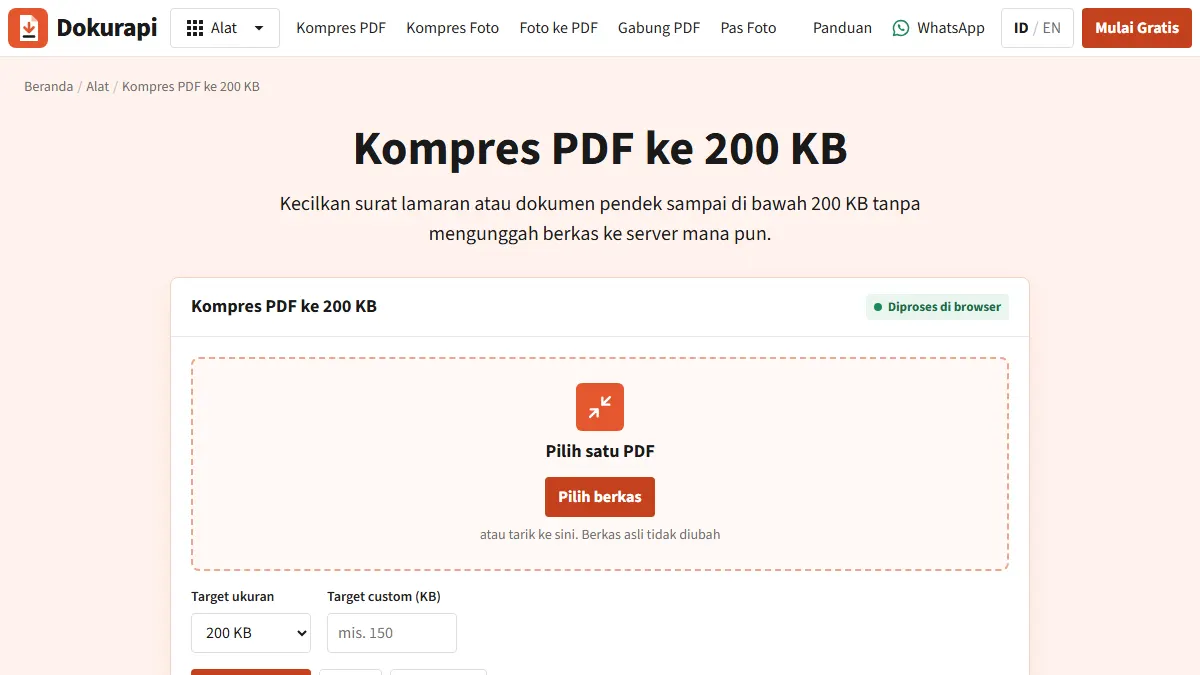
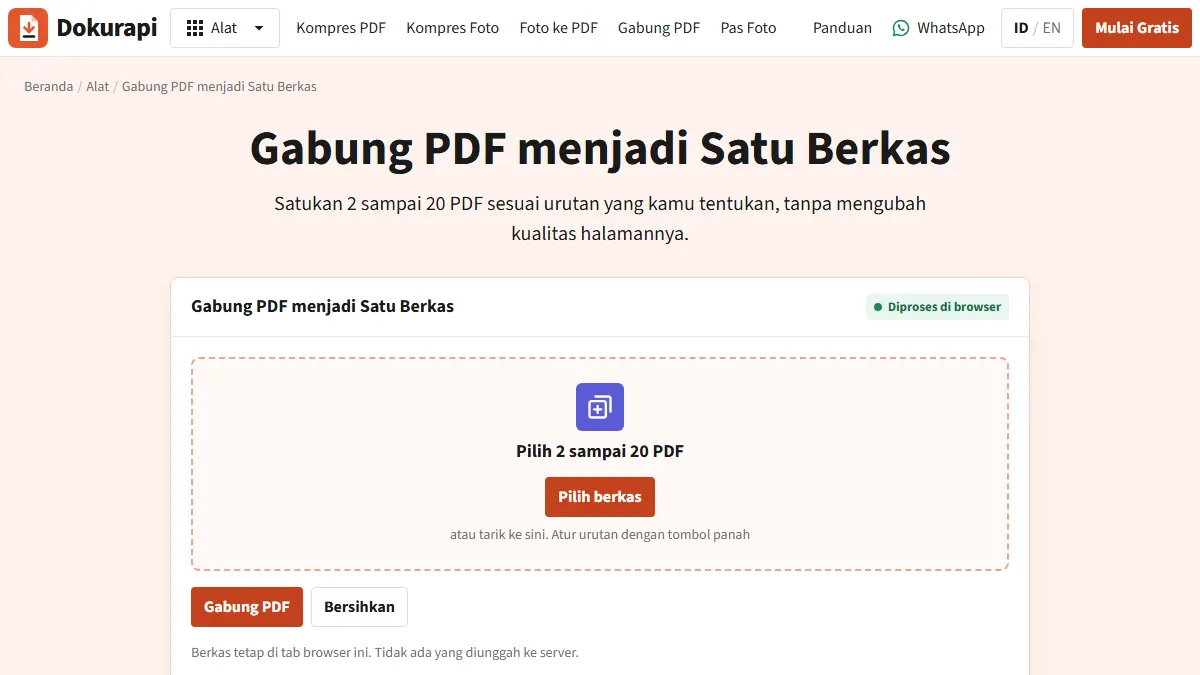
- Diploma plus certificate. The 2023 example puts both in one field, so combine them first with Merge PDF (diploma on page one), then compress the merged file with a custom 800 KB target. See checking PDF page order before you upload.
- Transcript. Use Compress PDF to 500 KB, then zoom to 150% and confirm the GPA, course names and stamp are legible.
Scanning with a phone so the file starts small
Compression works best on a clean source. A phone photo of a document carries detail no verifier needs: desk texture, shadows and noise in the white areas. All of that costs bytes. A few habits give a sharper result at the same size:
- Even light, no flash. Flash glare makes white areas uneven and adds bytes.
- Let the paper fill the frame. Less desk in the shot leaves more bytes for the text.
- Hold the camera parallel to the page. Angled shots shrink letters on one side, and those blur first when compressed.
- One document, one source photo. Do not shoot the diploma and transcript together and crop them apart later.
- Keep the original. Recompress from the original every time, never from a compressed copy, because artefacts stack up with each pass.
In a scanner app, use document or black-and-white mode for transcripts and diplomas. That mode drops the yellowish paper tone that eats bytes. Keep colour mode for the pas foto, because the red background has to show. If you photographed pages as JPGs, Photo to PDF turns them into one PDF that you can then compress.
Compress first, then add the e-meterai
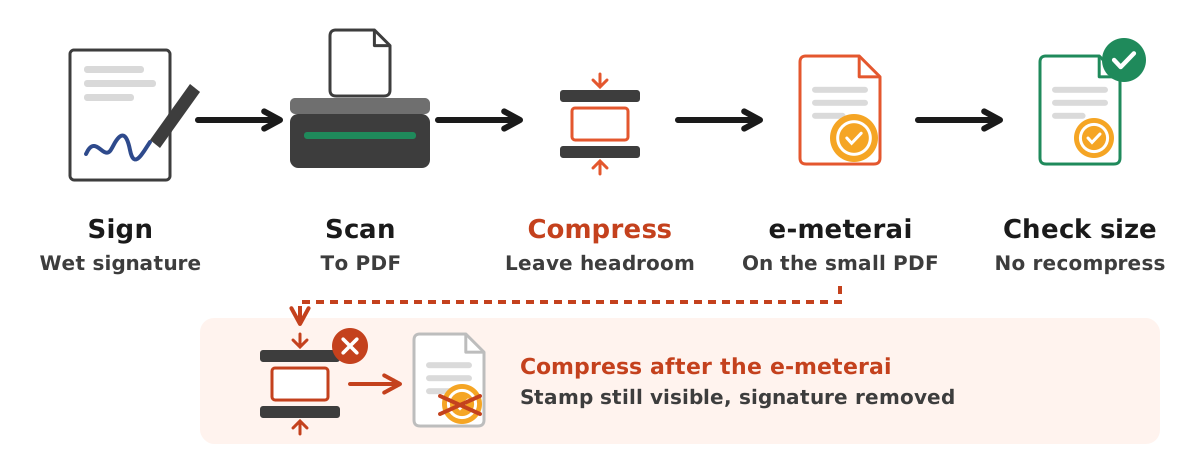
Many agencies ask for a statement letter with a meterai (Indonesian revenue stamp). The 2023 PPPK technical FAQ describes the official order when a wet signature and an e-meterai are combined: sign the paper, scan it to PDF, then apply the e-meterai.
The trap is the next step. Dokurapi's PDF compressor renders each page to an image and rebuilds the PDF from those images. That works well for scanned documents, but it removes every digital signature in the file, the e-meterai included. The stamp graphic is still visible, while the electronic signature behind it is gone. The safe order is:
- Sign the paper with a wet signature and scan it to PDF.
- Compress the scanned PDF below the field limit, leaving headroom for the e-meterai.
- Apply the e-meterai to the small PDF.
- Check the size. Do not compress again after step 3.
If the stamped file ends up over the limit, go back to step 2 with a lower target. How much an e-meterai adds varies per document, so leave a reasonable margin.
Comparing ways to shrink a file
| Method | Strengths | Weaknesses |
|---|---|---|
| Browser tool such as Dokurapi | Files stay on your device, the KB target can be set, the output size is shown | PDFs are rasterised, so text cannot be copied and digital signatures are removed |
| Server-based online compressor | Sometimes keeps the original PDF text | Your KTP and diploma go to someone else's server, and not every tool shows the size in bytes |
| Rescan at a lower resolution | Cleanest result for text documents | Needs a scanner or scanner app, and takes time |
| Re-save from the document editor | Good for an application letter you wrote yourself | No help for documents you only have on paper |
For identity documents, privacy usually weighs the most. The data on a KTP and a diploma is enough to be misused, so processing them on your own device is a sensible default. How browser tools work explains what stays on your device and what the first-run download contains.
Troubleshooting
Text is blurry after compression
The PDF tool tries up to four page scales and three JPEG quality levels and stops at the first result that fits. If the text still blurs, fix the source: rescan in grayscale or black and white, crop empty margins, and avoid angled phone photos with hand shadows.
The file is still too big
When the status says the target was not reached, you still get the smallest version the tool produced. Page count is the usual cause. Check for blank reverse sides that were scanned by accident and pages the field did not ask for. More fixes are in compressed file still too big.
Text can no longer be selected
Expected. After rasterisation each page is an image. Verifiers read documents visually, so legibility matters more than selectable text.
Upload fails even though the size is right
BKN's FAQ suggests refreshing the page, clearing history, cache and cookies, and using a stable connection. Also check the extension: photos must be .jpg or .jpeg, not .png or .heic straight from a phone.
Checklist before you click Akhiri Pendaftaran
According to the 2023 CPNS FAQ, uploaded documents can still be replaced until you click "Akhiri Pendaftaran" (finish registration). After that, data cannot be corrected on SSCASN. Before that click, confirm:
- Every file is under its field limit in bytes, not just in rounded KB.
- Formats match: JPG for photos, PDF for documents.
- Name, NIK, diploma number and GPA are readable when zoomed in.
- Merged PDFs are in the right order with no blank pages.
- Stamped documents were compressed before the e-meterai, never after.
- The photo background colour and ratio match the agency announcement.
- You reopened each uploaded file to confirm it sits in the right field.
The same FAQ says whether physical documents are needed for administrative selection depends on each agency. Keep the paper originals and the uncompressed scans until the whole process is over.
What Dokurapi cannot promise
Dokurapi helps a file get under a size limit and stay readable. It cannot guarantee that the portal or the verifying officer will accept the document, because acceptance also depends on content, validity and agency-specific rules. The numbers in the table come from the 2023 FAQ, and the live checks above are a snapshot from October 2026. For the round you are applying to, open the official SSCASN portal and the agency announcement, and follow them wherever they differ from this page.
For registration problems that a file tool cannot fix, such as account data or a missing reference entry, BKN runs the SSCASN helpdesk.
For more on hitting small PDF targets, see compress PDF to 200 KB. Other portals follow the same logic: see the SNBP upload guide and the LPDP upload guide.
Frequently asked questions
What is the maximum file size for SSCASN uploads?
Why was my 200 KB file rejected?
Are PPPK file sizes the same as CPNS?
Does an e-meterai survive PDF compression?
Can I replace a document after uploading it?
Do I still need to upload a selfie file when creating an SSCASN account?
Does SSCASN count 200 KB as 200,000 or 204,800 bytes?
What pixel size is the Dokurapi red-background photo?
Do I have to send physical documents as well?
Sources
- BKN: SSCASN 2023 CPNS FAQ (document sizes and file types)
- BKN: SSCASN 2023 PPPK technical FAQ (file types and e-meterai)
- BKN: SSCASN account creation page (KTP JPG/JPEG, max 200 KB, camera selfie)
- BKN: current SSCASN FAQ (2026 PPPK Guru Sekolah Rakyat documents)
- Official SSCASN portal (BKN)
- ng-file-upload source (KB counted as 1,024 bytes)
Need help?Result not quite right, or unsure about a form rule? Ask Dokurapi support on WhatsApp. Please do not send personal documents in chat.
Chat on WhatsApp