Yes, you can compress PDF without uploading it to anyone's server. On Dokurapi, the file you pick is read by your browser tab, processed in your device's memory, and handed back to you as a download. There is no upload step because the site has no endpoint that accepts files. This article explains what happens behind the compress button, where the approach falls short, and how to verify it yourself instead of taking our word for it.
Why care? The files people shrink most often for applications are degree certificates, mark sheets, passports, and national ID cards. In India that might be an Aadhaar or PAN card; in Indonesia, a KTP or family card. They carry ID numbers, addresses, dates of birth, and signatures. Making a file smaller should not require sending that data to a stranger's computer.
Server-based tools vs browser-only tools
Most online PDF compressors follow a server model: your file travels over the internet, gets processed on the provider's machines, and you download the result. That is not automatically bad. Plenty of providers delete files after a set time and say so in their privacy policy. The catch is that you cannot inspect their servers. You can only read the promise.
A browser-only tool moves the work to your device. What gets downloaded is the program code; your document stays put.
| Aspect | Server-based | Browser-only (Dokurapi) |
|---|---|---|
| Where the file goes | To the provider's server | Stays in your browser tab |
| Can you verify it? | Only through the privacy policy | Yes, in the DevTools Network panel |
| Speed depends on | Upload and download speed | Your device's processor and memory |
| Very large files | Usually handled better | Can be slow on low-memory phones |
| Text quality | Advanced tools can keep real text | Pages are re-rendered as images |
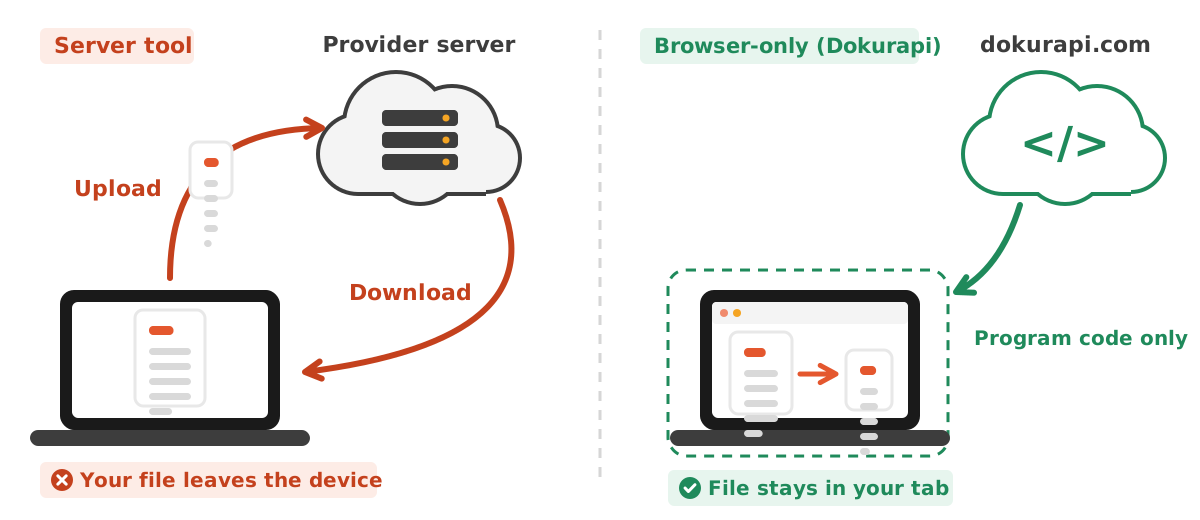
The table and diagram also explain why the two models feel different in daily use. On a slow mobile connection, a browser-only tool can finish a few megabytes faster because there is no upload wait. On an old laptop or a phone with little memory, a server tool may win for a thick PDF. Neither is always better, and the honest answer depends on the file and the device in front of you.
Ready to try it? The tool is free and runs in your browser.
Open the PDF compressorWhat happens when you press compress
- You pick a file. The browser hands the page a file object through the File API. The page only gets the file you chose, not the rest of your storage.
- The file is read into memory. Its contents are read inside the tab, the same kind of asynchronous local read that FileReader describes.
- Pages are rendered. Mozilla's PDF.js draws each page onto a canvas, with heavy parsing done in a Web Worker, a background thread that keeps the page responsive.
- Each page is compressed. The canvas is encoded as a JPG at a chosen quality, a number between 0 and 1 as documented for canvas toBlob.
- A new PDF is assembled. pdf-lib creates a fresh document and places the page images into it.
- You get a download. The result becomes a Blob, and URL.createObjectURL gives it a temporary address that only exists in your tab. We release that address about one and a half seconds after the download starts.
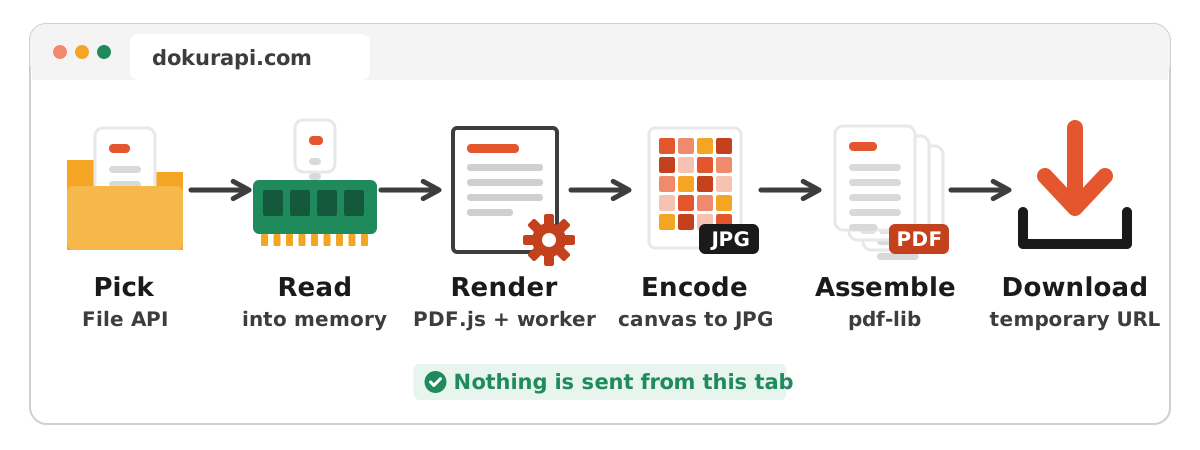
Both PDF libraries are served from Dokurapi's own domain rather than a third-party CDN, and they load only when you first run a PDF tool. That is the brief "Loading the local PDF tools" message you may see.
How a target size is reached
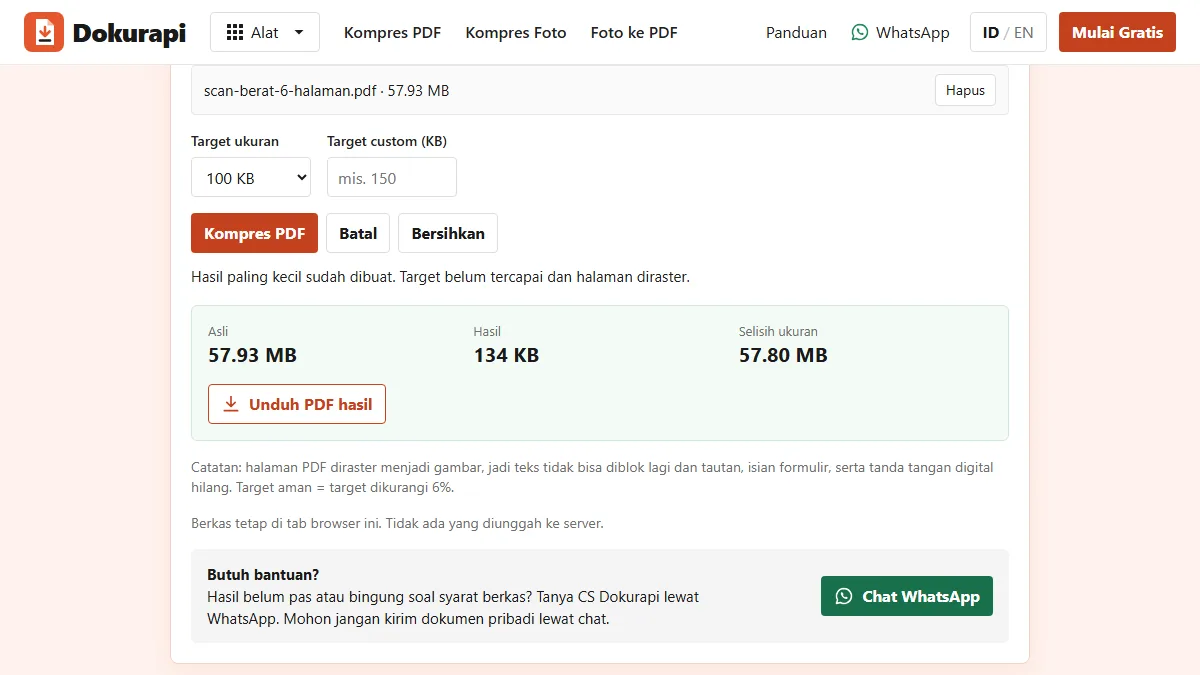
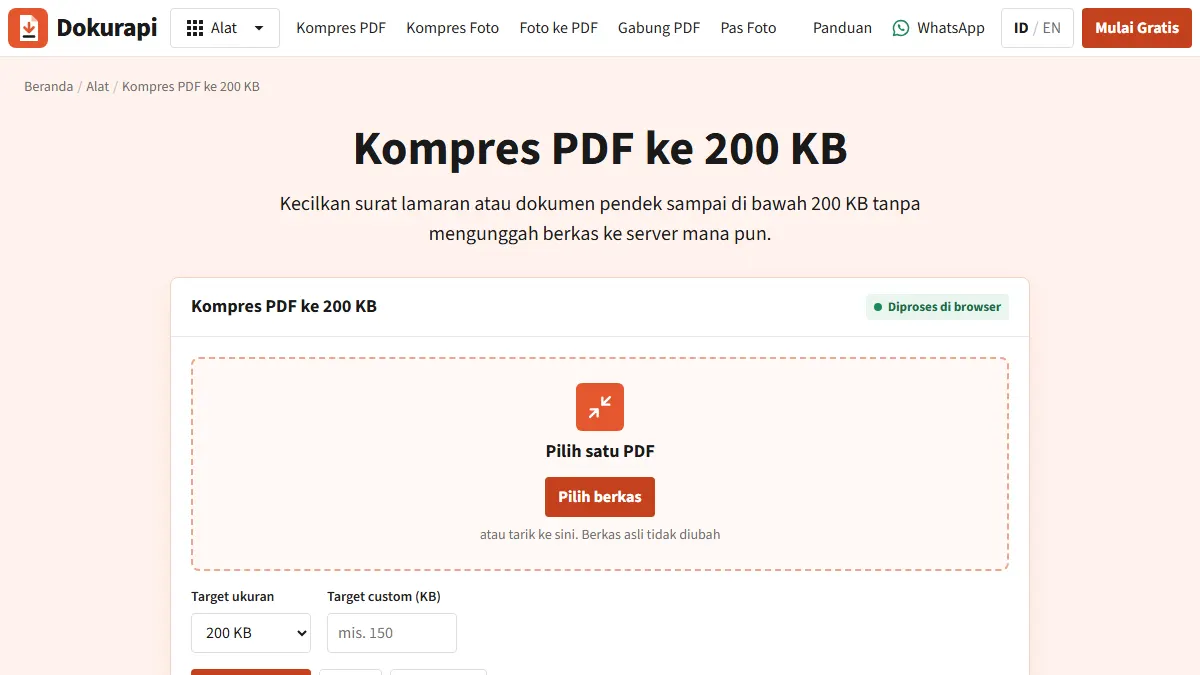
A target tool such as compress PDF to 200 KB does not guess once. It tries several combinations of render scale and JPG quality, starting with the sharpest, and stops at the first result that fits. If nothing fits, you still get the smallest version, labelled as missing the target. We deliberately do not call an oversized file a success.
Two counting rules apply across the site. One KB is 1,000 bytes, following the SI prefixes described by NIST, not 1,024. And there is a 6% safety margin, so a 200 KB target is treated as about 188 KB (188,000 bytes). That way a portal that rounds differently will not reject your file for being a handful of bytes over.
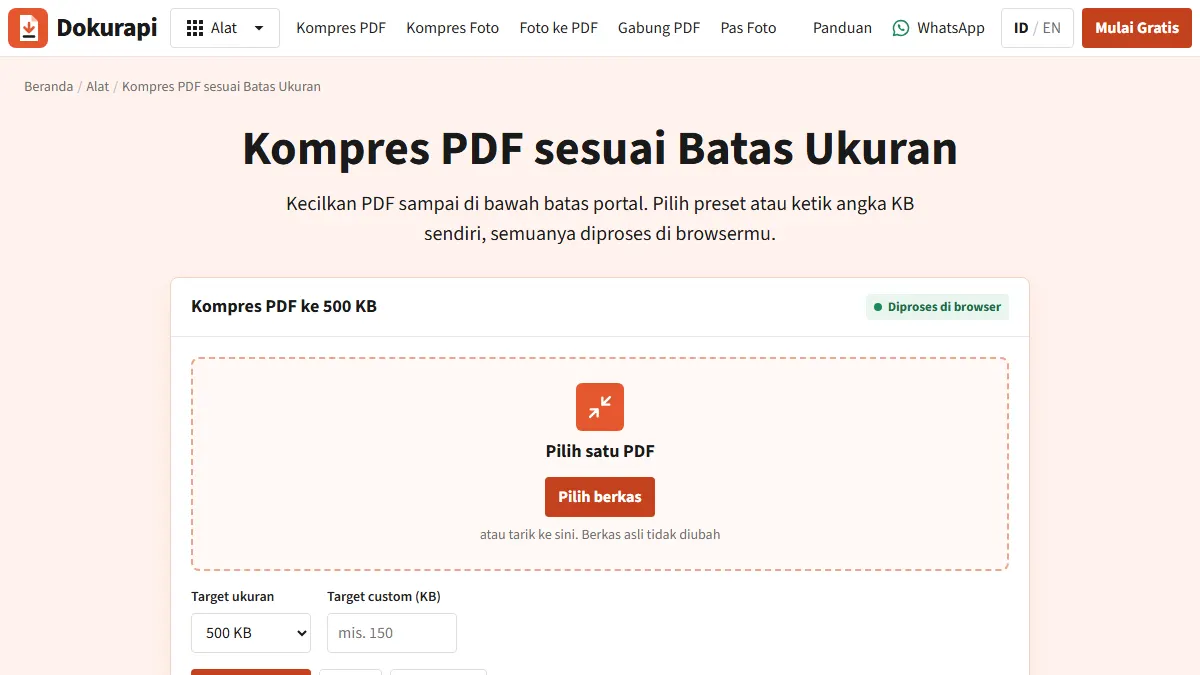
Concretely, the PDF compressor works through a fixed grid. It renders pages at four scales (1.2, 1, 0.82 and 0.68) and, at each scale, tries three JPG qualities (0.78, 0.64 and 0.5). That is at most 12 attempts, run in order from sharpest to smallest. The first attempt that lands under the safe target is the file you download. A looser target such as compress PDF to 500 KB can therefore be met earlier in the grid than a strict 100 KB target, since every further step trades away detail.
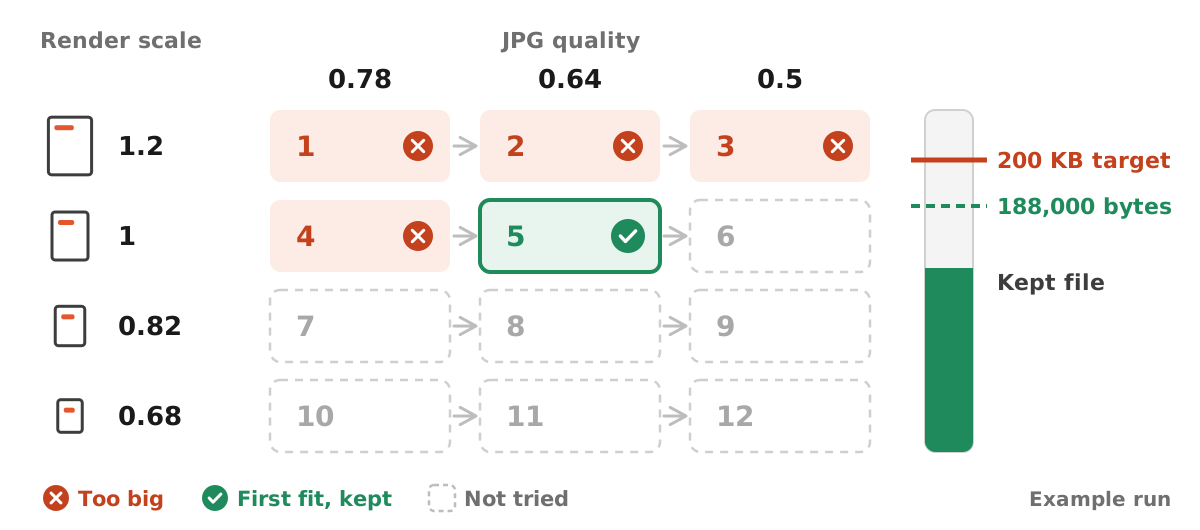
If even attempt 12 is too large, you receive the smallest file the grid produced, clearly labelled as missing the target. At that point the fix is upstream rather than in the compressor: fewer pages, a lower scan resolution, or splitting the document. Our guide on what to do when a compressed file is still too big walks through those options one by one.
The trade-offs
- Text is no longer selectable. Rendering pages as images (rasterising) means the output cannot be searched or copied.
- Digital signatures are lost. A certificate-based signature is bound to the original file contents. Once pages are re-rendered, it no longer validates. If an examiner will check the signature, do not compress that document this way.
- Small print can blur. A tight target spread over many pages forces quality down. Drop unneeded pages or use a looser target if the rules allow.
- Scanned PDFs lose almost nothing. If the PDF was already page images, rasterising changes little except size.
Photos and ID photos follow the same local approach
PDFs are not the only files handled this way. The image compressor draws your photo onto a canvas with the longest side capped at 2,400 pixels, then encodes it as JPG starting from the quality you set on the slider. If the result is still above the safe target, it lowers the quality by 10 points at a time, up to seven times, and never below 18%. Only when that floor is reached does it shrink the dimensions further, stopping at 640 pixels on the longest side. Presets such as compress image to 200 KB run the same loop with a fixed target.
The photo to PDF tool places JPG and PNG pictures into the new PDF as they are, and redraws other image formats on a white canvas with the longest side at most 1,800 pixels. The ID photo tools for a red background or a blue background go one step further: they run a person-segmentation model, MediaPipe Selfie Segmenter by Google (Apache-2.0 licence), inside the tab to separate you from the background, then paint only the background in the new colour and clean the edges around your hair. The model and its engine, about 13 MB, are served from dokurapi.com, downloaded once on first use and then cached by the browser. In the Network panel you will see that download come in, but no request goes out carrying your photo. In every case the input is the file you picked and the output is a new file built in memory, so the same Network panel test below applies to these tools too.
How to verify nothing is uploaded
Do not just trust the wording on a page. In desktop Chrome or Edge:
- Open a Dokurapi tool, press F12, and choose the Network panel. Google's DevTools network guide walks through it.
- Clear the log so the list is empty.
- Pick a PDF and run the compression.
- Read the request list. You will see library files such as
pdf-lib.min.jsandpdf.worker.min.mjsloading from dokurapi.com, and possibly small Google Analytics requests. Nothing carries a payload the size of your PDF.
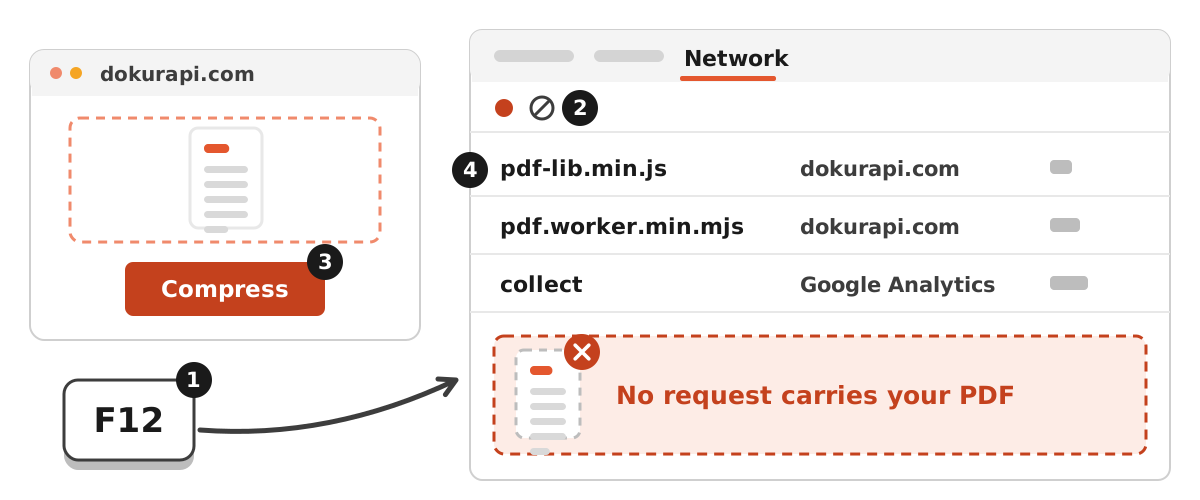
A stronger test: run the tool once so the libraries load, then switch on airplane mode and compress another file. It still works, because nothing needs to be sent. If you go offline before the libraries have loaded, the tool will say the PDF library is unavailable. That is expected; the code simply was not downloaded yet.
There is a third safeguard in the response headers. Dokurapi sends a Content-Security-Policy connect-src rule that limits where page scripts may connect to: dokurapi.com itself and Google Analytics. You can see it by clicking the main page request in the Network panel.
What stays behind after you close the tab
While a tool runs, your file and the result live in the memory of that tab. The temporary download address is released about one and a half seconds after the download starts, and the small thumbnails shown in file lists are released as soon as they have loaded. Closing the tab frees the rest. The only thing Dokurapi keeps in your browser storage is your language choice (English or Indonesian), saved so the next visit opens in the same language. File contents are never written to browser storage.
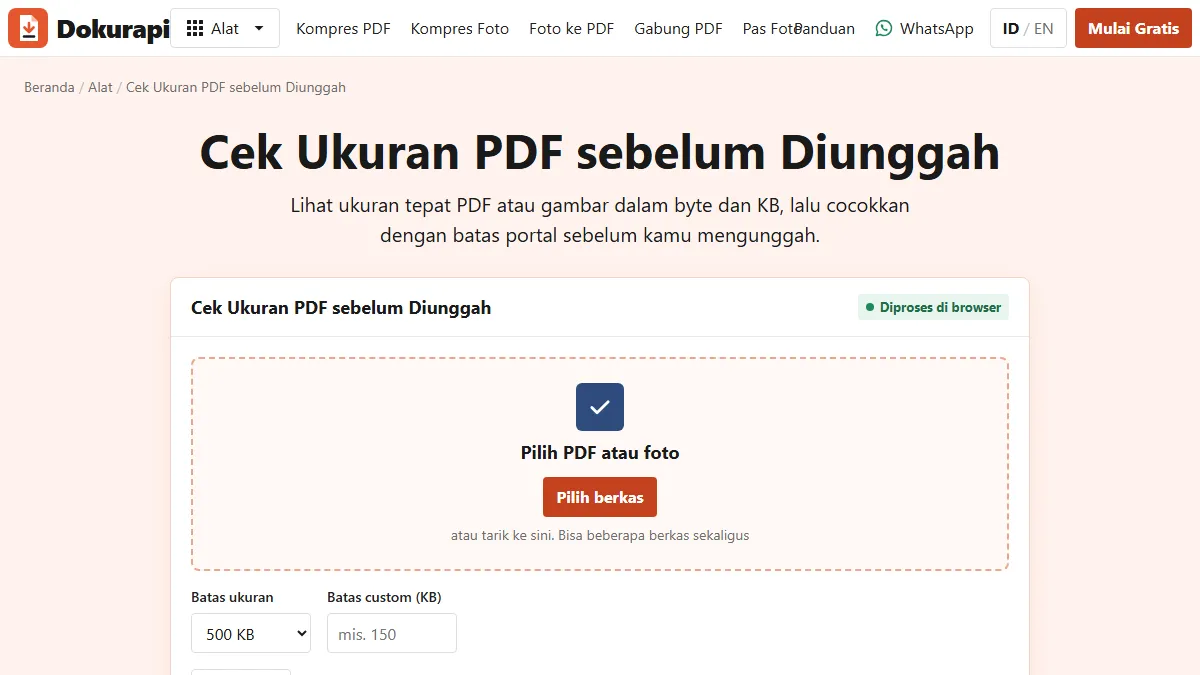
What does stay is the downloaded file itself, in your downloads folder, plus whatever your browser keeps in its own download history. Before you upload, it is worth reading the real byte count of that file, because the size your file manager shows can be rounded. Our guide to checking file size before upload explains why portals and operating systems sometimes disagree by a few kilobytes.
Honest limits
- Analytics. We use Google Analytics to count page visits in aggregate. Your file is not sent there, but your visit is recorded.
- Browser extensions. An extension you installed may have permission to read page content. For very sensitive files, use a profile or window without extensions.
- Shared computers. The output lands in your downloads folder. On a cyber cafe or office machine, delete it and close the tab when done.
- Device memory. A PDF with dozens of pages can stall a budget phone. Split it, compress the parts, then merge them again.
- No acceptance guarantee. We help you prepare a copy. The portal decides, and its current official notice is the final authority.
When a server tool is the better choice
We will not pretend browser-only always wins. For a PDF exported from Word or a design app, with real text inside, a good server-side compressor can shrink the embedded images while keeping the text selectable, often giving a sharper file at the same size. If the document is not sensitive, say a brochure or slide deck, and you need searchable text, that is a reasonable trade.
For application documents full of identity data, we flip the priority: privacy first, size second. Most of those files are scans or phone photos anyway, so the server advantage mostly disappears. If yours started as photos, our photo to PDF guide shows how to keep the size under control from the start.
Checklist for using browser tools safely
- Confirm the address bar shows dokurapi.com over HTTPS.
- Close unrelated tabs and consider an extension-free window for sensitive files.
- Read the real byte count with the PDF size checker.
- Open the output and zoom in on the smallest text before uploading.
- Do not compress digitally signed documents whose signature will be verified.
- Delete downloads from shared devices.
Frequently asked questions
Can I compress a PDF without uploading it?
How can I check that my file is not uploaded?
Does a browser PDF compressor work offline?
Why can't I select text in the compressed PDF?
Is it safe to compress an Aadhaar or ID card PDF this way?
Does Dokurapi keep a copy of my file in the browser?
Why did the PDF tool return a file that is still above my target?
Sources
- MDN: File API
- MDN: FileReader
- MDN: HTMLCanvasElement.toBlob()
- MDN: URL.createObjectURL()
- MDN: Web Workers API
- MDN: Content-Security-Policy connect-src
- PDF.js (Mozilla)
- PDF-LIB
- Chrome DevTools: Inspect network activity
- NIST: Prefixes for binary multiples
Need help?Result not quite right, or unsure about a form rule? Ask Dokurapi support on WhatsApp. Please do not send personal documents in chat.
Chat on WhatsApp