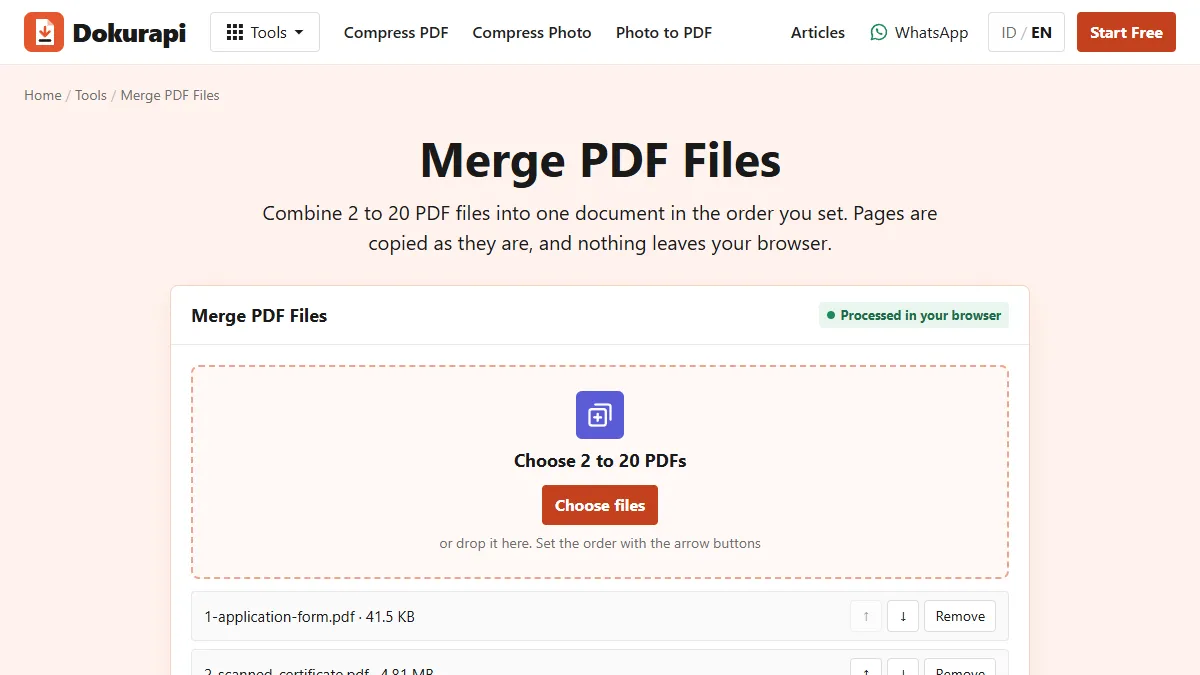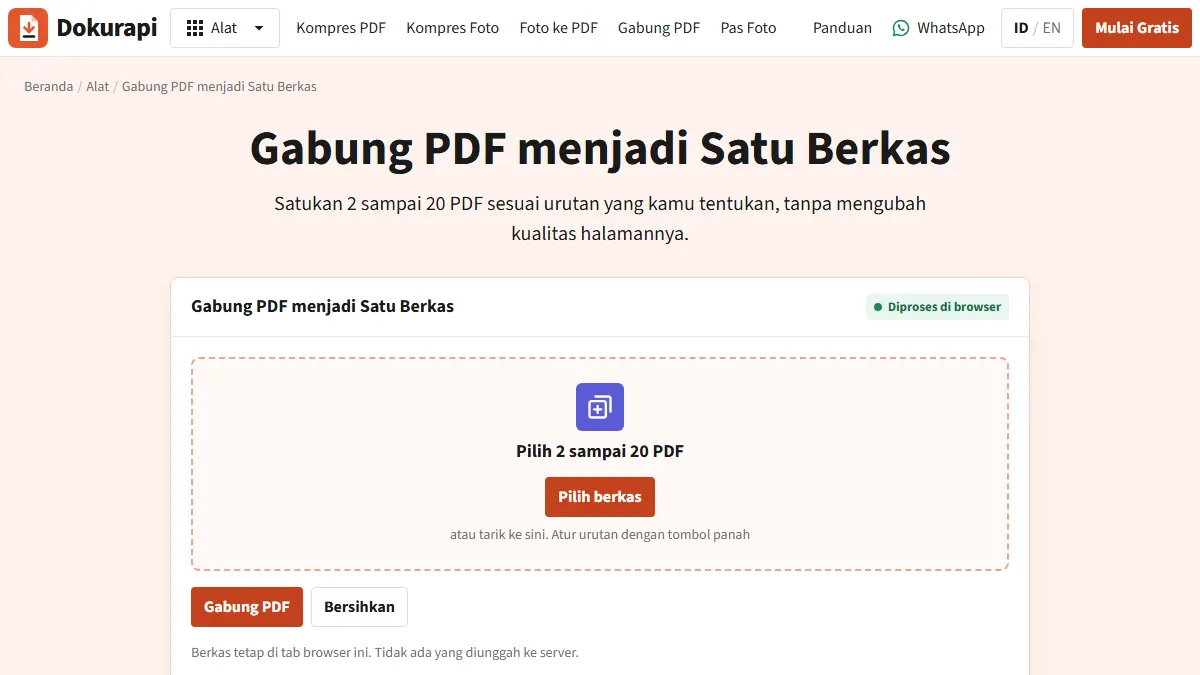
To merge PDF files for an application upload, open the Dokurapi Merge PDF tool, add between two and twenty PDFs, put them in order with the arrow buttons and press Merge PDF. The combined file downloads straight away as dokurapi-gabung.pdf, and its size appears on screen. The merge happens in your browser, so your mark sheets, ID card or certificates are never uploaded to a server. Then compare the size with the portal's limit and compress only if you have to.
The need to merge almost always comes from one mismatch: the form gives you a single upload slot, but the document in your hands is several files. A degree certificate plus a registration certificate, a mark sheet scanned one page at a time, or a set of supporting letters that must arrive as one attachment. This guide covers how to assemble them cleanly, which order of steps saves you time, and the traps that get files rejected.
When you actually need to merge
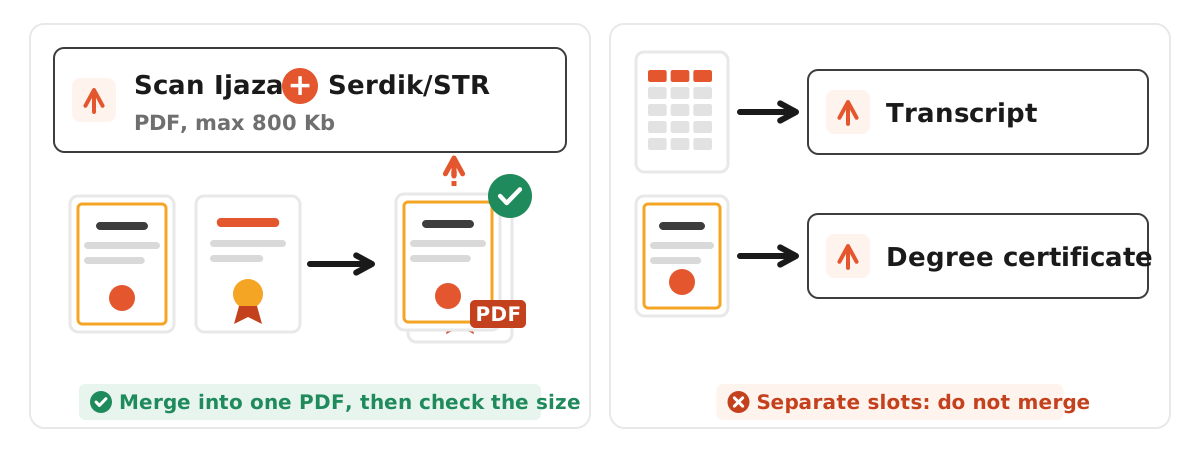
Look at the wording of the upload slot. Two official examples show the pattern:
- Indonesia's civil service portal, in BKN's SSCASN 2023 FAQ, lists a slot called "Scan Ijazah + Serdik/STR" (degree certificate plus teaching or professional registration certificate) with a maximum of 800 Kb as a PDF. The plus sign means two separate documents in one file, and the combined file still has to fit the limit. That was the 2023 example, and the same page notes that requirements differ by agency.
- India's National Scholarship Portal says in its FAQ for scholarships for students with disabilities that documents must be PDF or JPEG and that each document should not exceed 200 KB, and that uploads must be readable. If your previous year's mark sheet is two scanned pages, merging them into one PDF and keeping it under 200 KB is the job.
Other common cases: a job application that asks for your CV, cover letter and portfolio as one attachment, or a university form that wants several supporting letters in one document.
The reverse matters just as much. Do not merge documents that have their own upload slots. Reviewers check slot by slot, and a degree certificate tucked into the transcript slot can be treated as a wrong upload.
Ready to try it? The tool is free and runs in your browser.
Open the Merge PDF toolHow to merge PDF files with Dokurapi
- Make sure everything is a PDF. The Merge PDF tool only accepts PDFs. If one document is still a JPG or PNG photo, convert it first with the Photo to PDF tool.
- Open the Merge PDF tool and drag your files onto the drop zone, or click to browse. You can add files in several rounds. The tool takes up to 20 files per merge and needs at least two.
- Set the order. Each file row has up and down arrows. The order of the list is the page order of the result, so the first file becomes page one.
- Remove mistakes with the Remove button on that row.
- Press Merge PDF. The tool reads each file, copies every page into a new document and downloads it. The status line shows the final size.
- Open the result and scroll from first page to last. Check for missing, duplicated or upside-down pages.
Worth knowing: merging does not compress anything. Pages are copied as they are, so text stays selectable and quality does not drop. The flip side is that the merged file is roughly the sum of its parts. Two 500 KB PDFs make about 1 MB, not 500 KB.
An order that makes sense to a reviewer
Unless the portal specifies an order, follow the slot name. For "degree certificate + registration certificate", put the degree first. For a mark sheet, start at page one. For a job application packet, cover letter first, CV second, portfolio last. A reviewer opens the file and sees page one; if page one answers the slot's label, the check goes faster.
Fix orientation before merging. A scan that is rotated 90 degrees stays rotated after the merge, because the tool does not rotate pages. Page sizes are also kept as they are, so a large certificate next to an A4 letter will look uneven on screen. If the portal asks for a specific paper size, set it when scanning.
Merge first or compress first?
The usual advice is "merge, then compress". It is the fastest route, but not always the best one. Dokurapi's PDF compressor redraws every page as a JPEG at one scale and quality for the whole document. Merge a heavy colour scan with a light text letter and then compress, and both lose quality evenly, even though only one was the problem.
| Situation | Suggested order | Why |
|---|---|---|
| The files already add up to less than the limit | Merge only | Nothing to sacrifice; text stays sharp |
| All files are similar scans | Merge, then compress once | Quickest, quality drops evenly |
| One file is much heavier than the rest | Compress the heavy file alone, then merge | Light documents keep their quality |
| A document carries a digital signature | Do not compress it; ask the office first | Rasterising removes signature validation |
A worked example with the 200 KB limit above. Your mark sheet is two scans: page one at 260 KB, page two at 40 KB. Dokurapi's safe target for 200 KB is about 188 KB (200,000 bytes x 0.94), because it counts 1 KB as 1,000 bytes and keeps a 6% margin. Compress page one alone in the Compress PDF tool with 150 in the custom KB box, which gives a safe target of about 141 KB, then merge it with page two. You land near 180 KB, under the 188 KB safe line, and page two is untouched.
Worked example: a job application packet under 800 KB
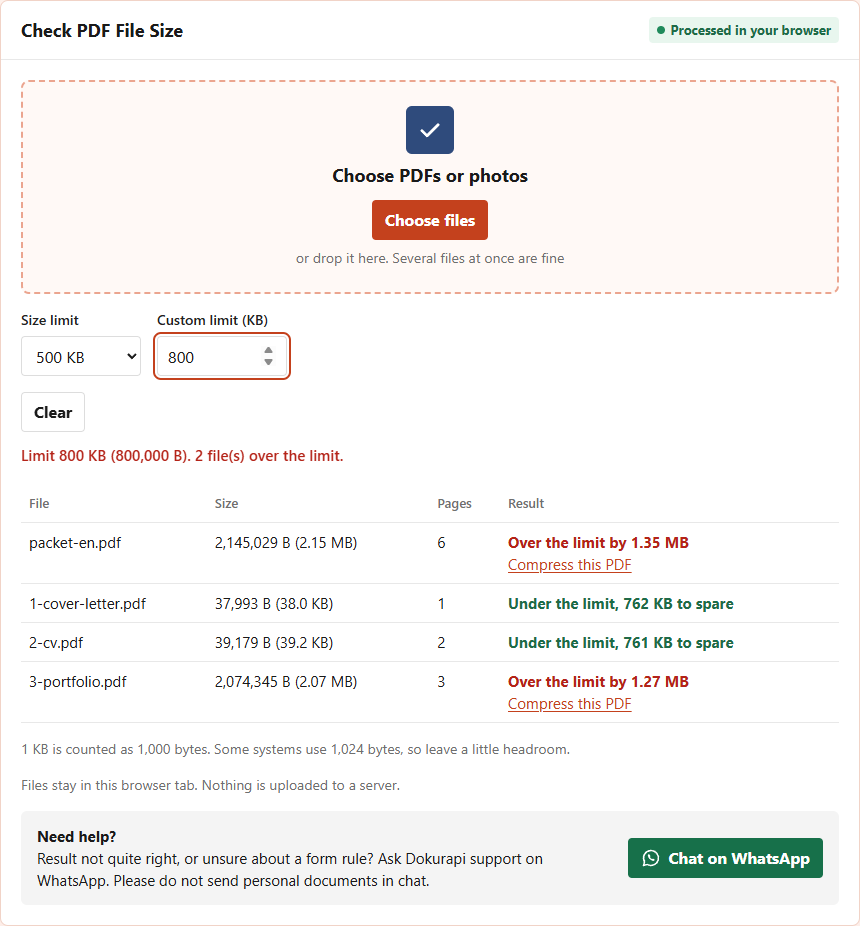
Here is the whole routine on a realistic packet, measured with the live tools on 14 October 2026. The form asks for the cover letter, CV and portfolio as one PDF of at most 800 KB. Our three synthetic files contain no personal data: a one-page typed cover letter of 37,993 bytes, a two-page typed CV of 39,179 bytes, and a three-page portfolio of 2,074,345 bytes with a large picture on each page.
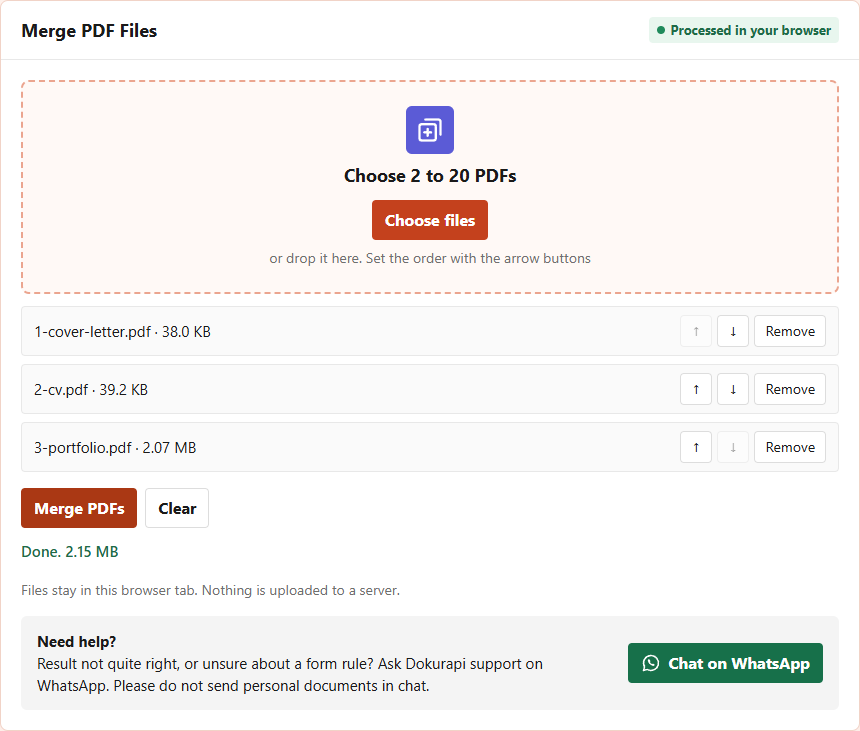
Merging first, the way most people do, produced a six-page file of 2,145,029 bytes. Before compressing anything, we put the merged file and its three parts into the Check PDF Size tool with a custom limit of 800. The table shows straight away where the weight is: the letter and the CV each have more than 760 KB to spare, while the portfolio alone is 1.27 MB over the limit.
So we compressed only the portfolio, with a custom target of 700 in the Compress PDF tool. It came out at 116,740 bytes. Merging it with the untouched letter and CV gave 189,089 bytes, comfortably under 800 KB, and the two typed documents kept their sharp, selectable text.
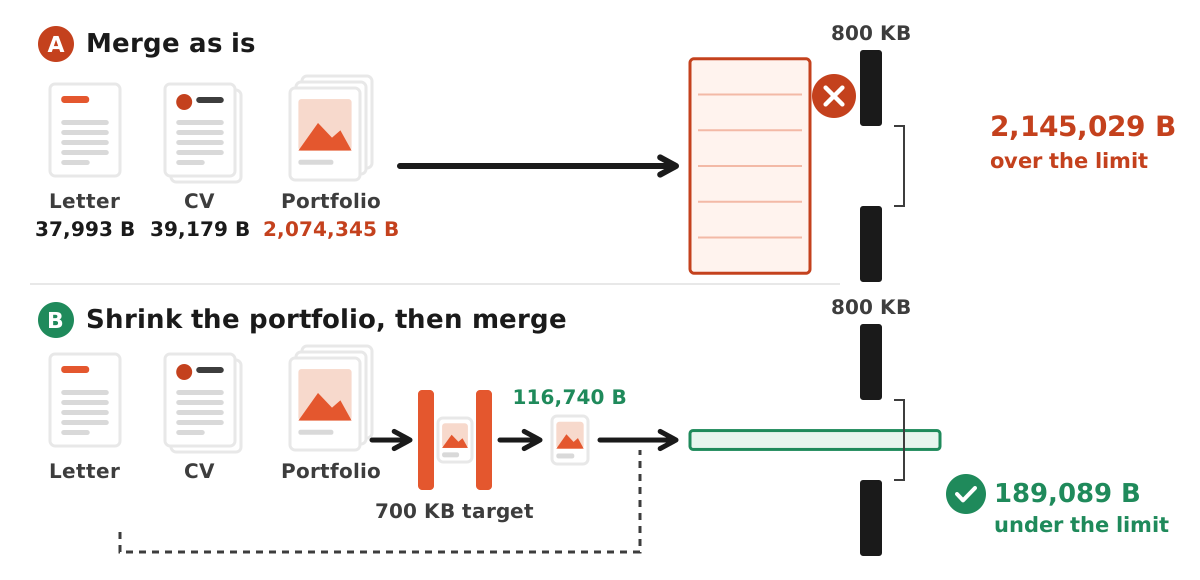
| File | Pages | Bytes | Fits 800 KB? |
|---|---|---|---|
| Cover letter | 1 | 37,993 | Yes |
| CV | 2 | 39,179 | Yes |
| Portfolio, original | 3 | 2,074,345 | No |
| Merged as is | 6 | 2,145,029 | No |
| Portfolio, 700 KB target | 3 | 116,740 | Yes |
| Merged after shrinking the portfolio | 6 | 189,089 | Yes |
This article is about deciding what goes into an application file and in which order. If you want a closer look at the Merge PDF tool itself, including how the arrow buttons behave and a second measured test, read how to combine PDF files in the right order. For scans that still will not fit, see PDF won't compress to the target size.
Troubleshooting
"One or more PDFs is damaged or unsupported"
The most common cause is a password-protected or encrypted PDF, such as a statement downloaded from a bank or a university system. Open it in the app that issued it, save an unlocked copy if that is allowed, and try again. A file that was corrupted during download is the other usual suspect; download it again.
The merged file is too big
Expected, since merging does not compress. Use the table above, and confirm the byte count with the Check PDF Size tool before uploading.
Form fields stop working
Interactive fields in a fillable PDF may not behave normally once their pages are copied into a new document. Fill the form in completely, save or print it to PDF, then merge.
A digital signature is no longer valid
A certified electronic signature belongs to the original file. Once its pages move into a new file, the validation does not come along. If the office requires a verifiable signed document, upload that file on its own or ask the official helpdesk.
Checklist before you upload
- The slot really asks for several documents in one file.
- Page one answers the slot's label.
- All pages are upright, complete and not duplicated.
- The size is under the limit in bytes, taken from this year's official notice.
- Grades, seals and signatures are readable at 100% zoom.
- The file is renamed from
dokurapi-gabung.pdfto something clear, such asmarksheet-full-name.pdf. - The original files are kept separately.
Privacy and honest limits
Application documents are full of personal data: ID numbers, addresses, grades, registration numbers. Dokurapi processes them in the browser on your device and does not upload them, which is also why there is no account to create. What it cannot do is promise acceptance. Portals may check format, page count, legibility and authenticity, and rules change between intakes. The examples here are dated (BKN's 2023 FAQ) or scheme-specific (one NSP FAQ), not permanent rules. The current official announcement for your application is always the final word.
Frequently asked questions
Does Dokurapi upload my files to merge them?
How many PDF files can I merge at once?
Does merging PDF files reduce quality?
How do I change the page order?
Why does the tool say a PDF is damaged or unsupported?
Should I merge documents that have their own upload slot?
How do I keep a merged application packet under the limit?
Can I merge PDF files on my phone?
Sources
- National Scholarship Portal, FAQs for scholarships for students with disabilities (PDF)
- BKN, SSCASN 2023 CPNS FAQ (Indonesian)
Need help?Result not quite right, or unsure about a form rule? Ask Dokurapi support on WhatsApp. Please do not send personal documents in chat.
Chat on WhatsApp