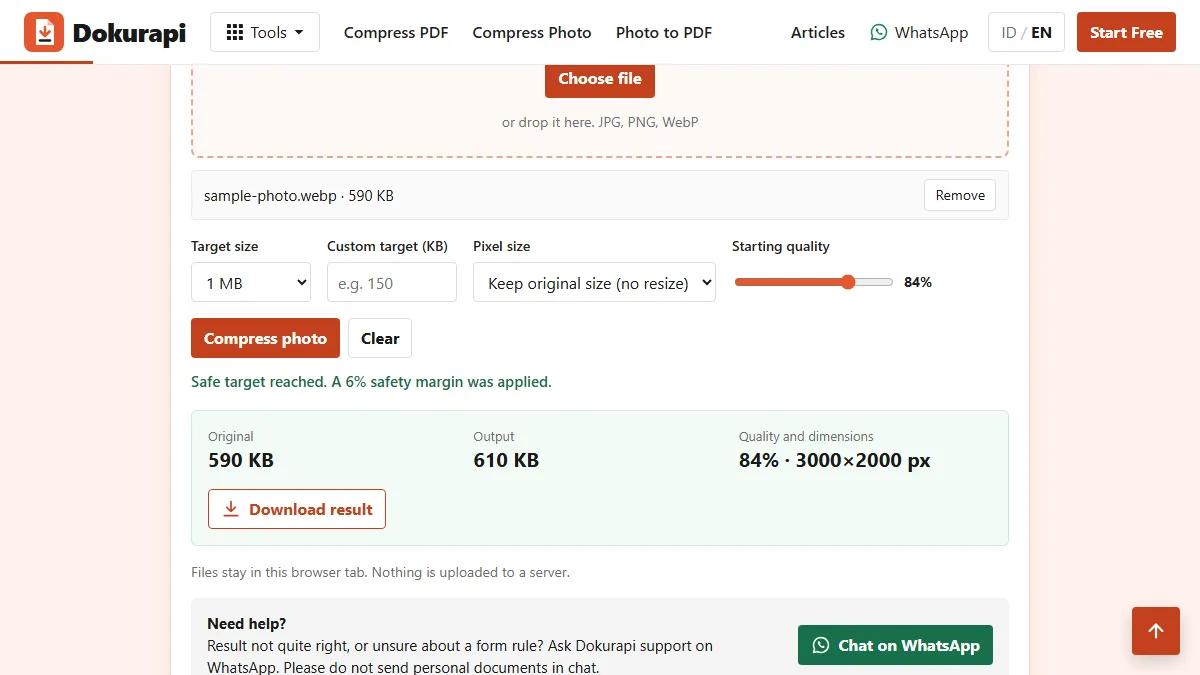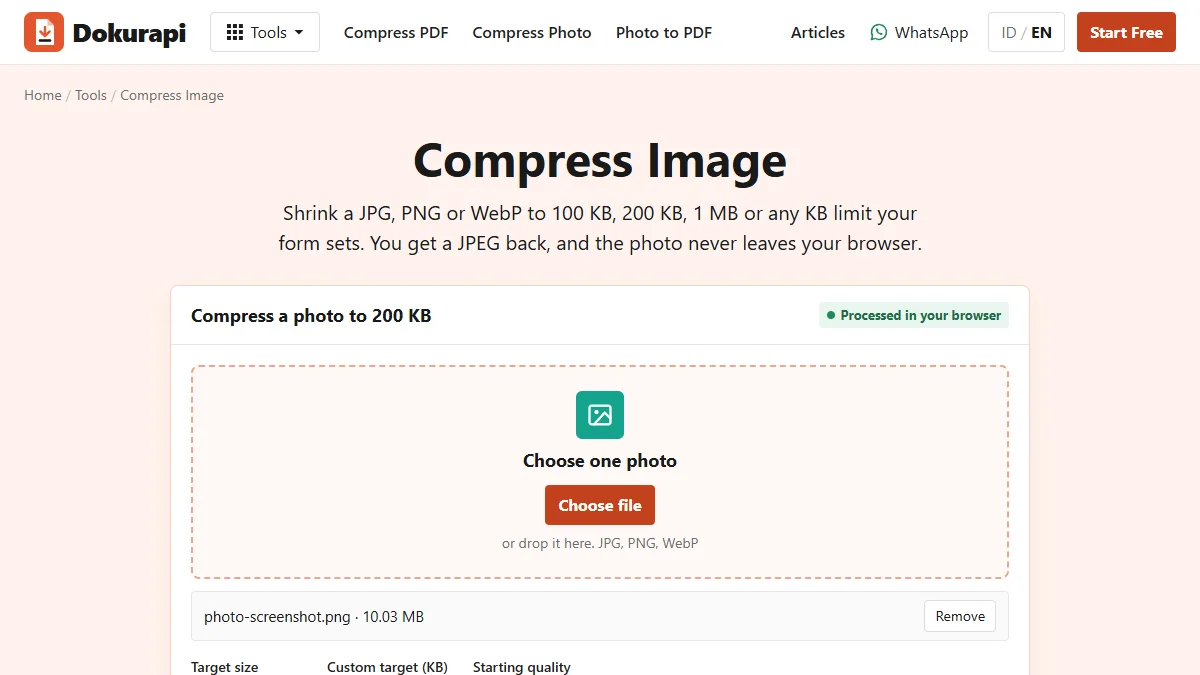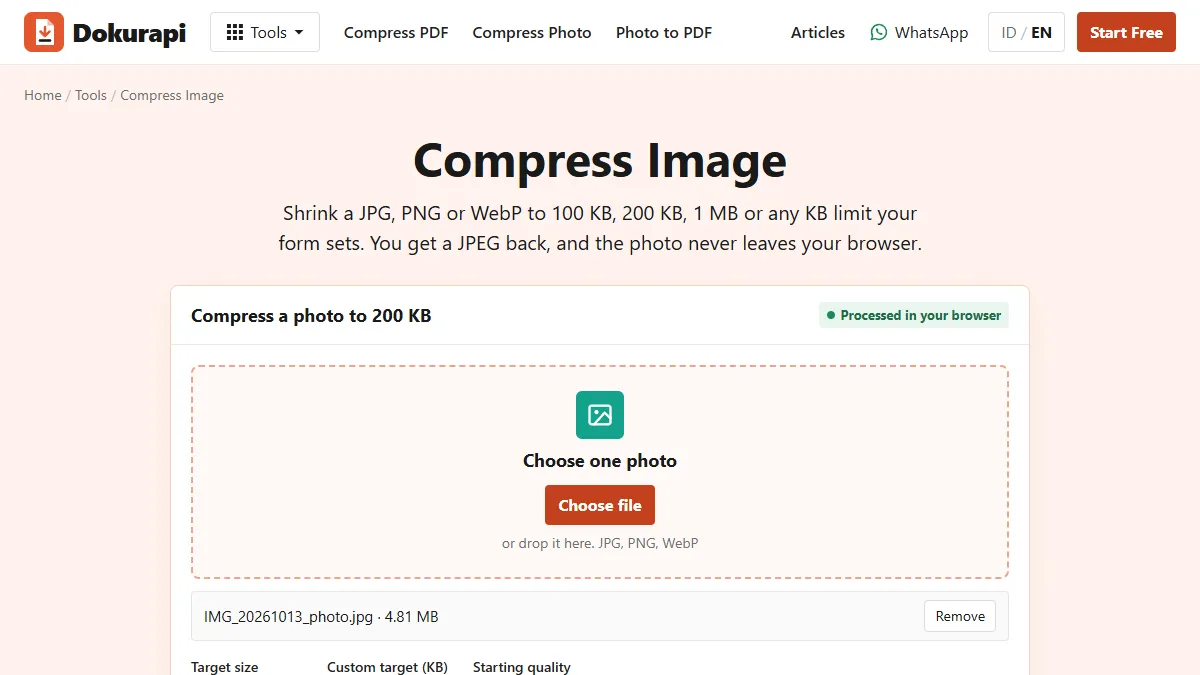
To convert PNG to JPG, open the image in a converter that saves a JPEG copy, then check the new file size before you upload it. Dokurapi's Compress Image tool does this in your browser: drop in a .png file, choose a size target such as 200 KB or 1 MB, and download a .jpg. Nothing is uploaded to a server, so the picture stays on your device.
This guide explains when a JPG copy makes sense, what it keeps and loses, how much smaller the file gets, and which settings to pick for an upload form. Every number about the tool comes from its own code or from test runs with synthetic sample files on 4 November 2026, not from guesses.
Why you may need a JPG instead of a PNG
Two situations bring most people here. The first is size. Screenshots and exported images are often saved as PNG, and a PNG of a photograph can run to several megabytes, which is far beyond the limits on many upload forms. The second is the format list. Some forms name JPG or JPEG only, so a perfectly good PNG gets rejected before anyone looks at it.
A third case is sharing. Older apps and some office systems handle JPEG more predictably than anything else, and a smaller JPG is easier to send by chat or email. If you are not sure how large your file really is, read how to check a file size before uploading first, because the number shown in a chat app is not always the real one.
A conversion is not always the right answer. If the form accepts PNG and the file is already under the limit, leave it alone. Every JPG conversion removes some detail for good, so convert because something requires it, not out of habit.
Ready to try it? The tool is free and runs in your browser.
Open the Compress Image toolWhat actually differs between PNG and JPG
MDN's image format guide describes PNG as a lossless format with full alpha support, and JPEG as the most widely used lossy format for still images. It also notes that JPEG does not support an alpha channel, and that PNG is preferred over JPEG for more precise reproduction of the source or when transparency is needed.
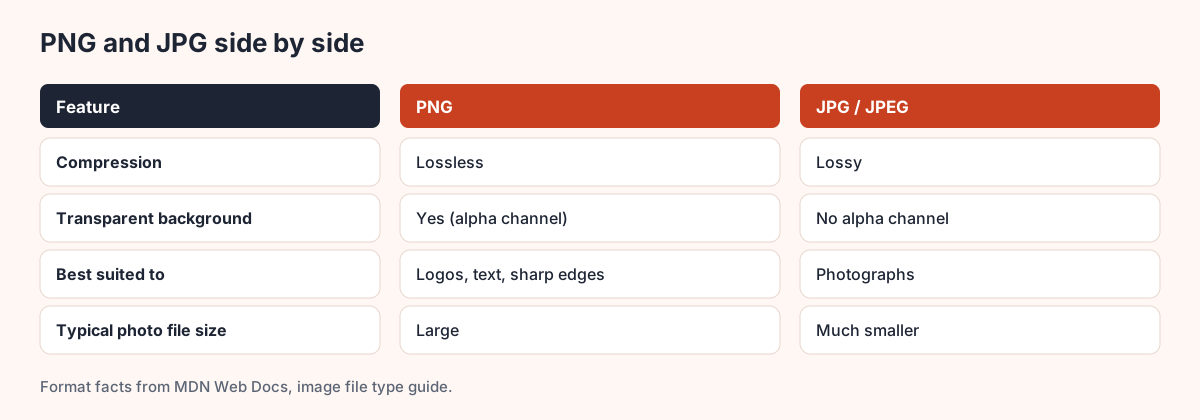
In everyday terms, a PNG stores the picture exactly, while a JPEG stores a close approximation that takes much less space. That approximation works well on photographs, where colours change gradually. It works less well on flat colours with hard edges, such as logos, charts and text, where JPEG can leave a faint haze around the letters.
| Your image | Best format | Why |
|---|---|---|
| Photo of a person or place | JPG | Much smaller, and the loss is hard to see |
| Scanned document with text | JPG at higher quality, or PDF | Needs to stay readable |
| Logo with transparent background | PNG | JPG has no transparency |
| Screenshot with small text | PNG if size allows | Text stays crisp |
| Upload form that names JPG only | JPG | The rule decides |
How to convert PNG to JPG in Dokurapi
The steps below use the Compress Image tool. It accepts JPG, PNG and WebP, and its output is always a JPEG.
- Open the tool and choose your .png file, or drop it on the page.
- Pick a size target, or type your own number in the custom KB box.
- Choose the pixel setting. "May shrink if needed" lets the tool reduce dimensions. "Keep original size" changes only the JPEG quality.
- Press Compress photo and wait for the result box.
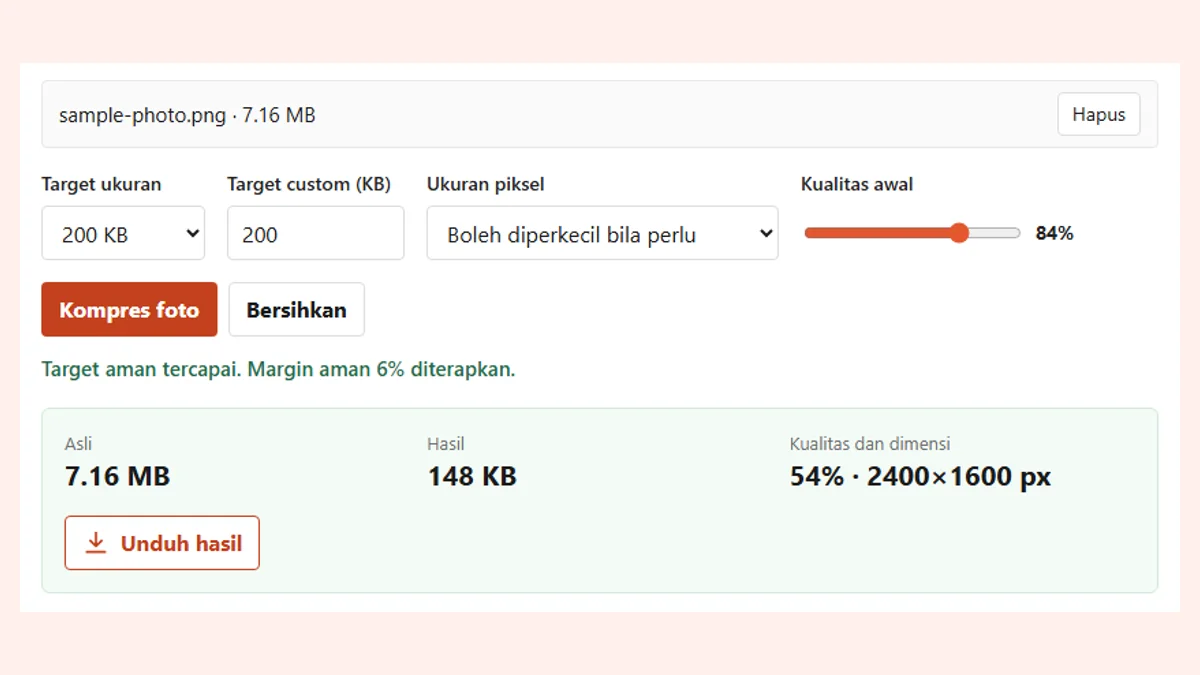
- Check the original size, result size, quality and dimensions, then download the file.
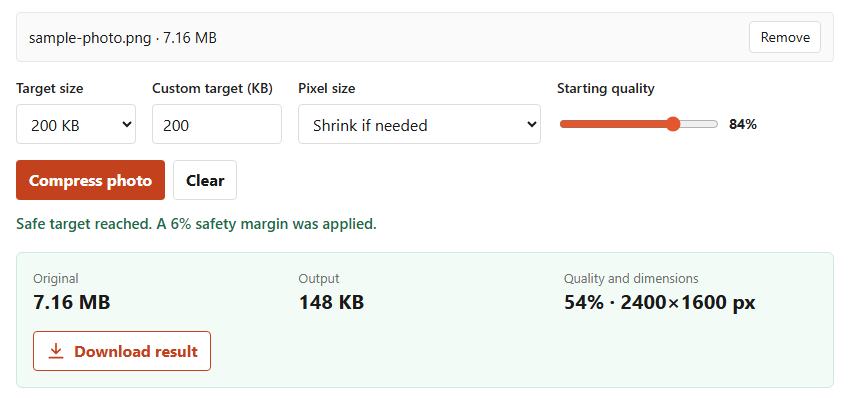
Dokurapi applies a 6% safety margin, so a 200 KB target aims for about 188 KB. That leaves room for forms that count a kilobyte differently. If you want the tool that opens with a preset, use Compress Image to 200 KB, 500 KB or 1 MB.
How much smaller does the file get?
It depends on the picture. We tested a synthetic photo-like PNG of 3000 x 2000 pixels, which weighed 7.16 MB. With a 1 MB target and original pixels kept, the JPG came out at 739 KB. With a 200 KB target and shrinking allowed, it came out at 148 KB at 2400 x 1600 pixels.
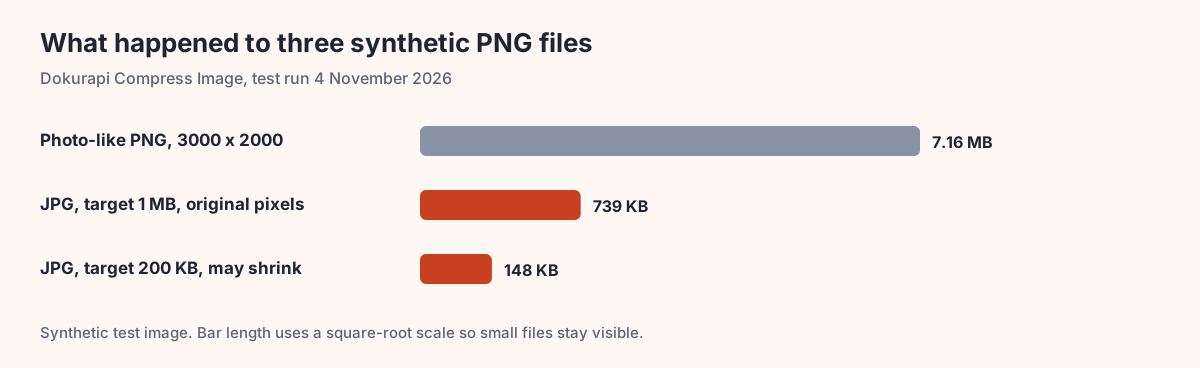
Flat images behave differently. Our synthetic 1400 x 900 interface screenshot was only 15.6 KB as a PNG, and its JPG copy was bigger at 18.4 KB. The 800 x 800 logo went from 20.2 KB to 15.2 KB. So do not assume JPG always wins. On simple graphics PNG can be the smaller file, and the guide to compressing PNG files covers that case.
Also note the longest-side rule. With "May shrink if needed", the tool caps the longest side at 2400 pixels before it starts, and may step down further, to a minimum of 640 pixels, when quality alone cannot reach the target. Choose "Keep original size" if the form needs exact dimensions.
Transparent PNGs turn white
This is the change people notice most. JPEG has no alpha channel, so every pixel must have a solid colour. Dokurapi fills the canvas with white before it draws your image, which means transparent parts become white in the JPG.
A logo on a transparent background will therefore sit on a white rectangle. On a white page you will not see it, but on a coloured page you will. If the image must stay transparent, do not convert it. Keep the PNG, and reduce its size with the steps in how to compress an image instead.
The same logic applies to signatures. If you made a transparent signature to place on a document, keep it as PNG and use the Sign PDF tool, which works with a transparent image.
Which settings to pick for an upload form
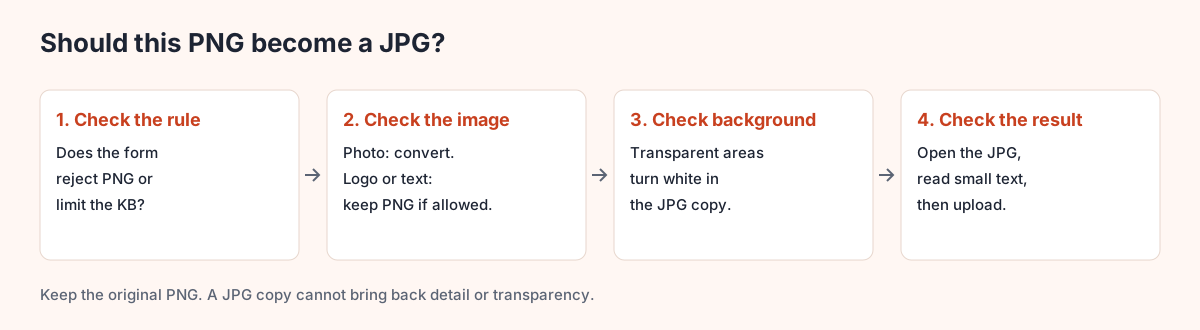
Start with the rule, not the tool. Read the exact limit and accepted formats, then pick the matching option below.
| Form rule | Target | Pixel setting |
|---|---|---|
| Max 100 KB | 100 KB | May shrink if needed |
| Max 200 KB | 200 KB | May shrink if needed |
| Max 500 KB | 500 KB | May shrink if needed |
| Max 1 MB | 1 MB | Keep original size, if it fits |
| Exact pixel size required | Form limit | Keep original size, after setting pixels |
If you are working in MB and KB and the numbers feel confusing, 200 KB to MB explains the conversion. If a form wants a much smaller file, compressing an image to 50 KB shows what to expect, and Compress Image to 100 KB opens with that target ready.
Check the JPG before you upload
A tool can reach a size target and still give you a file you should not send. Open the result and look at it at full size.
- Can you read the smallest text, such as a date or an ID number?
- Are the edges of letters clean, or is there a haze around them?
- Did a transparent area turn white where you did not want it?
- Is the file name sensible? The tool adds "-dokurapi" to the name, so rename it if the form sets a pattern.
- Is the size really below the limit? Check it in your file manager.
If text looks soft, raise the target or switch to "Keep original size" and try again. If the file is still too large, what to do when a compressed file is still too big walks through the next steps.
When PDF is the better answer
Sometimes the form does not want an image at all. If you have several PNG pages, such as a multi-page scan, turn them into one file with Photo to PDF. The steps are in combining images into a PDF. A single PDF keeps pages in order and is easier for a reviewer to read than a stack of separate pictures.
And if your picture arrived as WebP rather than PNG, the steps are nearly the same. See WebP to JPG for what differs.
Why browser conversion matters for documents
PNG files often hold private things: a screenshot of an account, a scanned ID, or a signed form. Many online converters upload your file to a server. Dokurapi reads the file inside your browser tab, draws it on a canvas, and creates the JPEG there. How browser-based tools work explains this in more detail.
This does not mean you can stop being careful. Close the tab when you finish on a shared computer, and delete downloads you no longer need. Do not send private documents through chat support either.
Frequently asked questions
How do I convert PNG to JPG for free?
Does converting PNG to JPG reduce quality?
What happens to a transparent PNG background?
Why is my PNG so much bigger than a JPG?
Is it safe to convert a PNG containing a document?
Can I convert several PNG files at once?
Should I rename .png to .jpg instead of converting?
Can I turn the JPG back into a PNG later?
Sources
Need help?Result not quite right, or unsure about a form rule? Ask Dokurapi support on WhatsApp. Please do not send personal documents in chat.
Chat on WhatsApp