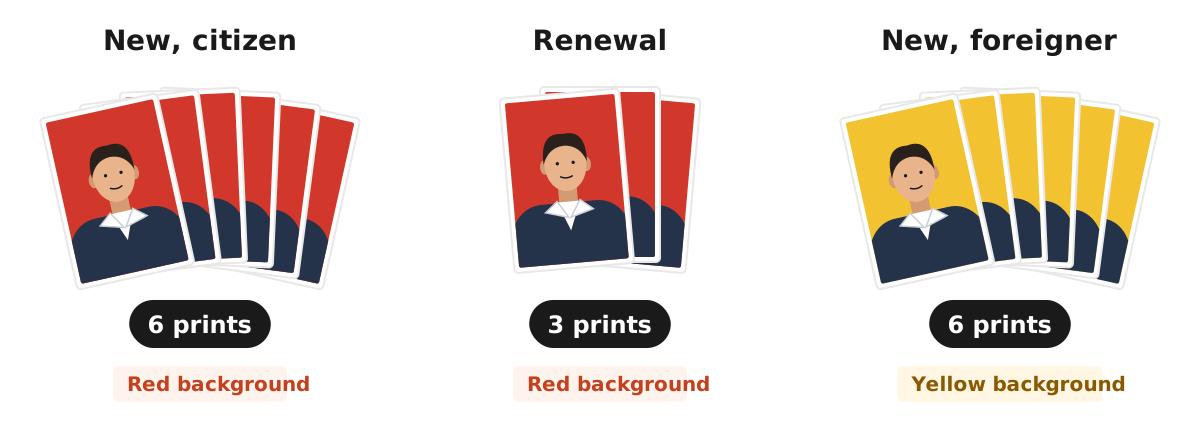
The police clearance certificate photo for an Indonesian SKCK (Surat Keterangan Catatan Kepolisian) is a recent colour 4x6 cm photo: six prints for a new certificate and three for a renewal, according to the official Indonesian National Police website. Many regional police offices add details: a red background for Indonesian citizens, neat clothing with a collar, a front-facing face with both ears visible, and for applicants who wear a headscarf, a fully visible face without a face veil. Foreign nationals use a yellow background.
This guide sums up the SKCK photo rules from the police website and several district police offices, the 4x6 size in pixels for printing or uploading, how to make a red background photo in your browser with the Dokurapi red background photo tool, and the mistakes that most often get a photo sent back. Rules can differ slightly between offices, so always confirm with the police office where you apply.
SKCK photo rules from the Indonesian police
The SKCK service page on polri.go.id lists the requirements for a new SKCK, including a recent colour 4x6 photo, six prints. For a renewal, you bring three recent colour 4x6 prints. The same page says an SKCK is valid for up to six months from issue, referring to National Police Chief Regulation Number 18 of 2014.
The national page does not state a background colour. That detail appears on district police pages. For example, the Polres Bantul SKCK requirements page asks for six colour 4 x 6 cm photos with a red background, neat collared clothing, the face and both ears visible. Applicants who wear a headscarf must show the face and may not wear a face veil. For foreign nationals, the same page asks for a yellow background.
The Polres Malang Kota SKCK FAQ also lists six 4x6 photos with a red background, modest clothing, and a fully visible face for headscarf wearers. The Riau Islands regional police page separates red for citizens and yellow for foreigners, six prints each. Because each office writes its own list, treat red as the most common standard for Indonesian citizens.
Ready to try it? The tool is free and runs in your browser.
Open the red background photo toolClothing, face, and headscarf rules
Size and background are only half the rules. Officers also check what is inside the photo. Across the district pages we read, the most common appearance rules are:
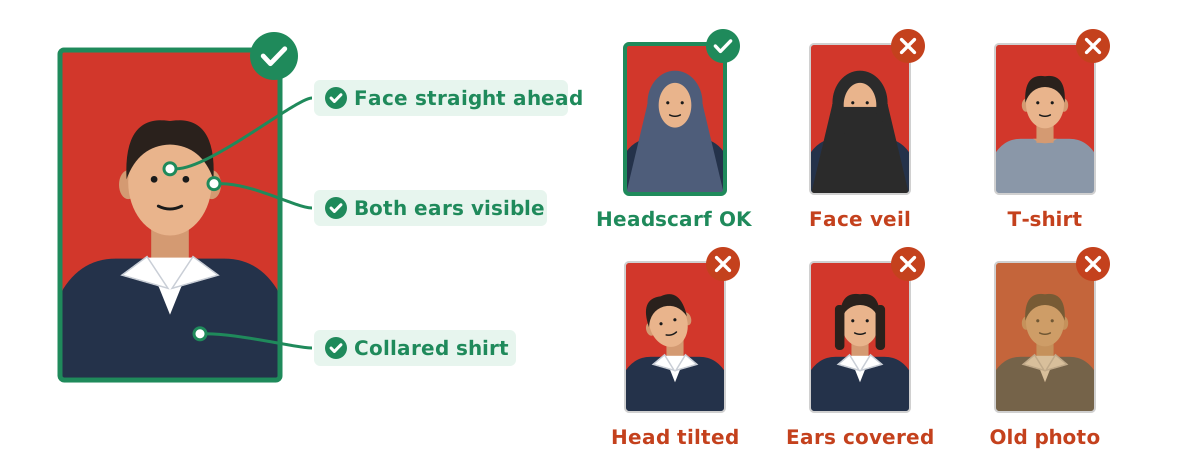
- Neat clothing with a collar. A shirt with a collar is safer than a plain T-shirt.
- Face looking straight ahead. Head upright, not tilted or lowered.
- Both ears visible. Tuck long hair behind the ears.
- Headscarves are allowed as long as the full face shows. Face veils are not allowed.
- A recent colour photo, not an old photo printed again.
A few things not written on the pages we checked are still worth doing, such as a neutral expression and even light with no shadows on the face. They help the photo stay clear once it is glued to the SKCK form. If you are unsure about glasses or accessories, ask the SKCK desk at your office, because the rules are not uniform.
Job applicants often prepare an SKCK and a job application photo at the same time. Their size and background can differ, so also read our photo for job application guide before printing.
4x6 size in centimetres and pixels
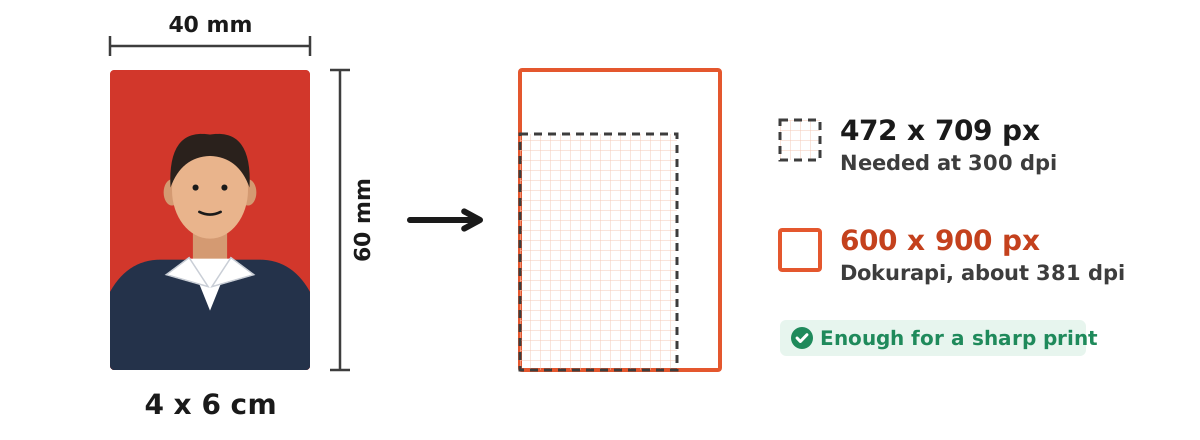
The 4x6 on an ID photo means 4 cm wide and 6 cm tall, a 2:3 ratio. If you print at a studio, just ask for "a 4x6 photo with a red background". If you prepare the file yourself, watch the pixels. To print sharply at 300 dpi, a 4x6 cm photo needs about 472 x 709 pixels.
The Dokurapi photo tool crops a 4:6 result to 600 x 900 pixels. Printed at 4x6 cm, that equals about 381 dpi, more than enough for an ID photo. The full cm, inch, and pixel conversion is in our 4x6 photo size guide, and dpi is explained in image dpi.
Do not mix this up with a "4x6 print" at a photo lab. There, 4x6 often means a 4 x 6 inch print, far larger than an ID photo. When ordering, say "4 x 6 cm ID photo" so the result is correct. To compare other ID photo sizes, see 3x4 photo size and 2x3 photo size.
How to make a red background SKCK photo in your browser
If you have a face photo that meets the appearance rules but the background is not red, you can replace it in your browser. Steps with the Dokurapi red background photo tool:
- Take a photo in front of a plain wall with even light, wearing a collared shirt, facing the camera.
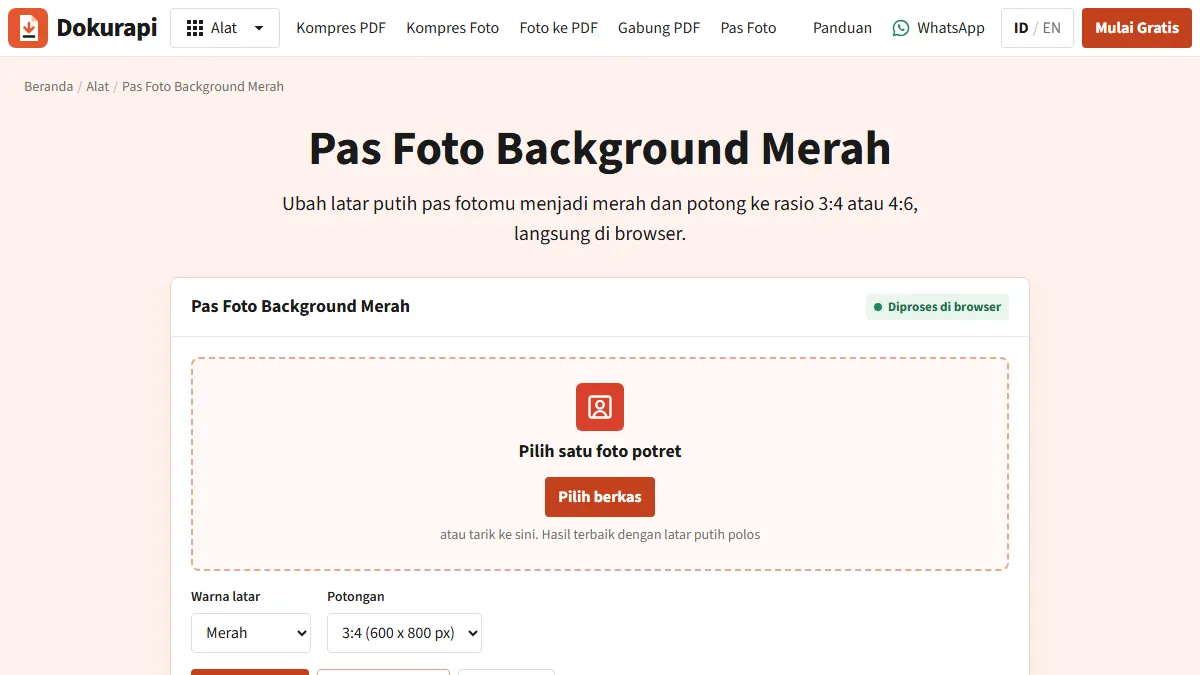
- Open the red background tool and choose the photo.
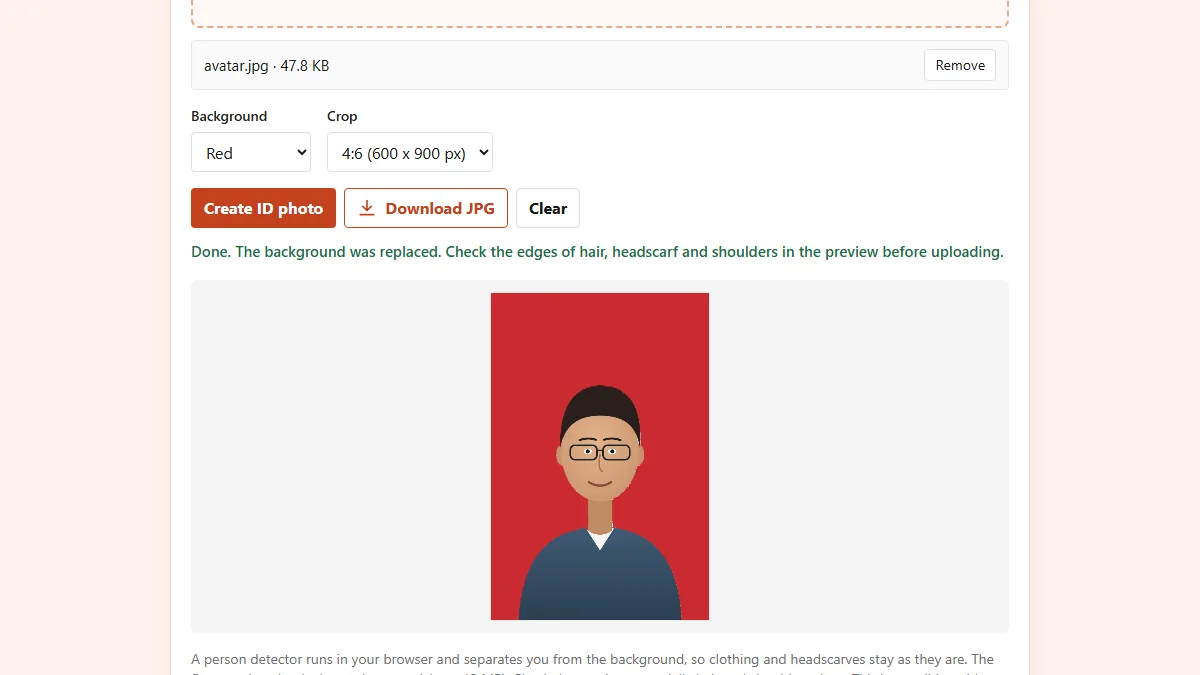
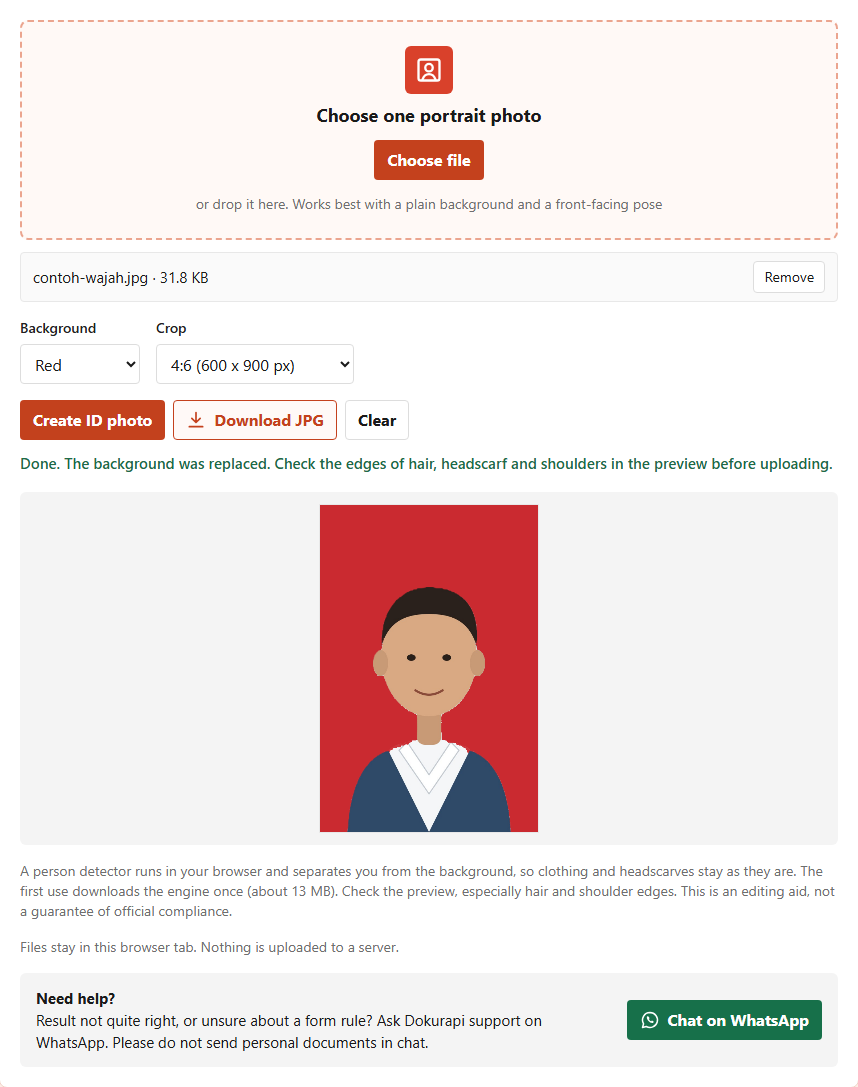
- Choose the Red background and the 4:6 (600 x 900 px) crop.
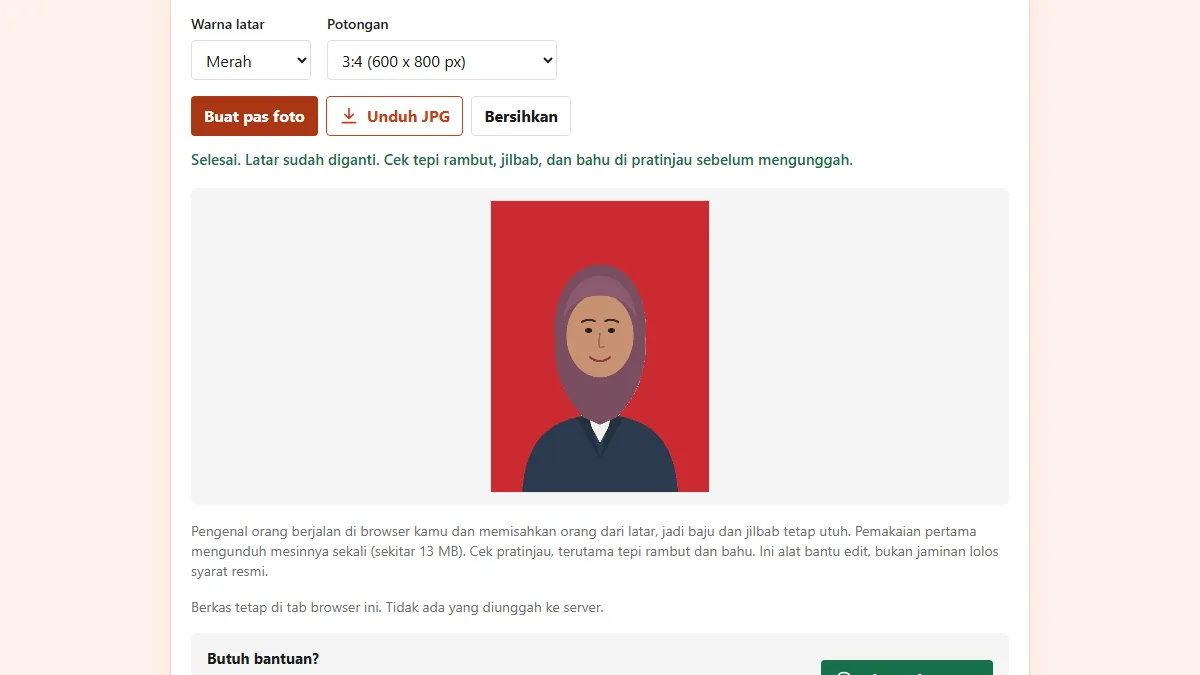
- Press Create ID photo, then check the preview, especially the edges of hair, headscarf, and shoulders.
- Press Download JPG to save the result.
In our test on 11 November 2026 with a face illustration we drew ourselves (not a photo of a real person), a 31.8 KB file became a 600 x 900 pixel JPG of 25.3 KB with a red background. The first use downloads a person detection engine of about 13 MB; after that, processing runs on your device. The tool is an editing aid, not a guarantee that a photo meets official rules, so check the result carefully.
For a blue background, for other purposes, use the blue background photo tool. More on how background replacement works is in our red background passport photo guide.
Photos for an online SKCK application
The national SKCK page explains that applicants can register online by uploading the required documents and filling in the form in order. So besides printed photos, you may need a digital photo file. The upload format and size rules are shown in the registration service itself, and we did not find official numbers on the pages we checked, so follow the instructions on screen.
Some things still apply to the digital file. Use the same photo you will print so the records match. Save it as a JPG, the most widely accepted format. If the file is too large, shrink it with compress image to 100 KB or compress image to 200 KB to match the limit. How to check the size before uploading is covered in check file size before upload.
Online registration does not remove the office visit. The Polres Malang Kota FAQ, for example, says a new SKCK handled by a representative still needs the online SKCK barcode and fingerprint support from the nearest district police. Bring the printed photos in the required number when you go.
Process, fee, and validity
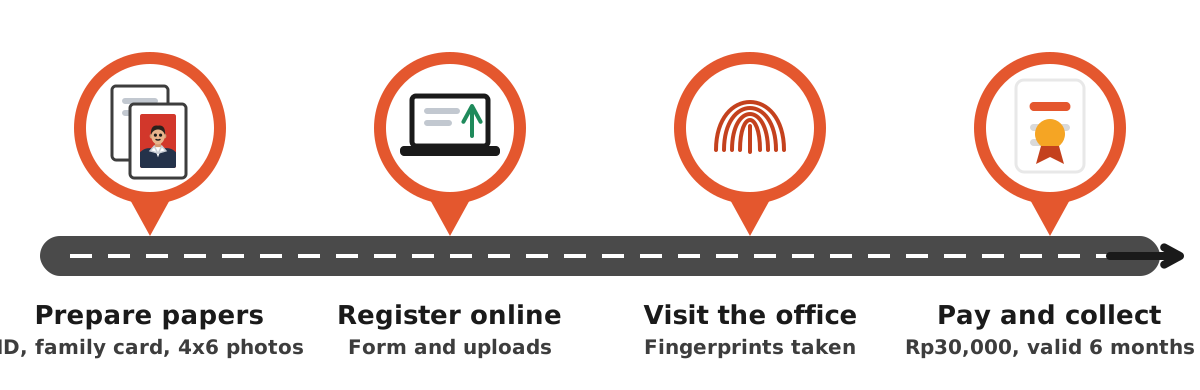
So the photo is not the only thing you prepare, here is the overall process. According to the national police page, a new SKCK needs a letter from the village office, copies of your ID card or driving licence, family card, and birth certificate, 4x6 photos, a personal history form, and fingerprinting by an officer.
| Item | Rule | Source |
|---|---|---|
| Photos, new SKCK | 4x6 colour, 6 prints | Polri |
| Photos, renewal | 4x6 colour, 3 prints | Polri |
| Background, citizens | Red | Polres Bantul, Polda Kepri |
| Background, foreigners | Yellow | Polres Bantul, Polda Kepri |
| Issue fee | Rp30,000 (Government Regulation 60 of 2016) | Polres Malang Kota |
| Validity | Up to 6 months from issue | Polri |
If you also need to send your ID card as a file, our guide to photographing and tidying it is how to scan an ID card online. To combine several documents into one PDF, use the Merge PDF tool.
Mistakes that get an SKCK photo sent back
Most photo rejections can be prevented before you reach the office. The most common mistakes:
- Wrong background colour. A blue photo made for another purpose does not fit an office that asks citizens for red.
- Wrong size. A 3x4 photo or a 4R print brought instead of 4x6 cm.
- Too few prints. Bring six for a new SKCK and three for a renewal, or more if your office asks.
- No collar. A plain T-shirt is often refused.
- Ears covered. Hair hides the ears although district pages ask for both ears to show.
- Old photo. The rule says recent, so avoid reprinting a photo from years ago.
If you print at home, make sure the print setting uses actual size, not "fit to page". How to lay out ID photos on 4R or A4 paper is explained in the 4x6 photo size guide. Keep a digital copy too, so it is easy to print again for your next renewal.
Printing SKCK photos at home or at a print shop
Once the red background file is ready, there are two ways to print it. The first is to take the JPG to a photo print shop and ask for 4 x 6 cm prints on photo paper. Staff usually arrange several ID photos on one 4R sheet and cut them. Tell them how many you need, for example six for a new SKCK plus a few spares.
The second is to print at home. Place the photos in an A4 or 4R document, set each image to exactly 4 cm wide and 6 cm tall, then print at 100 percent scale. Use glossy or matte photo paper so the red stays strong. Measure the prints with a ruler before cutting. If the size is off, check the scale setting in the print dialog again.
Either way, check the background colour after printing. Red on screen can look darker or more orange on paper, depending on the printer and ink. As long as the colour is clearly red and the face looks bright, the photo is usually accepted. Keep the original file somewhere easy to find, because the same photo can be used again when you renew your SKCK while it still counts as recent.
Frequently asked questions
What are the SKCK photo requirements?
Is the SKCK photo background red or blue?
How many photos do I need for an SKCK?
Can I wear a headscarf in my SKCK photo?
How many pixels is a 4x6 SKCK photo?
Do I need a collared shirt for an SKCK photo?
How can I make a red background SKCK photo myself?
How much does an SKCK cost and how long is it valid?
Sources
- Surat Keterangan Catatan Kepolisian (SKCK), Website Resmi Polri
- Persyaratan SKCK, Polres Bantul (Polda DIY)
- FAQ SKCK Polres Malang Kota
- Persyaratan dan Cara Pembuatan SKCK, PID Polda Kepri
Need help?Result not quite right, or unsure about a form rule? Ask Dokurapi support on WhatsApp. Please do not send personal documents in chat.
Chat on WhatsApp