The visa photo size depends on the country, so no single size works for every visa. Three common examples for applicants in Indonesia: a Schengen visa for Germany needs a 3.5 x 4.5 cm photo on a white or light grey background (German embassy in Jakarta checklist), a US visa needs a 2 x 2 inch (51 x 51 mm) photo on white, with a digital version that is a square JPEG of 600 to 1200 pixels and 240 KB or less (US Department of State), and a Japan visa asks for a 4.5 x 3.5 cm photo (Consulate General of Japan in Denpasar). All three want a photo taken within the last 6 months.
This guide sums up the official rules of those three countries, explains why the red and blue backgrounds used for Indonesian ID photos do not work for visas, and shows where Dokurapi can help. In short: Dokurapi can shrink the file size of a digital visa photo with compress image in your browser, but it should not be used to replace the background of a visa photo.
Schengen, US, and Japan visa photo sizes
Each embassy writes its own photo rules, and those rules can change. The numbers below come straight from each country's official documents, not from third party sites. Compare them before printing, because similar sizes such as 3.5 x 4.5 cm and 4.5 x 3.5 cm are easy to mix up.
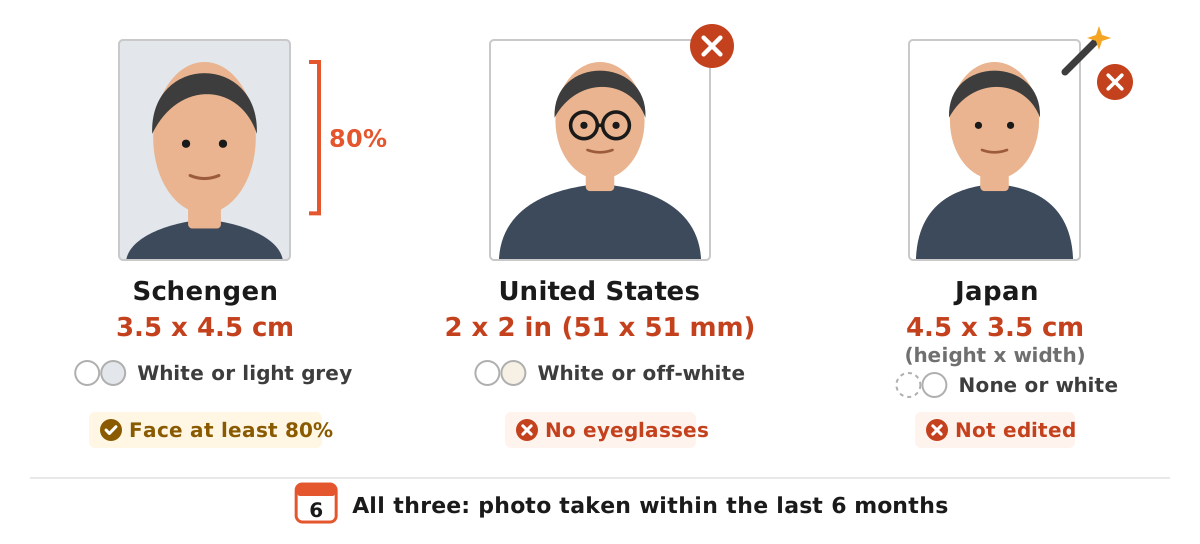
| Country | Print size | Background | Other rules |
|---|---|---|---|
| Schengen, German embassy in Jakarta example | 3.5 x 4.5 cm | White or light grey | Face covers at least 80% of the photo, photo no older than 6 months |
| United States | 2 x 2 in (51 x 51 mm) | Plain white or off-white | Digital: square, 600 x 600 to 1200 x 1200 px, JPEG, up to 240 KB, no eyeglasses, no digital alteration |
| Japan, Consulate General in Denpasar example | 4.5 x 3.5 cm (height x width) | No background or white | Taken within the last 6 months, not edited |
For Schengen, the visitor visa checklist from the German embassy in Jakarta asks for a recent biometric photo with a white or light grey background, 3.5 x 4.5 cm, with the face covering at least 80 percent of the picture, and no older than 6 months. Other Schengen states use a similar biometric format, but always check the list from the embassy or visa centre of your destination.
For Japan, some older pages from Japanese missions in Indonesia still mention a different size. Confirm on the Japan Visa Application Center site before printing.
Ready to try it? The tool is free and runs in your browser.
Open the compress image toolVisa photo size in millimetres and pixels
At a studio you only need the size in centimetres. For online applications, though, pixels and kilobytes are what count. Of the three examples, the US gives the most detailed digital rules: the photo must be square, at least 600 x 600 pixels and at most 1200 x 1200 pixels, JPEG, sRGB colour, and a file size of 240 KB or less. The Department of State also notes that compression may be needed to get under the size limit, with a compression ratio no higher than 20:1.
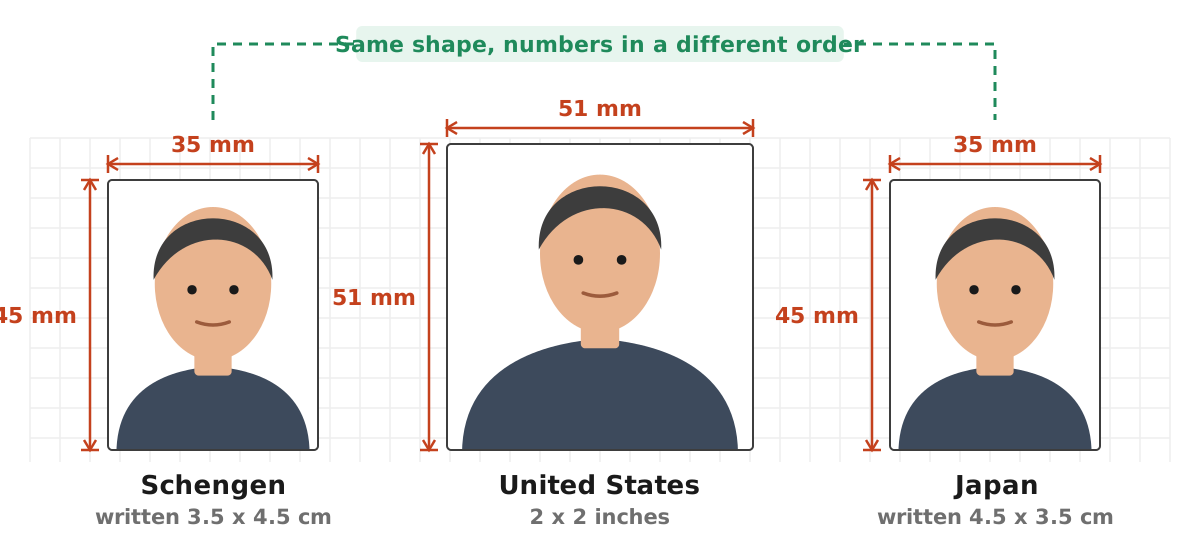
For print sizes, the conversion works like any ID photo: size in inches times print resolution. At 300 dpi, a 35 x 45 mm photo is about 413 x 531 pixels, and a 2 x 2 inch photo is 600 x 600 pixels. That is why the US digital minimum is also 600 pixels. More on resolution is in our article on image DPI, and KB versus MB is covered in 200 KB to MB.
Watch the orientation too. The Schengen size is written 3.5 x 4.5 cm (width x height), while the Japan page writes 4.5 x 3.5 cm (height x width). Both are upright portrait photos; only the order of the numbers differs.
Why red and blue backgrounds do not work for visas
In Indonesia, photos for job applications, police clearance certificates, or diplomas often need a red or blue background. That habit does not carry over to visas. All three official examples above ask for a white or light background: white or light grey for Schengen per the German embassy, plain white or off-white for the US, and no background or white for Japan per the Denpasar consulate.
A second rule matters even more: many countries forbid edited photos. The US Department of State says photos must not be digitally enhanced or altered, and the Japan page says the photo must not be an edited result. Replacing the background with an app, including the Dokurapi ID photo tool, risks getting your visa photo rejected.
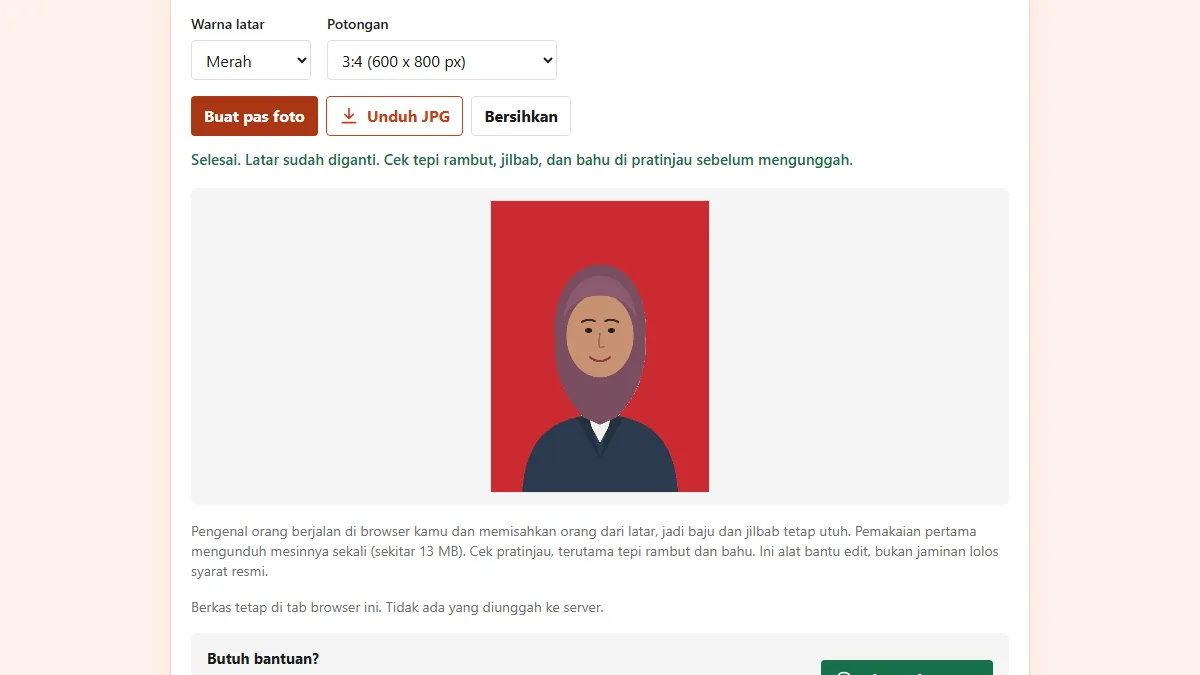
That is why we deliberately do not recommend the red background tool or the blue background tool for visas. Those tools are built for local forms that ask for red or blue, as explained in our guide to the red background ID photo. For a visa, the safest route is a studio that knows visa photo standards, or a picture taken in front of a plain white wall with even light and no shadows.
Shrinking a digital visa photo without changing the face or background
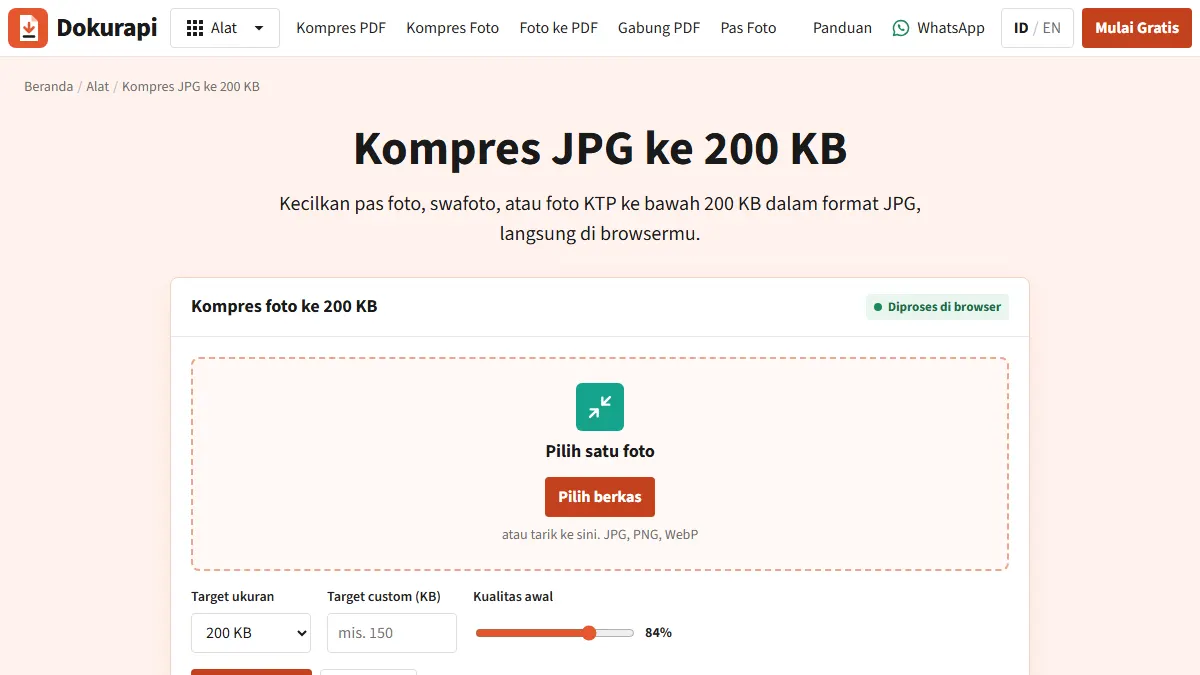
Compression is not editing. Shrinking the file size does not change the background, move the face, or smooth the skin. It only changes how the image is stored. This is the part Dokurapi can help with, for example when your digital visa photo is bigger than the 240 KB limit.
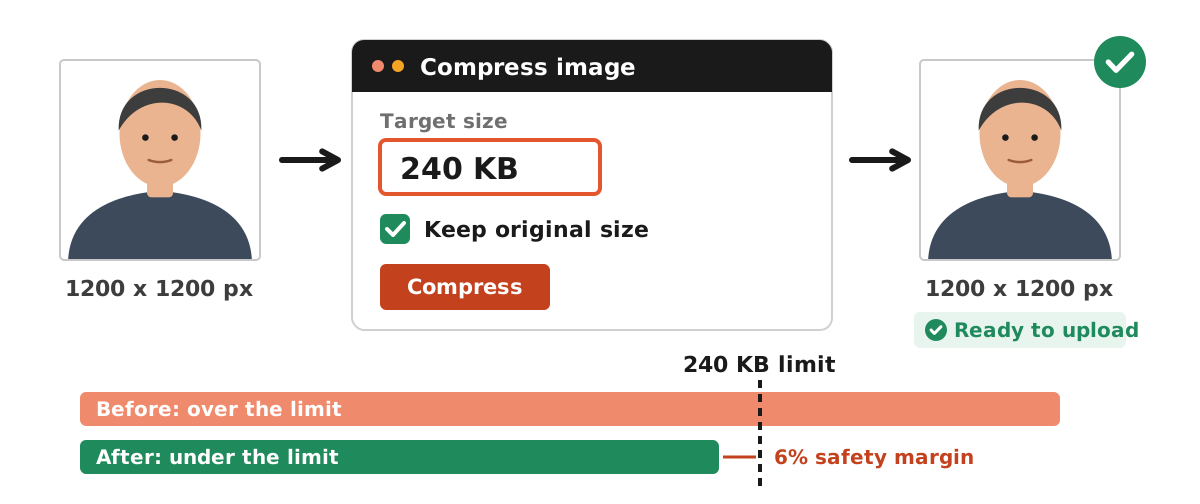
- Start with a visa photo that already meets the destination rules: white background, face straight, correct size and ratio.
- Open compress image and choose that photo.
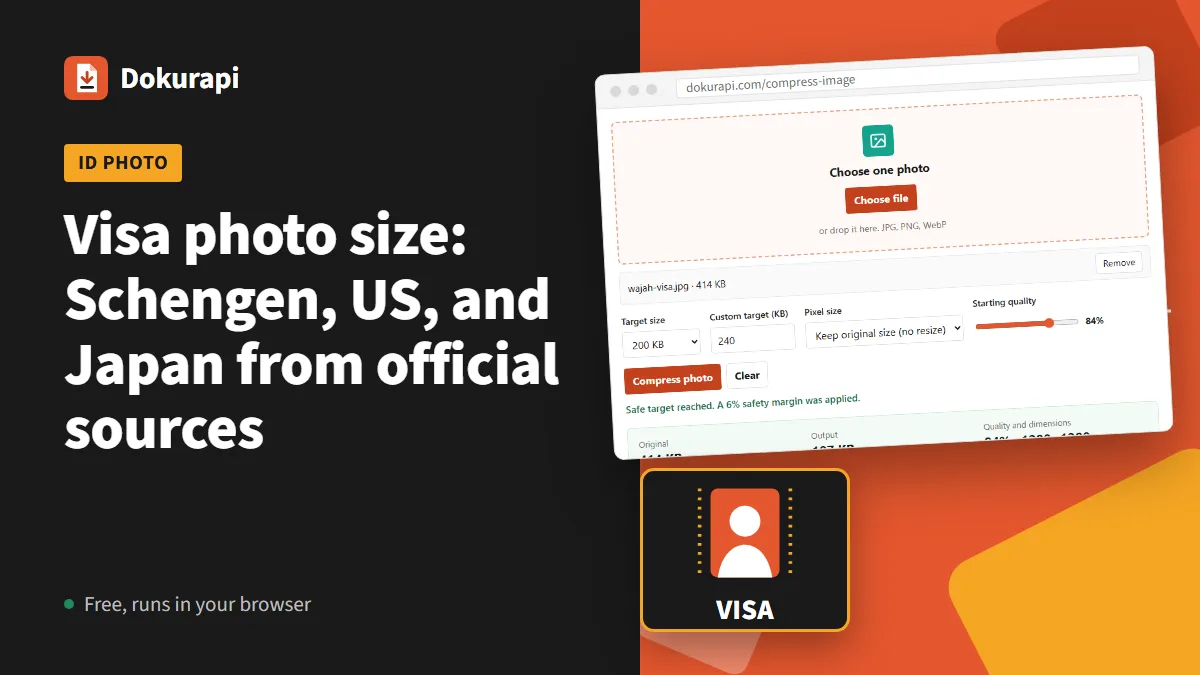
- Enter a custom target that matches the portal limit, for example 240 KB. The tool applies a 6 percent safety margin so the result is not right at the limit.
- Under pixel size, choose keep original size so a 1200 x 1200 pixel photo is not shrunk below the minimum.
- Click compress, check the output size, then download and upload it to the visa form.
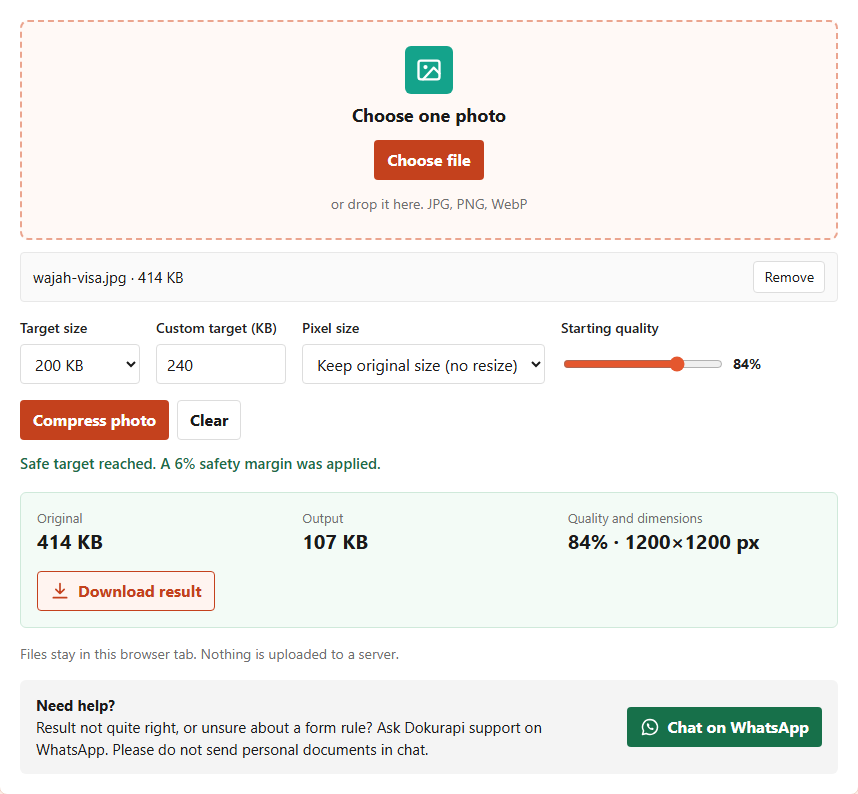
In our test on 14 November 2026, a white background face illustration of 1200 x 1200 pixels and 414 KB was compressed with a custom 240 KB target and the keep original size option. The output was 107 KB at an unchanged 1200 x 1200 pixels, well under 240 KB. Real photos can give different numbers, because hair and clothing detail make files larger. If your photo is bigger than 1200 pixels, bring it into the 600 to 1200 pixel range first, for example with our guide to resizing a photo. If it is PNG or HEIC, convert it to JPG first with PNG to JPG or HEIC to JPG.
Mistakes that get visa photos rejected
A rejected visa photo can delay your interview or biometrics appointment, so it pays to check before sending. These are the most common mistakes, summarised from the official rules of the three countries above.
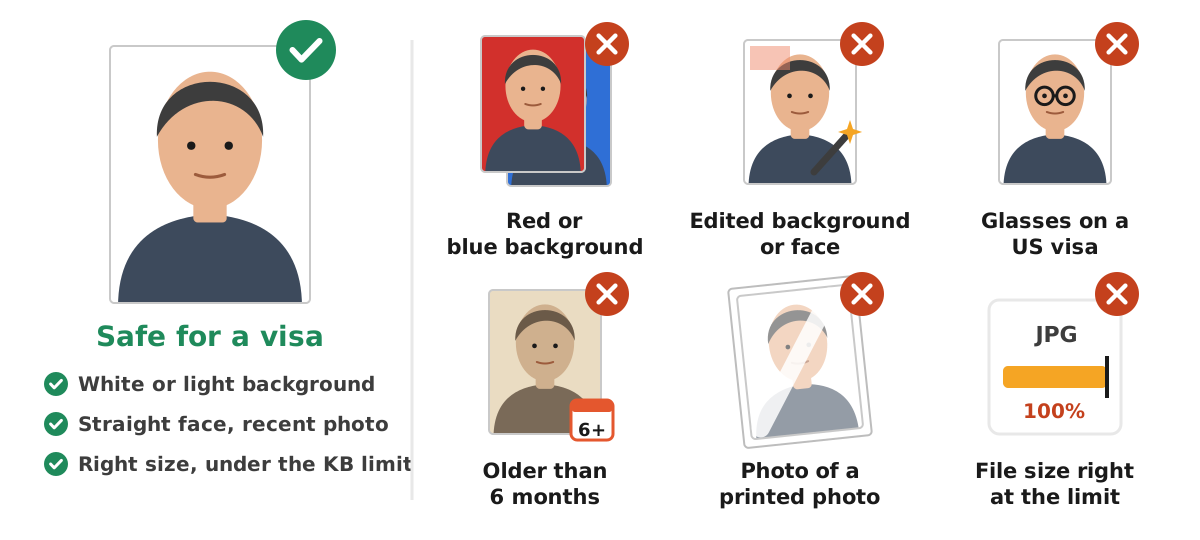
- Using a red or blue background ID photo. A job application or police clearance photo cannot be reused for a visa.
- Editing the background or face. Both the US and Japan rules forbid edited photos.
- Wearing glasses for a US visa. The US Department of State has not allowed eyeglasses in visa photos since 1 November 2016, except for medical reasons with a doctor's statement.
- Using an old photo. All three examples want a photo taken within the last 6 months.
- Re-shooting a printed photo. The result is blurry and shows glare. Take a new photo instead.
- Cutting the file size too close. If the limit is 240 KB, aim a few percent under it. The general checklist is in check file size before upload.
Printing visa photos and preparing other documents
Some visa applications want printed photos glued to a form, others want a digital photo, and some want both. If prints are needed, tell the studio or print shop the exact size, for example 3.5 x 4.5 cm for Schengen or 2 x 2 inches for the US, and ask for a white background. Bring a high resolution digital file as well so the print stays sharp.
Besides the photo, visa applications usually ask for a passport copy, proof of funds, and a letter from your employer or school as PDFs. Dokurapi can help here: turn a photo of your passport page into a PDF with photo to PDF, combine several documents with merge PDF, and shrink the result with compress PDF if the portal limits size. Scanning documents with a phone camera is covered in our guide to scanning documents to PDF.
Keep one high resolution master copy of your visa photo in a dedicated folder. From it you can make print and upload versions without a new photo shoot, as long as the photo is under 6 months old. Name the file clearly, for example your name, destination country, and photo date, so it is not mixed up with red background ID photos for other uses. The final decision on whether a photo is accepted always rests with the embassy or consulate where you apply.
Frequently asked questions
What is the Schengen visa photo size?
What is the US visa photo size?
What is the Japan visa photo size?
Can a visa photo have a red or blue background?
Can I wear glasses in a US visa photo?
Can I replace the background of a visa photo with an app?
How do I shrink a visa photo to 240 KB?
How long can I use a visa photo?
Sources
- Schengen Visa Visitor checklist, German Embassy Jakarta (PDF)
- Digital Image Requirements, U.S. Department of State
- Photo Frequently Asked Questions, U.S. Department of State
- Temporary visitor visa for family or friends (Indonesian), Consulate General of Japan in Denpasar
Need help?Result not quite right, or unsure about a form rule? Ask Dokurapi support on WhatsApp. Please do not send personal documents in chat.
Chat on WhatsApp