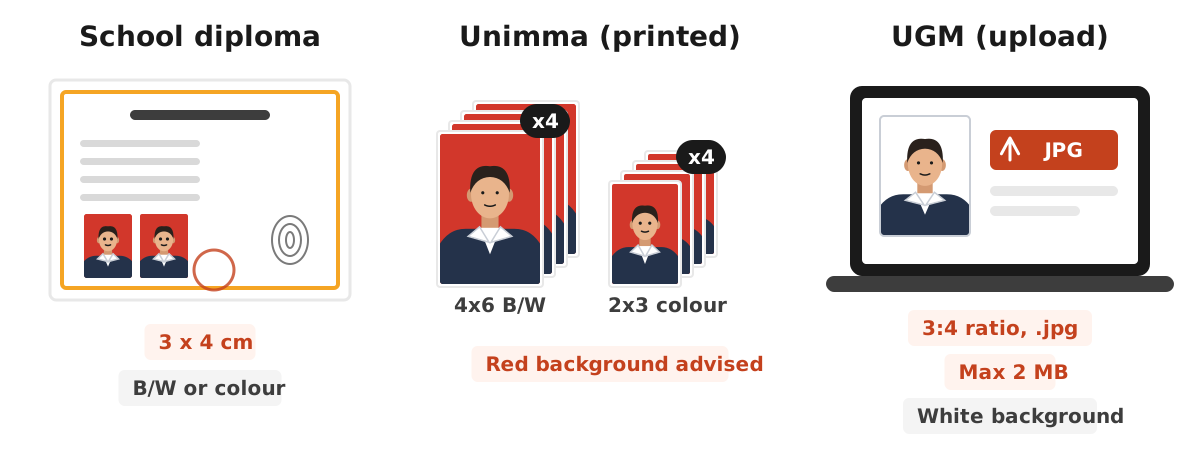
The certificate photo size for Indonesian school diplomas (ijazah) from primary school to senior high school is 3 x 4 cm, in black and white or colour. The rule comes from the ministry guideline for filling in diploma blanks, as quoted by detikEdu: a recent 3 cm x 4 cm photo of the student, black and white or colour, with the owner's fingerprint and the school stamp touching the photo. For university degree certificates there is no single national size. Each university sets its own rule in its graduation or yudisium notice.
This guide covers the school rule, two university examples whose documents are public, sizes in millimetres and pixels, background colours, and how to prepare the photo yourself with the Dokurapi red background photo tool or blue background tool. Both run in your browser, so your photo is never uploaded to our server.
Diploma photo size for Indonesian schools
For primary and secondary education, the content of the diploma is set by the government. detikEdu summarised the ministry rules on diploma content from primary to senior high school, including the photo item. It reads: a recent photo of the student, 3 cm x 4 cm, black and white or colour, with the owner's fingerprint, and a stamp that touches the photo. That gives three fixed points for school diplomas:
- The size is 3 x 4 cm. Not 4 x 6 and not 2 x 3.
- Colour is optional between black and white and colour. Schools usually choose one so a whole class looks the same.
- The photo must be recent, because it identifies the diploma owner for life.
The background colour is not part of that rule. In practice, schools decide it themselves, often red or blue, and ask students to wear their uniform. So ask your homeroom teacher or the school data operator before printing. If your school wants red, see our guide to the red background ID photo. For blue, see the blue background ID photo guide.
Ready to try it? The tool is free and runs in your browser.
Open the red background photo toolUniversity diploma photos: two examples
University degree certificates are issued by each university, so photo rules can differ a lot. The two examples below come from official documents the universities published. Together they show why you should never copy a size from a friend at another campus.
| Rule | Unimma Faculty of Psychology and Humanities | UGM (graduate graduation notice, period II 2025/2026) |
|---|---|---|
| Form | Printed photos handed in | Photo uploaded to the academic system |
| Size | Four black and white 4x6 prints and four colour 2x3 prints | 3:4 ratio, .jpg file up to 2 MB |
| Background | Red advised | White |
| Clothing | University jacket, white shirt, tie for men | White shirt, black jacket or blazer, not the university jacket |
| Quality notes | Sharp, well lit, printed on matte paper, taken by a professional photographer | Clear and not blurry, not a scan or a phone re-shot |
Notice the difference. The first campus asks for physical prints in two sizes, because one photo goes on the certificate and the others on transcripts or records. The second only wants a digital file with a 3:4 ratio and a size cap. If your university uses an upload system like the second example, the ratio, file format and file size are what matter. Managing file size is covered later in this guide, and a general checklist is in our article on checking file size before uploading.
Diploma photo size in millimetres and pixels
At a photo studio you can just ask for 3x4 or 4x6. When you prepare the photo yourself or upload it to a portal, you need the pixel size. The formula is simple: size in inches times print resolution. One inch is 2.54 cm, and studios usually print at 300 dpi.
- 3 x 4 cm is 30 x 40 mm, about 354 x 472 pixels at 300 dpi.
- 4 x 6 cm is 40 x 60 mm, about 472 x 709 pixels at 300 dpi.
- 2 x 3 cm is 20 x 30 mm, about 236 x 354 pixels at 300 dpi.
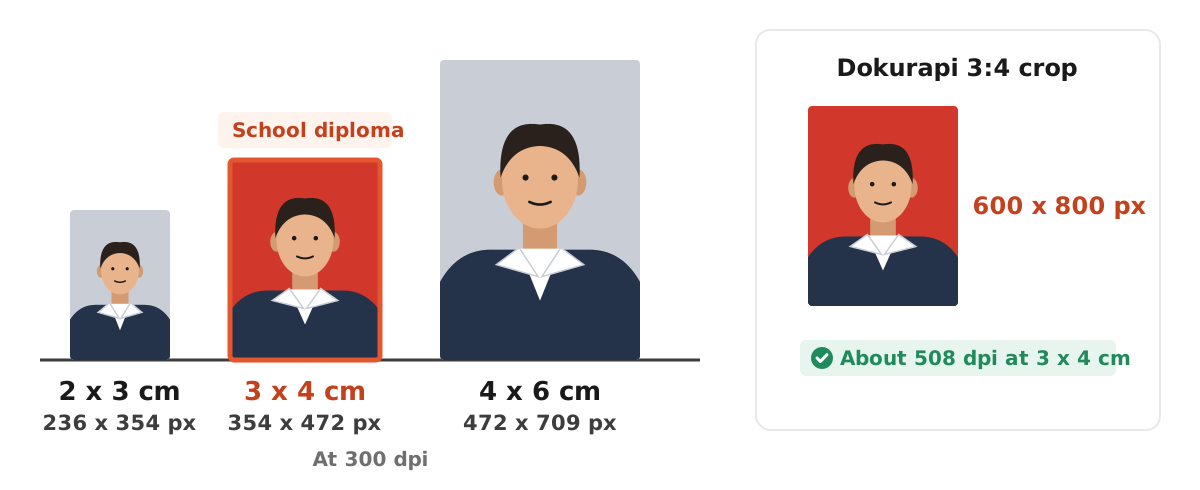
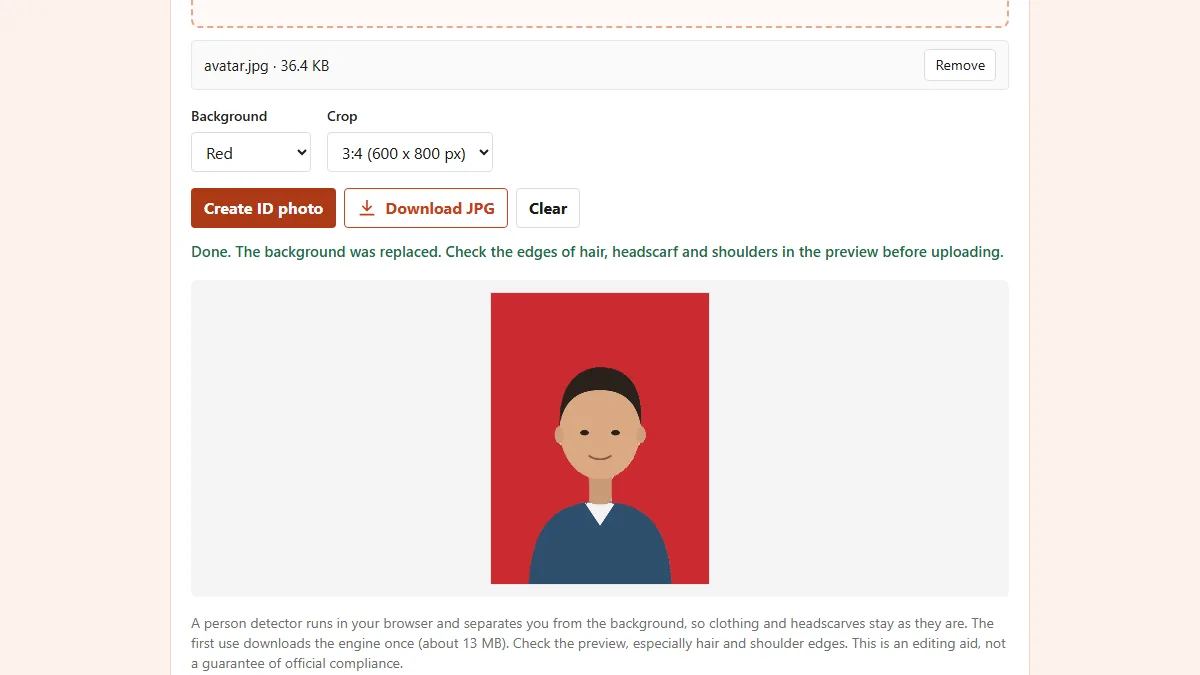
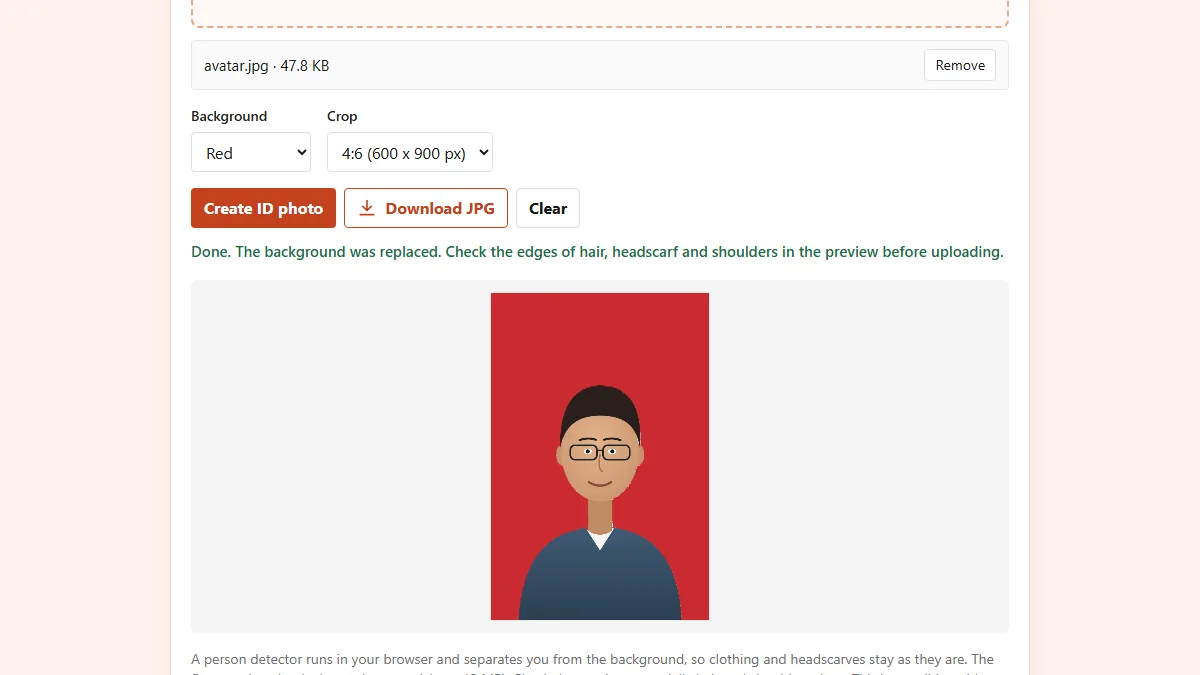
The Dokurapi ID photo tool with a 3:4 crop produces 600 x 800 pixels. Printed at 3 x 4 cm, that is about 508 dpi, more than enough for a sharp print. The 4:6 crop gives 600 x 900 pixels. A 2 x 3 cm photo has the same 2:3 ratio as 4 x 6, so use the 4:6 crop and print it smaller. More on resolution is in our image DPI guide, and each size has its own guide: 3x4 photo size, 4x6 photo size and 2x3 photo size.
Background colour: red, blue or white
No single background colour applies to every diploma. The school guideline quoted by detikEdu only sets the size and whether the photo is black and white or colour, not the background. Universities differ too: the Unimma example advises red, while the UGM example asks for white.
The safe order is:
- Find the official school announcement or the graduation notice for your period.
- If it is not written down, ask the school operator or your faculty's academic office.
- Only then take or print the photo.
The Dokurapi tool currently offers red and blue backgrounds. If your university wants white, our tool cannot switch the background to white yet. You can still use a photo that was taken against a white wall, crop it to 3:4 with our photo cropping guide, and adjust the file size with the image compressor. For black and white photos, ask the studio for a black and white print, because our tool outputs colour.
How to make a diploma photo in your browser
If your school or university accepts self-made photos, you can prepare one without installing anything. Start with a photo taken in even light, facing forward, against the plainest background you can find.
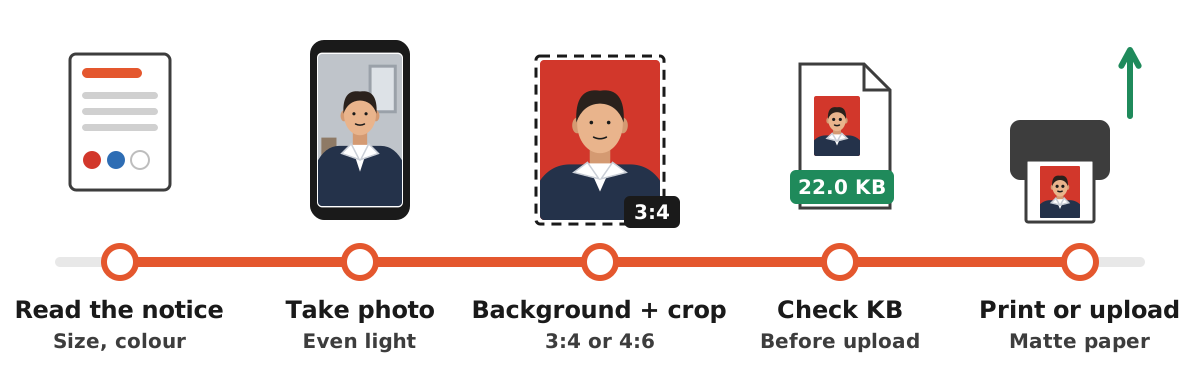
- Open the red background tool or the blue background tool, depending on the colour required.
- Choose one portrait photo from your gallery or folder.
- Pick the 3:4 crop for a 3x4 photo, or 4:6 for 4x6 and 2x3 photos.
- Click create, then check the edges of hair, headscarf and shoulders in the preview.
- Download the JPG. If the portal has a file size cap, shrink it with compress image to 100 KB or compress image to 200 KB.
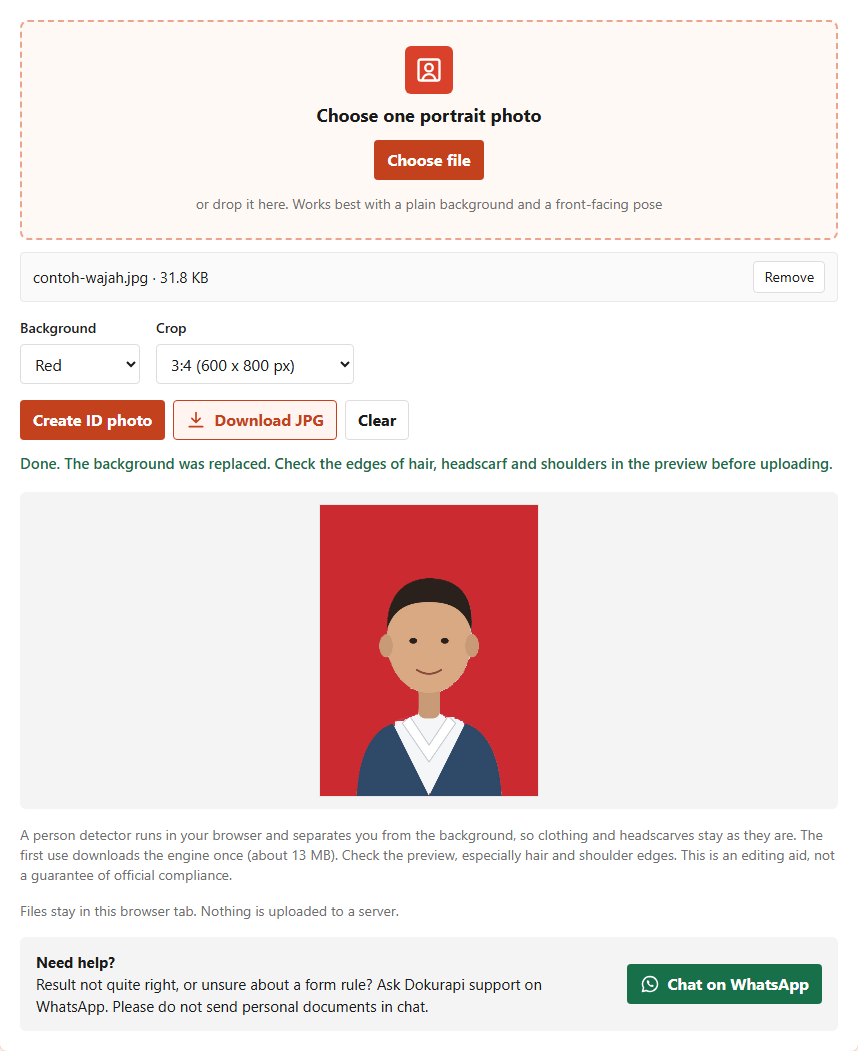
In our test on 12 November 2026, the red background tool turned a home-made face illustration into a 600 x 800 pixel file of 22.0 KB. Real photos are usually larger because faces and clothing have more detail, so always check the output size before uploading. The tool is an editing aid, not a guarantee of acceptance. The school or university has the final say.
Print or upload: technical points people miss
A diploma photo can be requested in two forms, and each has its own traps.
Printed. The photo is glued on, fingerprinted and stamped. The Unimma example specifically asks for matte photo paper, not glossy, so signature ink and stamps stick. When printing at a shop, give the size in centimetres and ask for matte paper. Make sure your file has enough resolution, at least about 354 x 472 pixels for 3x4.
Uploaded. Watch three numbers: ratio, format and maximum size. The UGM example asks for a 3:4 ratio, .jpg format and 2 MB at most. A 2 MB cap is generous, but other portals can be much stricter, such as 200 KB or 500 KB. Keep a safety margin: for a 200 KB limit, aim for about 188 KB so the file is not rejected over how KB is counted. If a PDF is required, convert the photo with photo to PDF.
One more point: UGM states that the photo must not be a scan or a phone re-shot. Do not photograph an old printed photo with your phone camera, because the result is blurry and often has glare.
Mistakes that get diploma photos sent back
Mistakes on a diploma photo cost more than on most documents, because the certificate is printed once and used for life. Common mistakes:
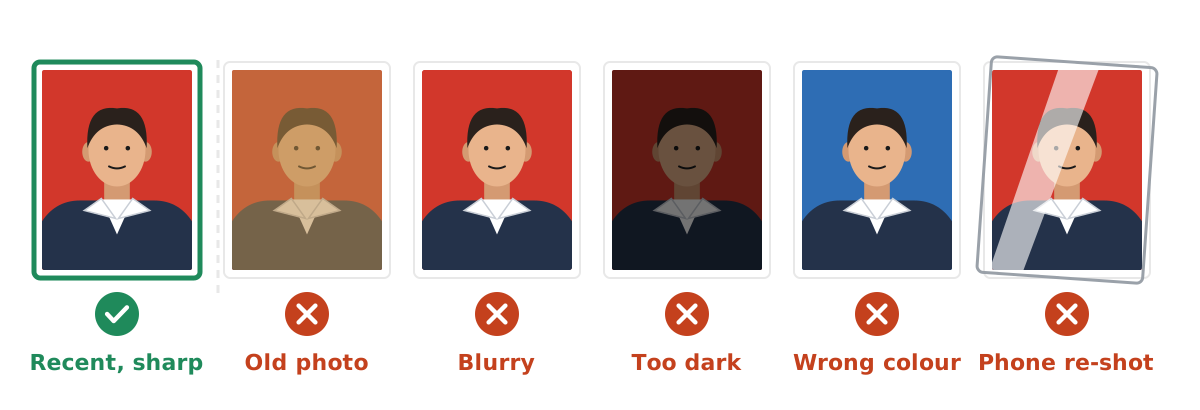
- Using an old photo. The school guideline asks for a recent photo. A photo from years ago can make the face hard to recognise when the diploma is verified.
- Mixing up sizes. School diplomas use 3x4, while many universities ask for 4x6. Check before printing many copies.
- Wrong background. A red background for a campus that wants white, or the reverse, often gets the photo returned.
- Wrong clothing. The UGM example bans the university jacket for diploma photos, while the Unimma example requires it. Follow your own notice.
- Low quality. Blurry, dark or shadowed photos. Both university examples stress sharp photos and enough light.
If you are also preparing other documents, such as a photo for a job application or a police clearance certificate, the rules are different again. See our guides on the job application photo and the police clearance certificate photo.
Frequently asked questions
What is the photo size for Indonesian school diplomas?
Does a diploma photo have to be in colour?
Which background colour is correct for a diploma photo?
What size is a university diploma photo in Indonesia?
How many pixels is a 3x4 cm photo?
Can I make my own diploma photo?
Can the Dokurapi tool make a white background?
What paper should a diploma photo be printed on?
Sources
- Isi Ijazah SD hingga SMA, Begini Aturannya dari Kemendikbudristek (Indonesian), detikEdu
- Persyaratan Pas Foto untuk Ijazah (Indonesian), Faculty of Psychology and Humanities, Universitas Muhammadiyah Magelang
- Edaran Wisuda Program Pascasarjana Periode II TA 2025/2026 (Indonesian), Universitas Gadjah Mada
Need help?Result not quite right, or unsure about a form rule? Ask Dokurapi support on WhatsApp. Please do not send personal documents in chat.
Chat on WhatsApp