The safest way to increase image size in KB is to save the photo again as a JPG at a higher quality setting, or to add pixels when the form also asks for a minimum width and height. Both methods add real image data instead of padding the file with junk. Keep one fact in mind from the start: a bigger file is not a sharper photo. The detail comes from the original image, so if you still have the file from your camera, begin there.
This guide explains why some forms reject photos that are too small, the three methods that work with our measured results, how to do it on a phone or a laptop, and a real test with the Dokurapi image compressor. That tool is usually used to shrink photos, but its quality slider can also raise the KB of a photo that was compressed too hard.
Why some forms ask for a minimum file size
Most online forms set a maximum size, such as 200 KB or 1 MB, to keep uploads light. Some also set a minimum. The minimum is there to block photos that are tiny or heavily compressed, because those images tend to be blurry, blocky or too small for an officer to check.
A clear public example is the GOV.UK page on passport photos. For an online application, the digital photo must be at least 600 pixels wide and 750 pixels tall, and at least 50KB and no more than 10MB. The same page says the photo must be unaltered by computer software. For rules like that, the right move is to take a new photo at a good resolution, not to edit an old one.
Exam portals, job sites and visa services each publish their own limits, and those limits change. Read the official notice for the exact form you are using and note three things: accepted formats, the minimum and maximum KB, and the pixel size if one is given. For help reading those numbers on your device, see how to check file size before uploading and 200 KB to MB.
Ready to try it? The tool is free and runs in your browser.
Open the image compressorThree honest ways to increase image size in KB
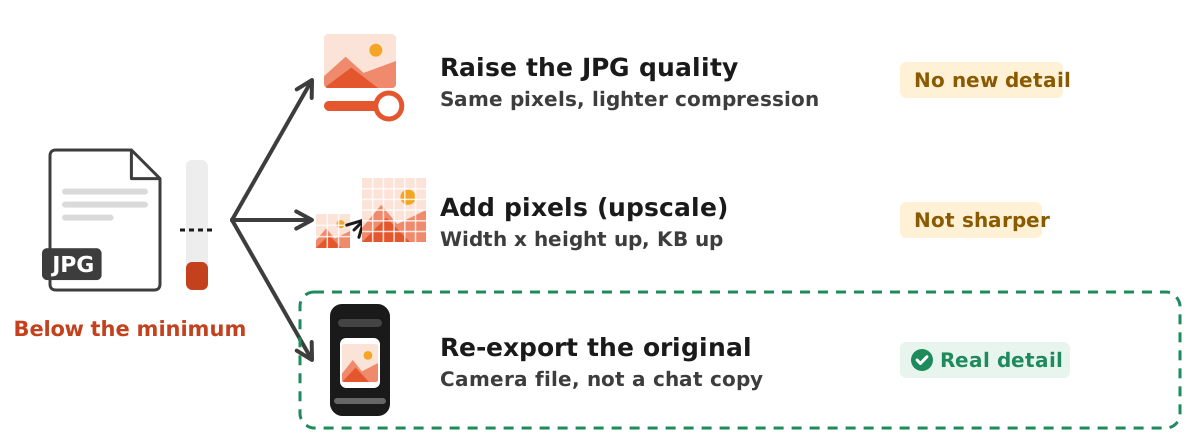
The size of a JPG file depends mostly on two things: how many pixels it has and how strongly it is compressed. The Wikipedia article on JPEG notes that nearly all JPEG software lets the user control the compression ratio, trading picture quality for a smaller file. Reverse that trade and the file grows. That gives three sensible methods.
- Raise the JPG quality. Save the photo again at a higher quality value, for example 95 instead of 50. The pixels stay the same, compression is lighter, and the KB goes up.
- Add pixels. Increase the width and height, for example from 600 x 800 to 1200 x 1600 pixels. That is four times as many pixels, and the file grows with them.
- Re-export the original. Photos sent through chat apps are often compressed on the way. The original from the camera roll is usually much larger and sharper.
The third method is the best, because it brings back detail that really exists. The first two only add bytes, not information.
Our test: raising the JPG quality
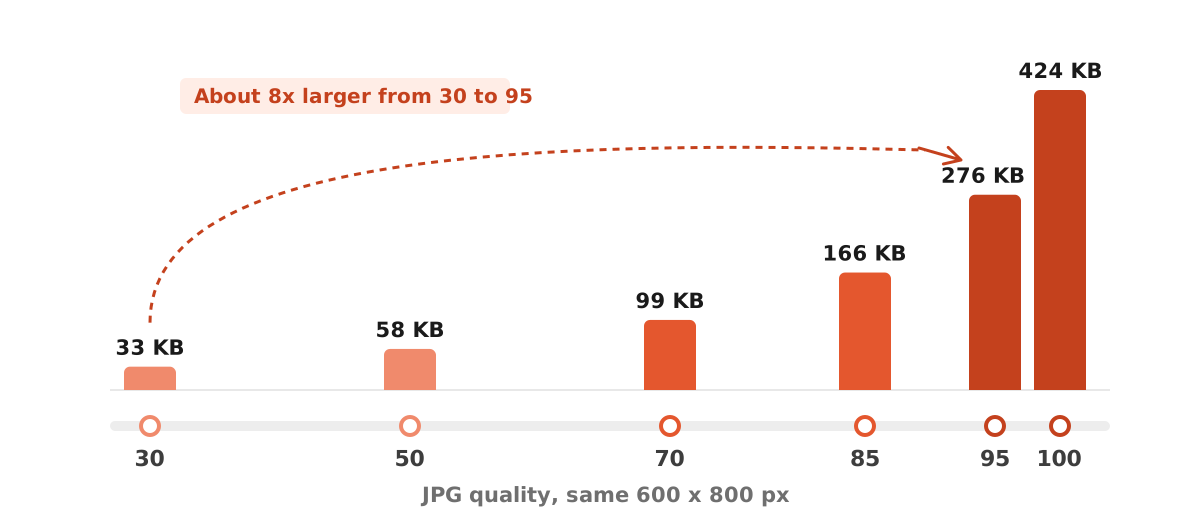
We made a synthetic 600 x 800 pixel test image with a photo-like texture and saved it at six JPG quality levels using the sharp image library. The pixel size is identical in every row; only the quality value changes.
| JPG quality | Pixel size | File size |
|---|---|---|
| 30 | 600 x 800 px | 33 KB |
| 50 | 600 x 800 px | 58 KB |
| 70 | 600 x 800 px | 99 KB |
| 85 | 600 x 800 px | 166 KB |
| 95 | 600 x 800 px | 276 KB |
| 100 | 600 x 800 px | 424 KB |
Going from quality 30 to 95 took the file from 33 KB to 276 KB, roughly 8 times larger. The biggest jump sits at the top end: from 95 to 100 the file grew again to 424 KB, even though the eye can barely see a difference. Treat these as example numbers. A plain sky compresses far smaller, while leaves or a crowd compress larger.
One warning. If your photo was already saved at low quality once, saving it again at quality 100 does not bring the lost detail back. The blocky artefacts from the first save stay in the picture; they are simply stored with more bytes.
Our test: adding pixels
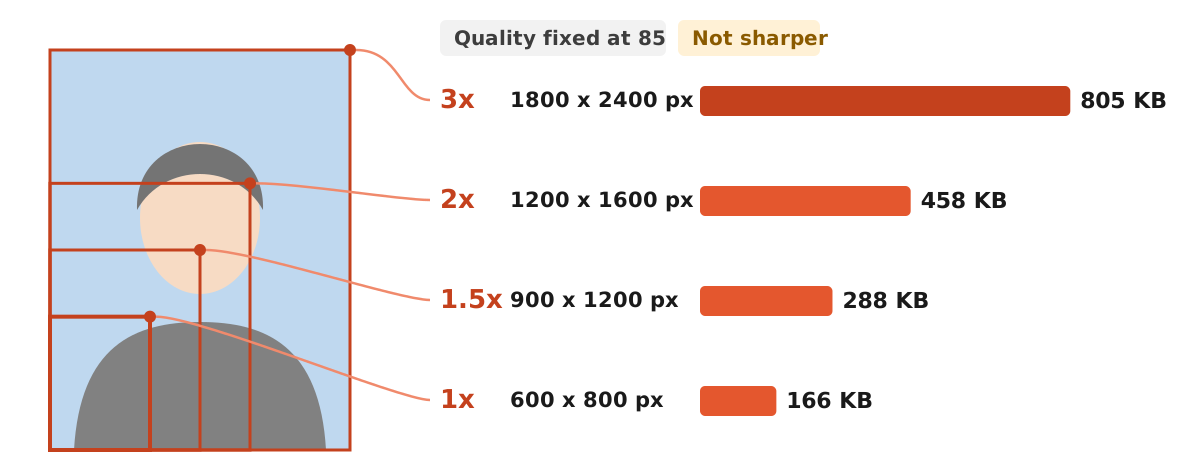
The second method is to add pixels. We enlarged the same test image by 1.5x, 2x and 3x and kept the quality at 85. The file size rose roughly in line with the pixel count.
| Scale | Pixel size | File size (quality 85) |
|---|---|---|
| 1x | 600 x 800 px | 166 KB |
| 1.5x | 900 x 1200 px | 288 KB |
| 2x | 1200 x 1600 px | 458 KB |
| 3x | 1800 x 2400 px | 805 KB |
This method makes sense when a form sets a minimum pixel size, such as a minimum width of 600 pixels, and your photo is smaller. Enlarge only as much as you need. A 3x upscale makes a big file, but the photo is just as soft as before, because the new pixels are estimates built from their neighbours. If you are preparing a print, work out the pixels you need with our guide to image DPI.
On a Mac, Preview has an Adjust Size option for new width and height values, described by Apple Support. On phones, most gallery and photo editor apps include a resize option. The full steps are in our guide to resizing a photo.
A real test with the Dokurapi image compressor
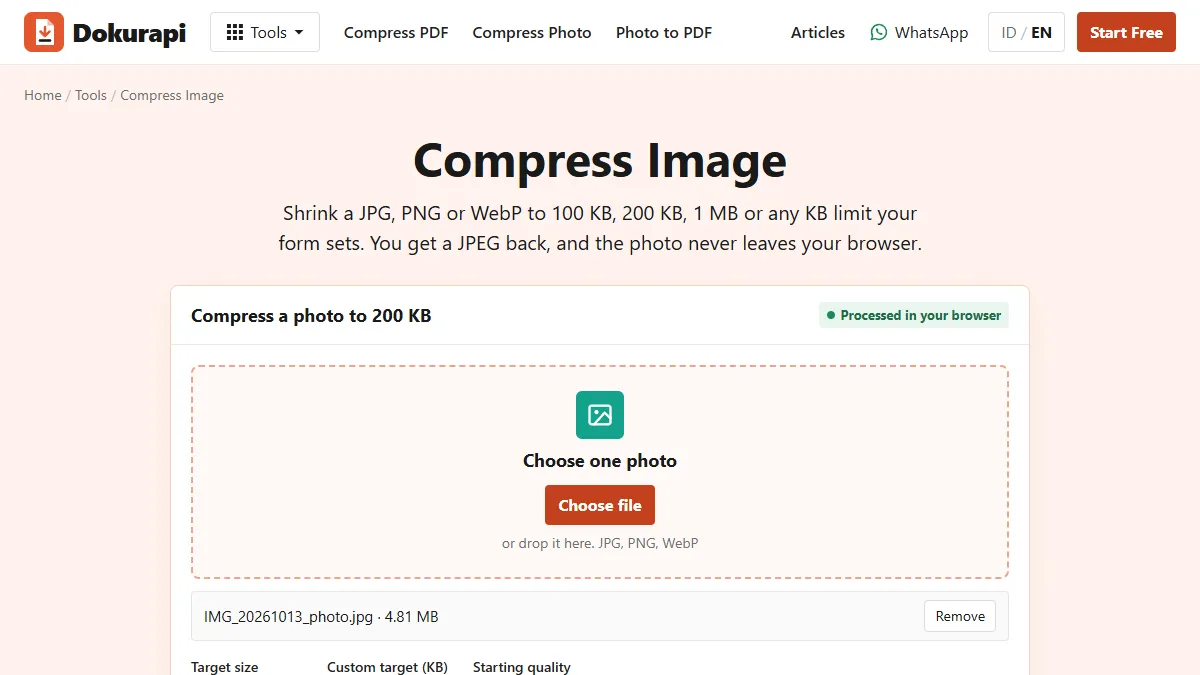
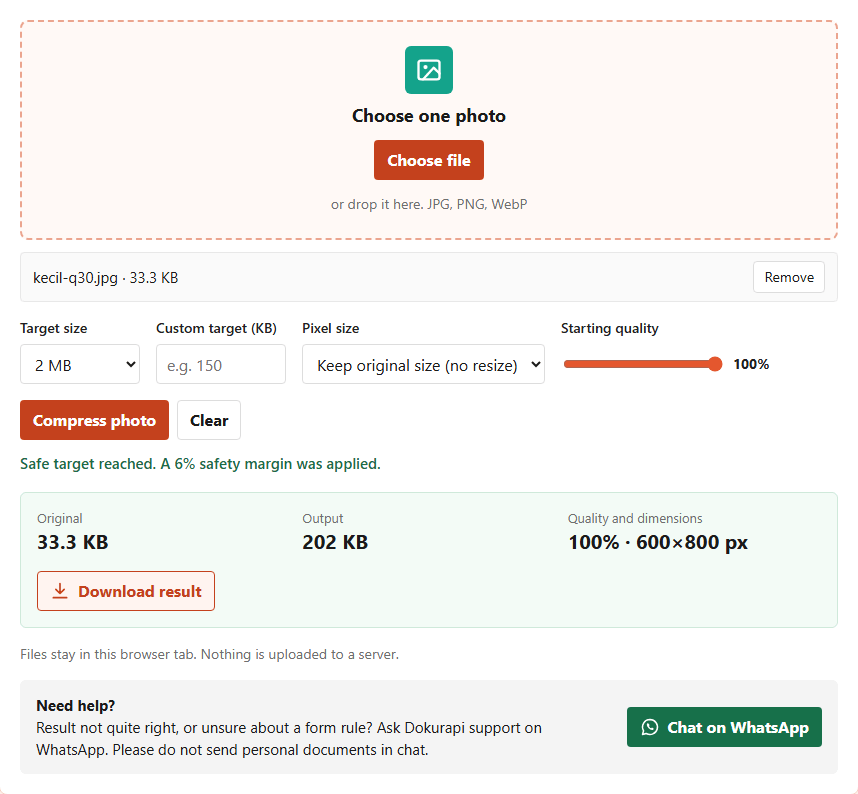
The Dokurapi image compressor has a quality slider and a "Keep original size (no resize)" option. It processes the photo in your browser without uploading it, and it never adds pixels: the longest side is capped at 2400 pixels and smaller images are left at their size. What it can raise is the JPG quality.
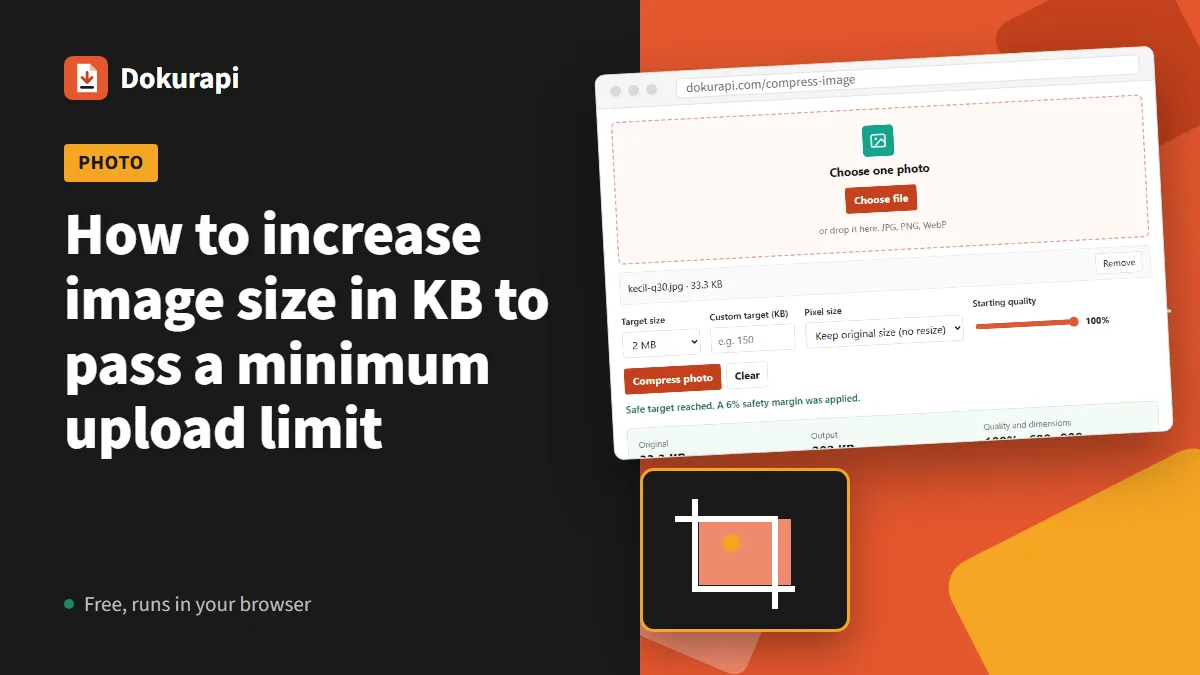
We tested the tool on 9 November 2026 with a 600 x 800 pixel test image saved at quality 30 (33 KB). Settings: a 2 MB target, the "Keep original size (no resize)" option and the quality slider at 100%. The download was 202 KB at the same 600 x 800 pixels. The KB went up about 6 times, while the picture looked the same, because its detail still came from the quality 30 file.
That result tells you two things. First, the quality slider can lift a photo that is too small past a form's minimum size. Second, if the form also has a tight maximum, such as 200 KB, do not leave the slider at 100; lower it until the result sits between the minimum and the maximum. For the opposite job, read how to compress an image.
How to increase image size in KB on a phone or laptop
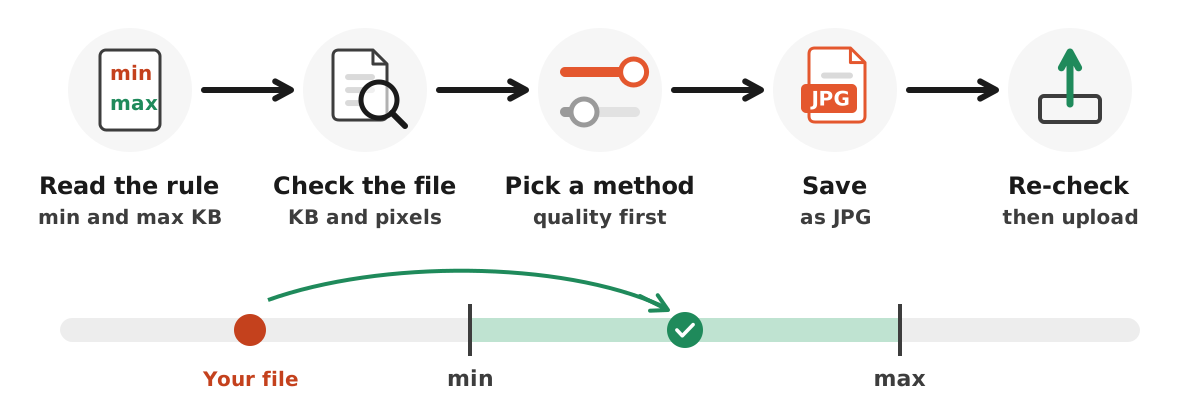
This order keeps the photo clean and still under the maximum. Always work on a copy, never on your only original.
- Write down the rule. Note the minimum and maximum KB, the format and any pixel size.
- Check your file. Look at the KB and pixel size in the file info or gallery details. If the pixels already meet the rule, skip the upscale step.
- Find the original. Take it from the camera roll, or ask the sender to share it as a document rather than as a photo.
- Raise the quality. Open the image compressor, choose "Keep original size (no resize)", move the quality slider to 90 to 100, pick a target above the minimum and run it.
- Add pixels if needed. If the KB is still short or the pixel rule is not met, enlarge the width and height in a photo editor and repeat step 4.
- Check the result. Confirm the KB sits between the minimum and the maximum, then look at the preview on the form before you submit.
If the photo is a PNG or WebP file, convert it first with our guides to PNG to JPG or WebP to JPG, because many forms only accept JPG.
When the form wants an ID photo of a set size
ID photos come with extra rules: aspect ratio, background colour and sometimes pixel size. The Dokurapi red background photo and blue background photo tools export a 600 x 800 pixel JPG for a 3:4 ratio or 600 x 900 pixels for 4:6. If that file is below a form's minimum, run it through the image compressor at a higher quality as described above.
Do not blow up a tightly cropped ID photo far beyond what the form needs, because the face will look soft when an officer zooms in. Common sizes are covered in our guide to the 3x4 photo size, and cropping is covered in how to crop a photo.
For forms with a small maximum, such as the example in our SSCASN upload requirements guide, never raise the KB above what is asked. The latest official notice always wins.
Tricks you should not use
Several tricks for inflating a file circulate online. Most of them cause more trouble than they solve.
- Renaming the extension. Changing photo.png to photo.jpg does not change what is inside. Forms that inspect the content can reject it, and the file may not open.
- Padding with junk data or long metadata. The file gets bigger, but the extra bytes help no one, and some portals strip metadata when they process uploads.
- Adding a wide border or background. The KB rises, but the photo may break the ratio or face position rules.
- Upscaling again and again. Each new JPG save can lose a little quality. One pass from the best file you have is better.
If nothing works and the photo still looks poor, the best fix is to take a new one in good light at the camera's full resolution.
Summary: which method to use when
Choose the method based on the part of the rule you have not met yet.
| Situation | Method | Note |
|---|---|---|
| KB too low, pixels fine | Raise the JPG quality | Start at 90 and go up in steps |
| KB too low, pixels too low | Add pixels, then tune quality | Enlarge only as much as needed |
| Photo came from a chat app | Find the original | Real detail beats an upscaled copy |
| Form forbids edited photos | Take a new photo | Follow the form, as in the GOV.UK example |
| KB above the maximum | Lower the quality | See compressed file still too big |
In the end, the KB figure is an administrative check. The person reviewing your upload still judges the photo by how clear it is. Aim for a file that passes the size check and still looks good, and keep the original so you can process it again if the rules change.
Frequently asked questions
How do I increase the size of an image in KB?
Does increasing the KB make a photo sharper?
Why do some forms set a minimum file size?
Can the Dokurapi image compressor increase the KB?
Does renaming a PNG to JPG increase the KB?
What JPG quality should I use to increase the KB?
What if a photo from a chat app is too small?
Is it safe to upscale a photo three times?
Sources
- Get a passport photo: Digital photos, GOV.UK
- JPEG, Wikipedia
- HTMLCanvasElement: toBlob(), MDN Web Docs
- Crop, resize, or rotate an image in Preview on Mac, Apple Support
Need help?Result not quite right, or unsure about a form rule? Ask Dokurapi support on WhatsApp. Please do not send personal documents in chat.
Chat on WhatsApp